To exit the program, tap
on the top right corner of the screen or tap File (top
toolbar)
Exit.
10.2 Creating a Contact
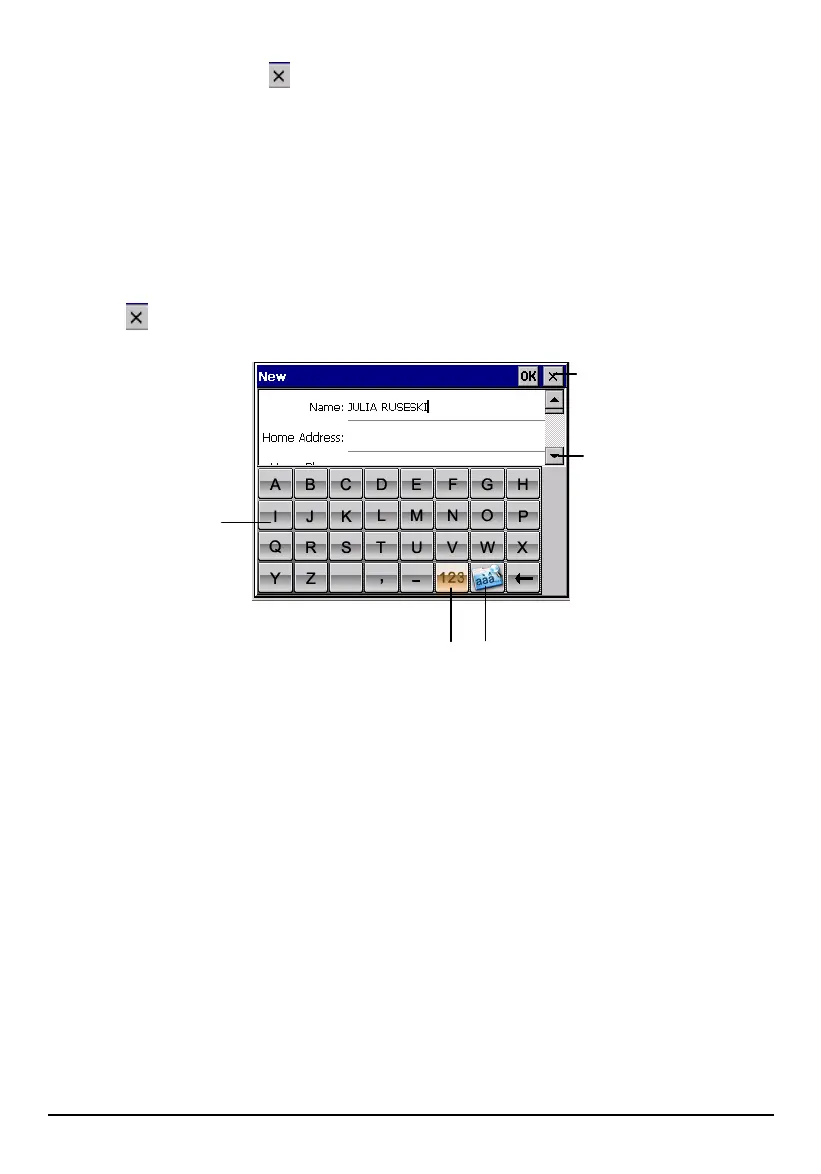
1. After starting Contacts, tap File (top toolbar) New.
2. Use the soft keyboard to enter the information in the various fields. You will
need to scroll down to see all available fields.
3. Tap
on the top right corner of the screen to return to the contact list.
Tap to return to the
contact list (the contact is
saved automatically).
Scroll to see more
fields.
Soft keyboard
Switch to numerical
keyboard
Switch to European
characters
10.3 Displaying the Contacts Summary Screen
There are two ways to display the summary screen of a contact. You can either:
Double tap a contact in the contact list.
Select a contact and tap File (top toolbar) Open to open the summary screen.
94



 To Next Page