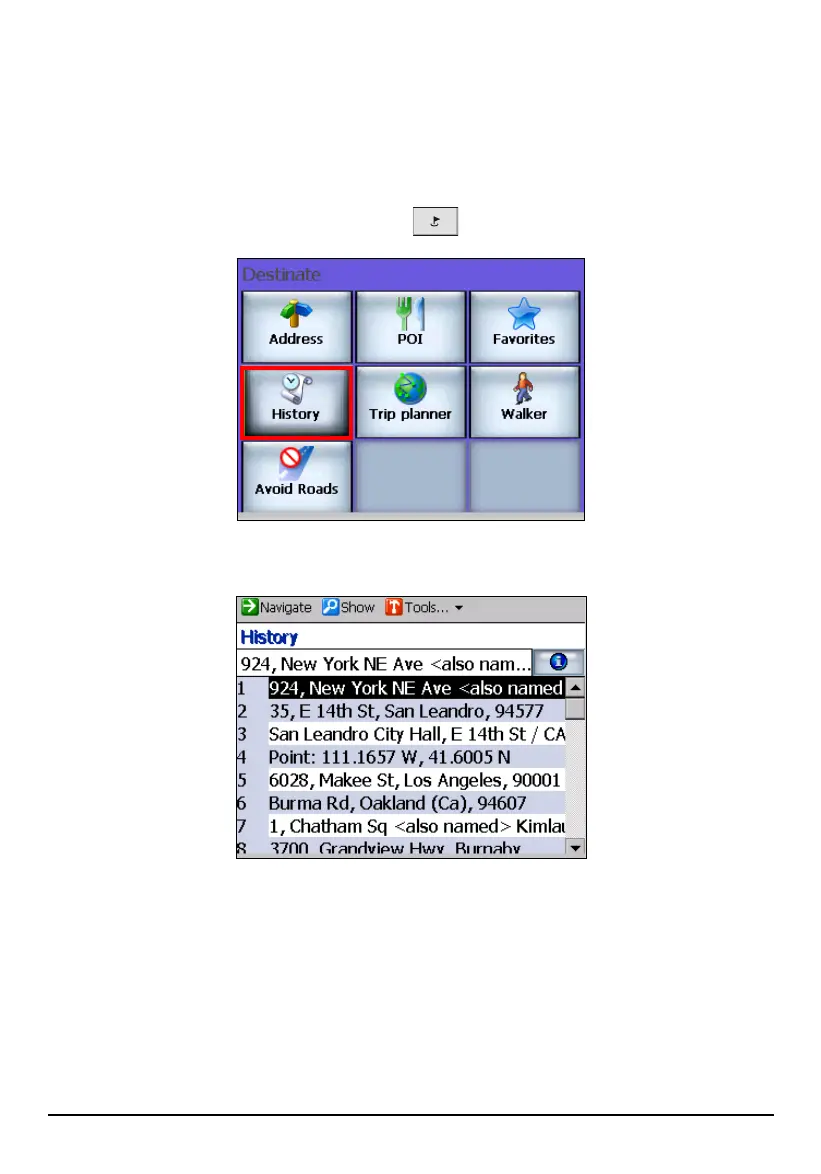
Using History
Use History to select an existing destination from a list of previously traveled
destinations. Mio Map automatically stores the last few destinations in memory.
(See section 6.4 for more information.)
1. Press the Navigation Settings button
once and tap History.
2. Tap (highlight) the desired item in the history list.
3. You can preview your destination by tapping
Show (top toolbar).
4. To calculate the route, tap
Navigate (top toolbar). The route is shown as a
highlighted blue line starting from your origin to your destination. (See section
5.3 for more information.)
47



 To Next Page