Mitel 5614 DECT Phone User Manual for MiVB
SOFTWARE UPGRADE AND ADDITIONAL FEATURES
Software and parameters in the handset can be upgraded by using the WinPDM or the Device
Manager. refer to the Installation and Operation Manual for the Portable Device Manager
(WinPDM) Windows Version, or the Installation and Operation Manual for the Device Manager.
Examples of additional features that can be downloaded/configured via WinPDM/Device
Manager:
• Company phonebook
• Downloadable languages
• Customizing the Menu Tree
For more information, refer to the Configuration Manual for the handset; see Related Documents
on page 127.
To view the handset’s software version, enter *#34# in idle mode.
HANDSET UPDATES VIA CHARGING RACK
From time to time, users are instructed to leave their handsets in a central charging rack to
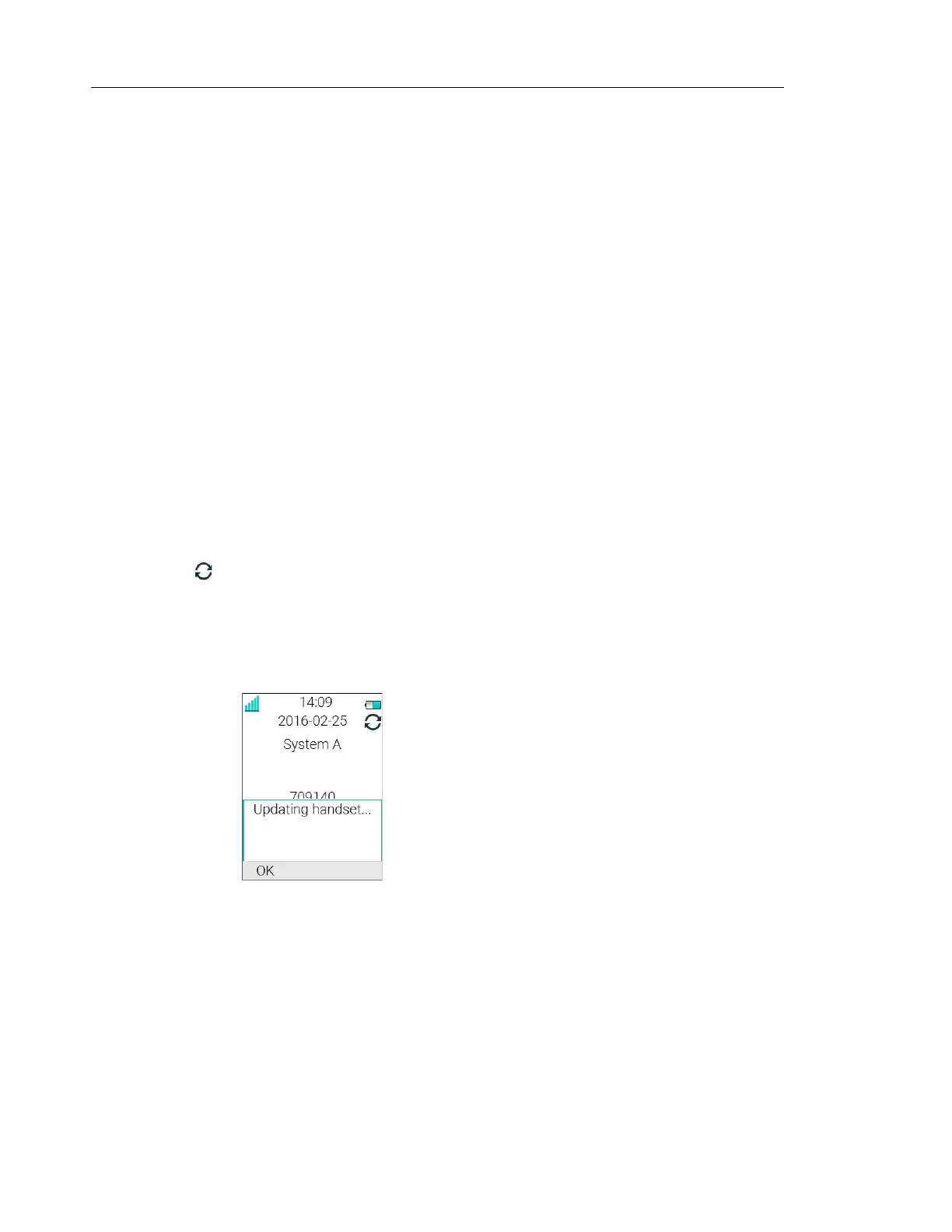
allow the handset to be updated with new features and functions. An ongoing update is indicated
by the in the handset header bar and an "Updating handset" message is displayed in the
active area.
During the update, a message is displayed to indicate that an update is in progress as shown
in figure 1. The "OK" soft key can be selected to close the message.
Figure 1. Handset Update while in Charger
If the handset removed from the charger and used, the update is suspended and resumed
when it is returned to the charger.
When the update is complete, a "Handset is updated" message is displayed to indicate that
the handset is available for use, as shown in figure 2. Select the "OK" soft key to close the
message.



 To Next Page