ICONS AND TEXT IN THE DISPLAY
All functions and settings available to the user are shown as icons and text in the display. The
icons and text in the display indicate functions and settings to which you have access. The
display normally displays date and time, the Owner ID and handset number. The Owner ID can
manually be set by the user.
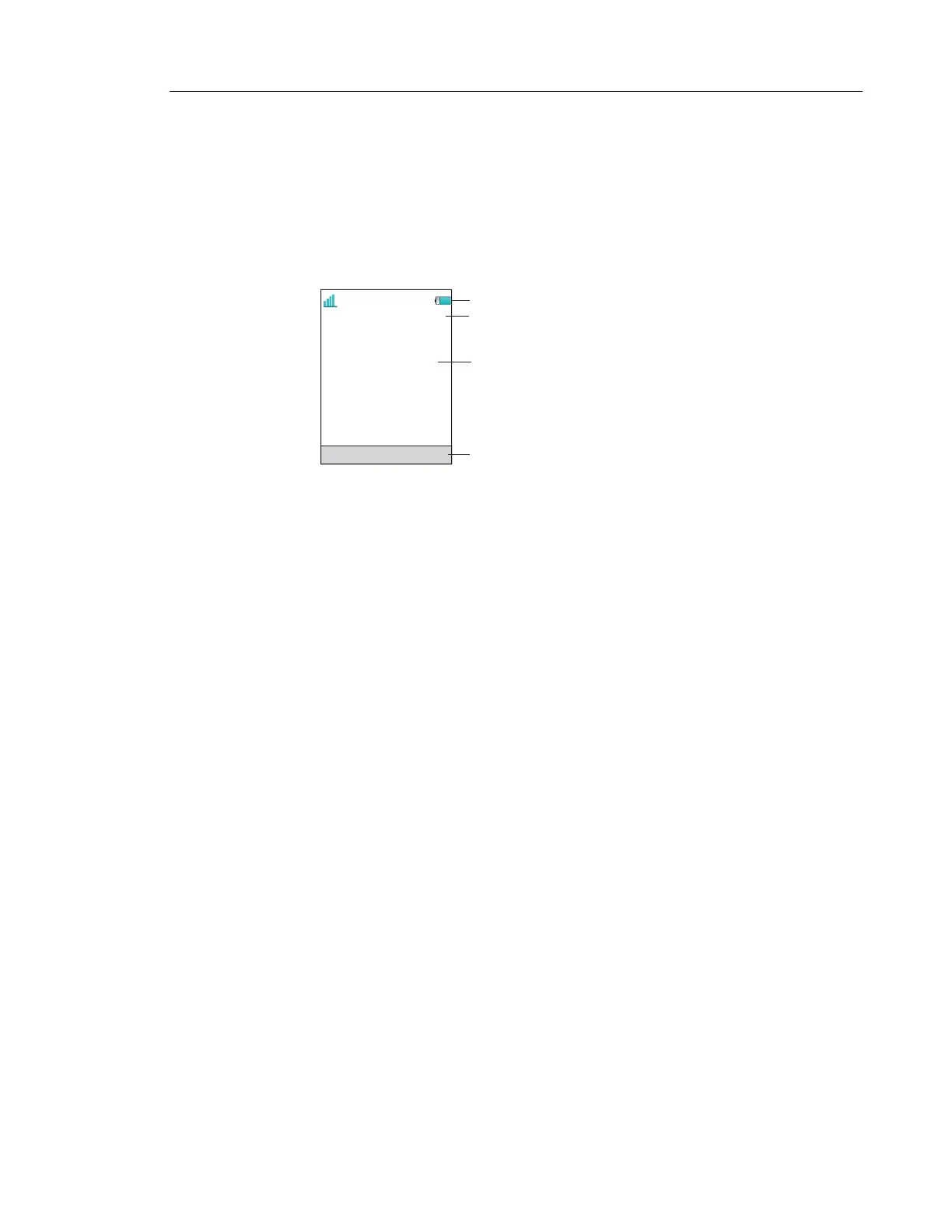
Figure 3: Example of a display configuration in idle mode.
The top row (Status bar) is used for icons which give the user information about signal strength,
missed call, new message, phone lock, key lock, sound off, time and battery status. This row
is always visible in all screens.
The next row (Header bar) displays the current date, headset connection, Bluetooth connection,
and system connection.
The next rows (Active area) are used for information such as the name of the system to which
the handset is connected to. A user identity provided from the system and/or an Owner ID can
also be displayed if configured in the Settings menu. This is also the area for dialog window
text. For example “missed calls” or to confirm an action.
The bottom row (Soft key bar) is used for Soft keys which can be used as shortcuts for functions
in the handset. See Soft Keys on page 15.
The (Scroll bar) is placed to the right of the “Active area”. It becomes visible when a menu
screen has more than six menus, or if the complete text in a message cannot be displayed on
the screen simultaneously.
2015-10-23
12:19
Menu
709139
Walktest
IP-DECT
Status bar
Header bar
Active area
Soft key bar



 To Next Page