Mitel 5614 DECT Phone User Manual for MiVB
ICONS
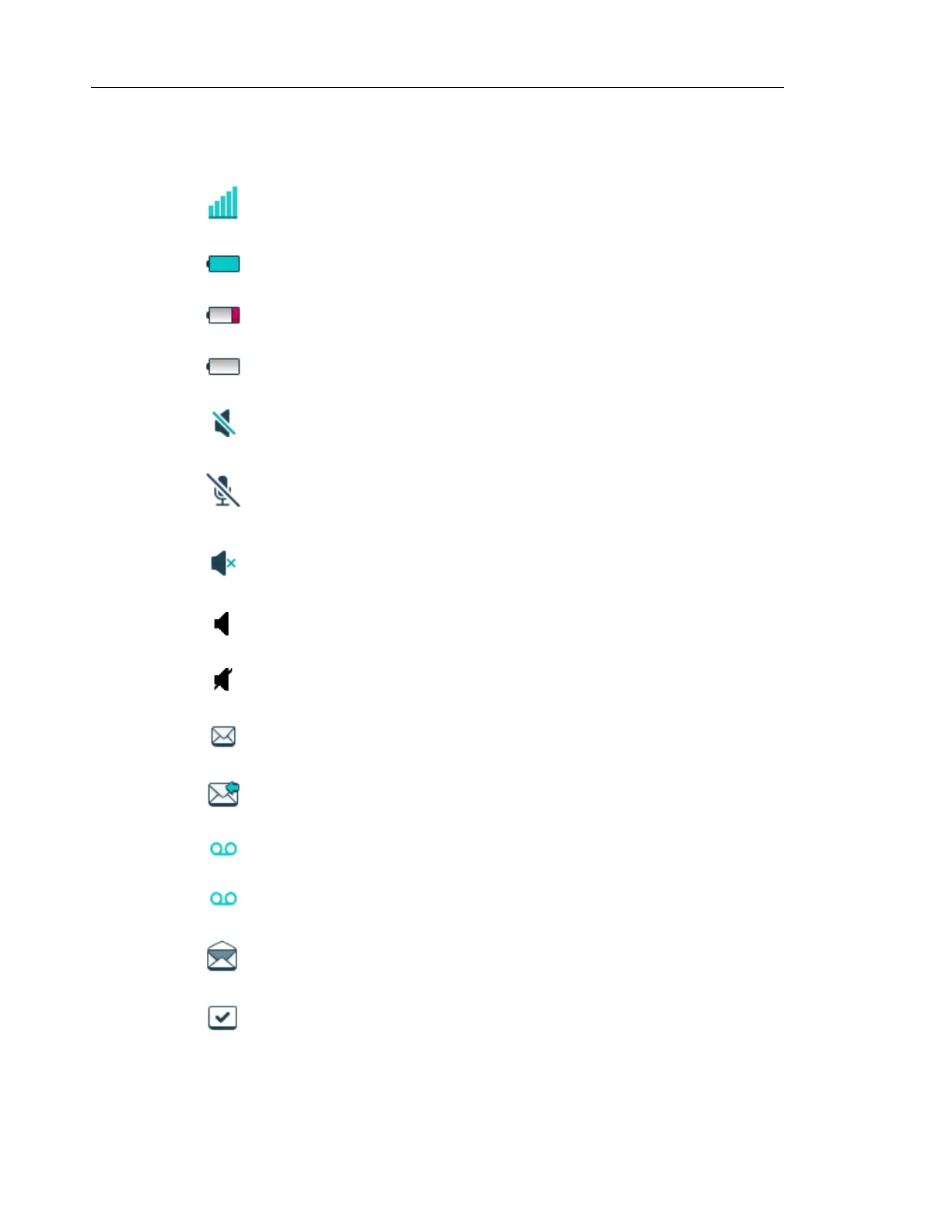
“Signal strength” icon is visible in the upper left corner. The staples shown in
display depends on the signal strength.
“Full battery” icon is displayed in upper right corner.
"Low battery warning” icon is shown when the battery has 10% or less remaining
capacity left.
"Empty battery warning" icon is flashing when the battery has 5% or less
remaining capacity left.
“Sound off” icon is displayed when the Sound off key or Mute button is pressed.
"Microphone off" icon indicates a silenced microphone. It is displayed after a
long press on the Sound off key, Mute button during a call.
During a PTT call, the microphone is silenced when the PTT button is released.
"Silent volume" icon is displayed when the volume has been set to "Silent".
“Loudspeaking” icon is displayed in the soft key bar during a call. Pressing this
icon turns on the loudspeaker.
“Loudspeaking off” icon is displayed after the soft key for Loudspeaking icon has
been pressed. Pressing this icon turns off the loudspeaker.
“New message” icon or “Interactive message” icon indicates that a new text
message (or messages) has arrived. The icon remains in the status bar until all
new messages in the inbox are read.
"Request for answer" icon in front of a message indicates that this message
must be acknowledge or rejected.
“Voicemail message” icon is displayed in the status bar when there are
voicemails. The icon remains until voicemail has been listened to.
Voicemail message” icon is displayed in the message inbox when there are
voicemails. The icon remains until voicemail has been listened to.
“Read message” icon or “Read Interactive message” icon in front of a message
shows that this message once has been read.
"Sent message" icon



 To Next Page