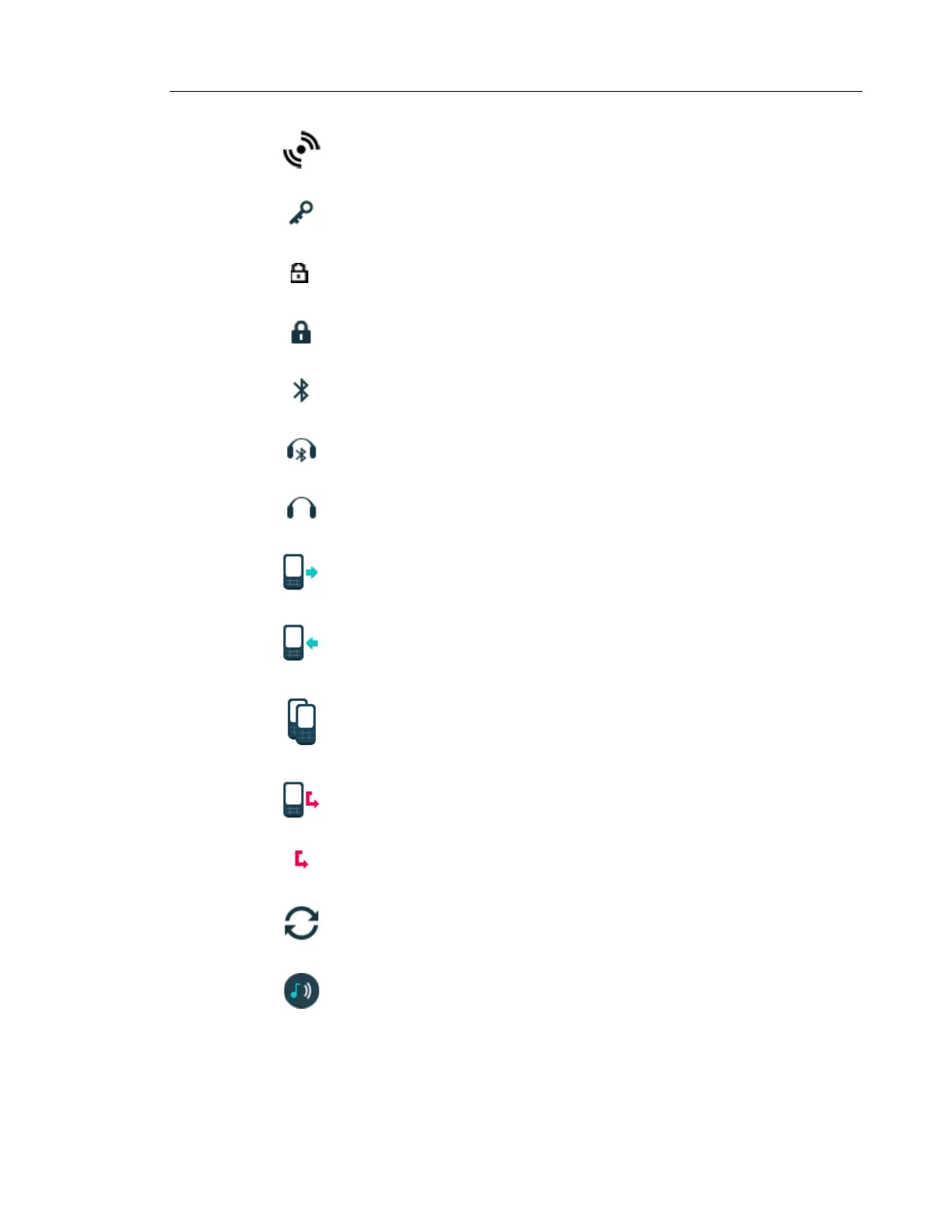
"High prio" or "Alarm prio" icon indicates high priority of a message.
“Key lock” icon indicates a locked keypad.
"Locked entry" icon indicates that the contact can not be edited or deleted by the
user.
"Phone lock" icon indicates a locked handset.
“Bluetooth” icon indicates that Bluetooth is enabled.
“Bluetooth headset” icon indicates that a Bluetooth headset is connected to the
handset.
“Headset” icon indicates that a corded headset is connected to the handset.
“Outgoing call” icon is added to all outgoing calls in the call list.
“Incoming call” icon is added to all answered calls in the call list.
"Push to talk" icon is added to all incoming, outgoing, missed and answered PTT
calls in the call list/missed calls.
Note: The icon is added when a PTT invitation is managed as a call only.
“Missed call” icon is added to all missed calls in the call list.
“Missed call” icon indicates missed calls in the status bar.
"WinPDM/Device Manager communication" icon is visible when handset is
communicating with WinPDM/Device Manager via advanced charger.
"Profile active" icon



 To Next Page