Mitel 5614 DECT Phone User Manual for MiVB
on how to use the WinPDM/Device Manager, refer to the User Manual for the Device
Manager or the Installation and Operational Manual for the Portable Device Manager (Win-
PDM), Windows version.
3. Make sure that the handset batteries are charged before starting the easy replacement
procedure.
4. Switch off the new handset by long pressing .
EASY REPLACEMENT PROCEDURE
During the Easy Replacement procedure, the LED indications on the charger can be used to
follow the replacement procedure. For more details, see LED Indications during Easy Replacement
on page 123.
IMPORTANT: Never remove a handset from the charger until the instructions in the display tells
you to do so (see status on the LED on the charger if the display is broken). If
there is an error indication it may be allowed to remove the handset, see Figure
Update Completed while in Charger on page 79 for further instructions.
After the old handset has been in the charger, the new handset needs to be placed in the
charger regardless if the replacement was successful or not. Failing to do so may result in
malfunction that requires the new handset to be returned for service.
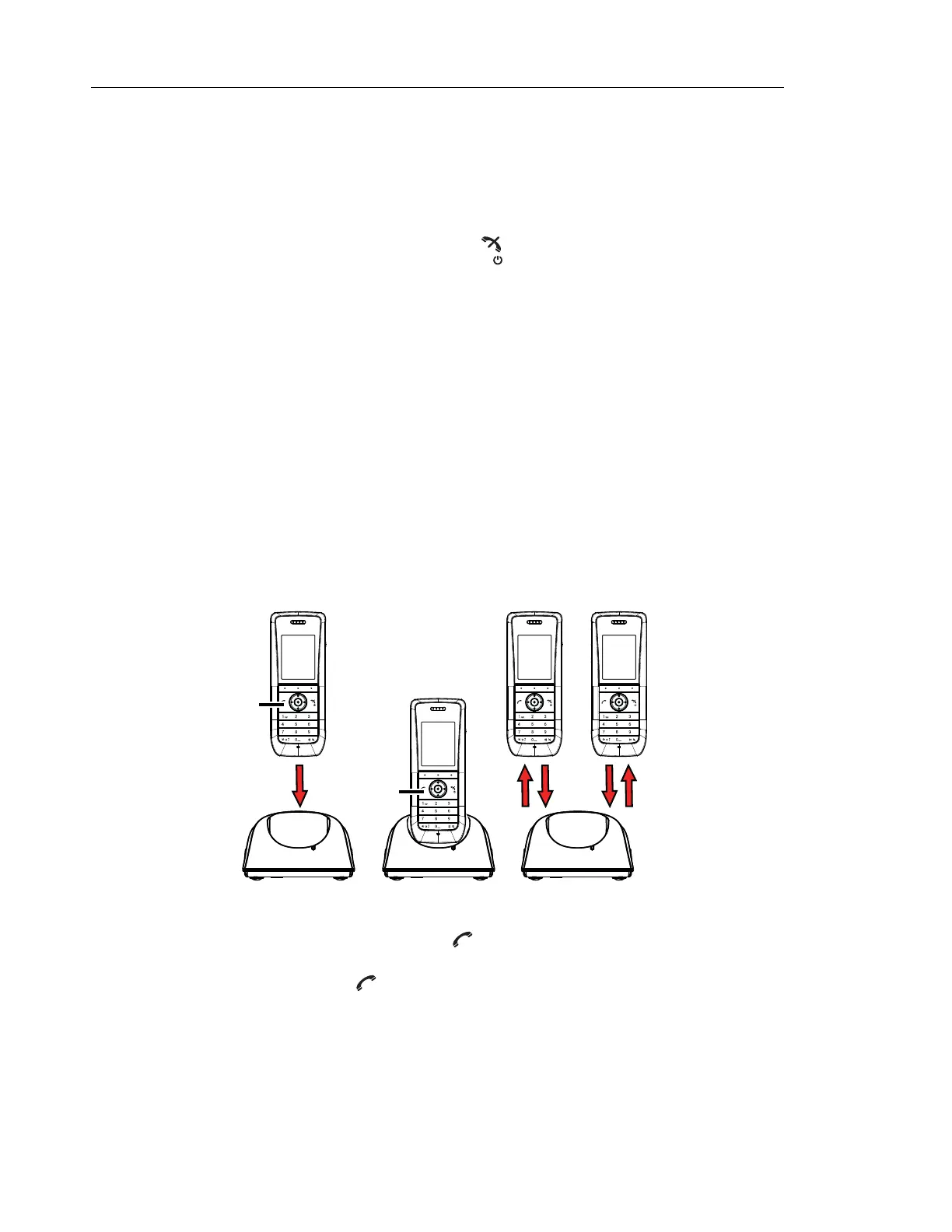
Figure 2. Easy Replacement via DC4 Advanced Desktop Charger.
1 On the new handset, press and hold
Note: Do not release until you are instructed to do so.
2 Put the new handset in the charger.
ABC DEF
GHI JKL
PQRS TUV WXYZ
MNO
1
2
New New Old
New
4, 8 5 67
ABC DEF
GHI JKL
PQRS TUV WXYZ
MNO
ABC DEF
GHI JKL
PQRS TUV WXYZ
MNO
ABC DEF
GHI JKL
PQRS TUV WXYZ
MNO
3



 To Next Page