Mitel 5614 DECT Phone User Manual for MiVB
COLORED MESSAGING
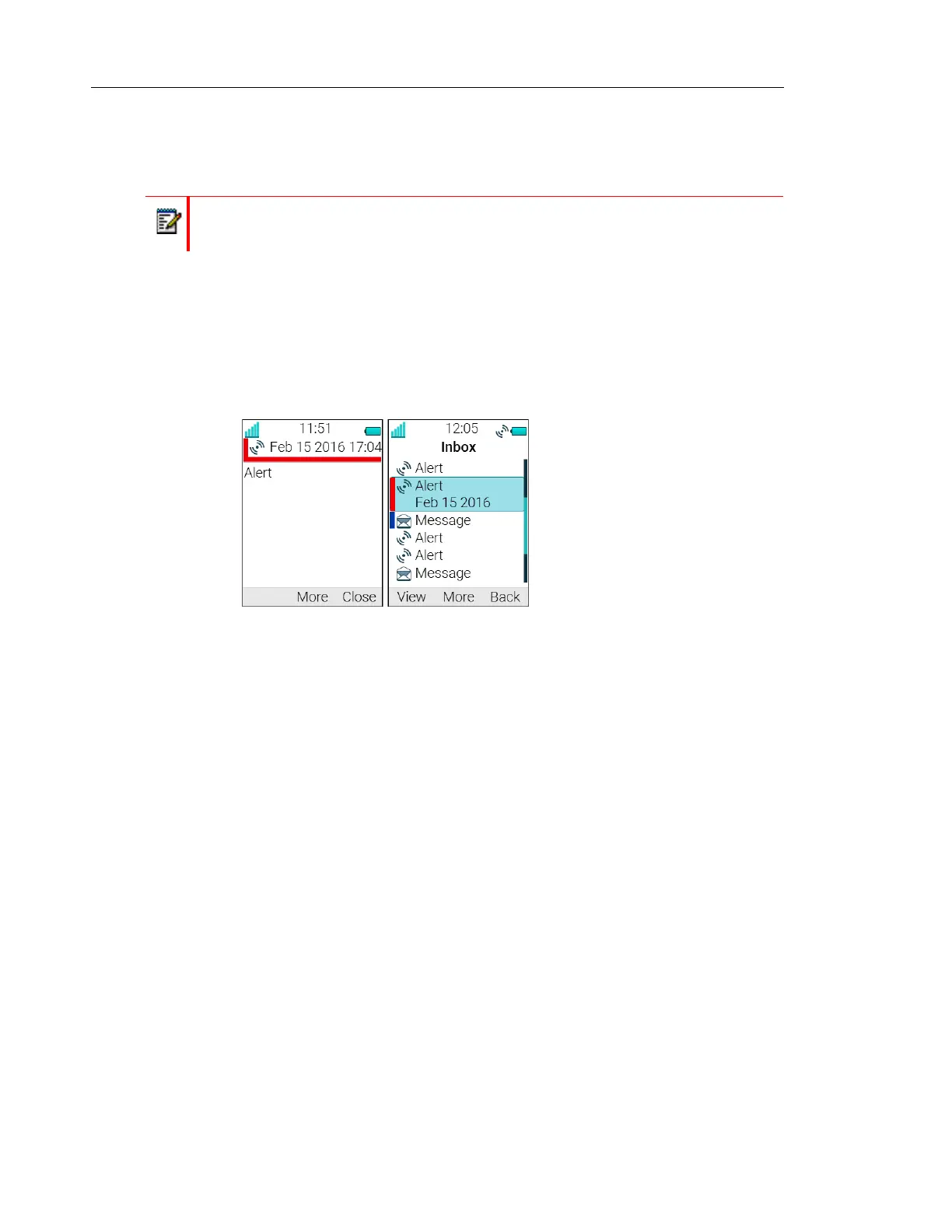
Colored messages can be sent to handsets. The sender of a message, that is, an application,
determines the color of the message. Colored messaging can be useful for categorizing
messages. In figure 2 on page 64, there are two colored messages, a new message and a
read message, in the message inbox (left in the figure). The messages are indicated by a
gradient color bar behind the envelopes. In addition, a gradient color bar is shown below the
envelop when reading a colored message (right in the figure).
Figure 2. Shows an example of a colored message.
To enable colored messaging, refer to the corresponding manual for the application used. In
addition, colored labels can be mapped to message beep codes. refer to the Installation and
Operation Manual for Device Manager.
DECLINE A CALL WITH A PREDEFINED MESSAGE
A call may be declined with a predefined message by the called party provided that both parties
are connected via a DECT system. To decline a call with a predefined message when the
handset rings, perform the following steps:
1. In response to the "Reply with a message template?" prompt, press the "Yes" soft key to
send a message to the caller. A list of predefined messages is displayed in the "Templates"
menu.
2. Select, and if required, edit the message as described in The Templates Menu on page 59.
3. Click the soft key "Send". The calling party number is displayed in the handset display.
4. Click the soft key "Send". A "Message sent" confirmation is displayed and the message is
sent to the caller.
Note: The support for this system dependent feature is dependent on what model of
handset that is used. For more information, see Functions and Accessories on page 3.



 To Next Page