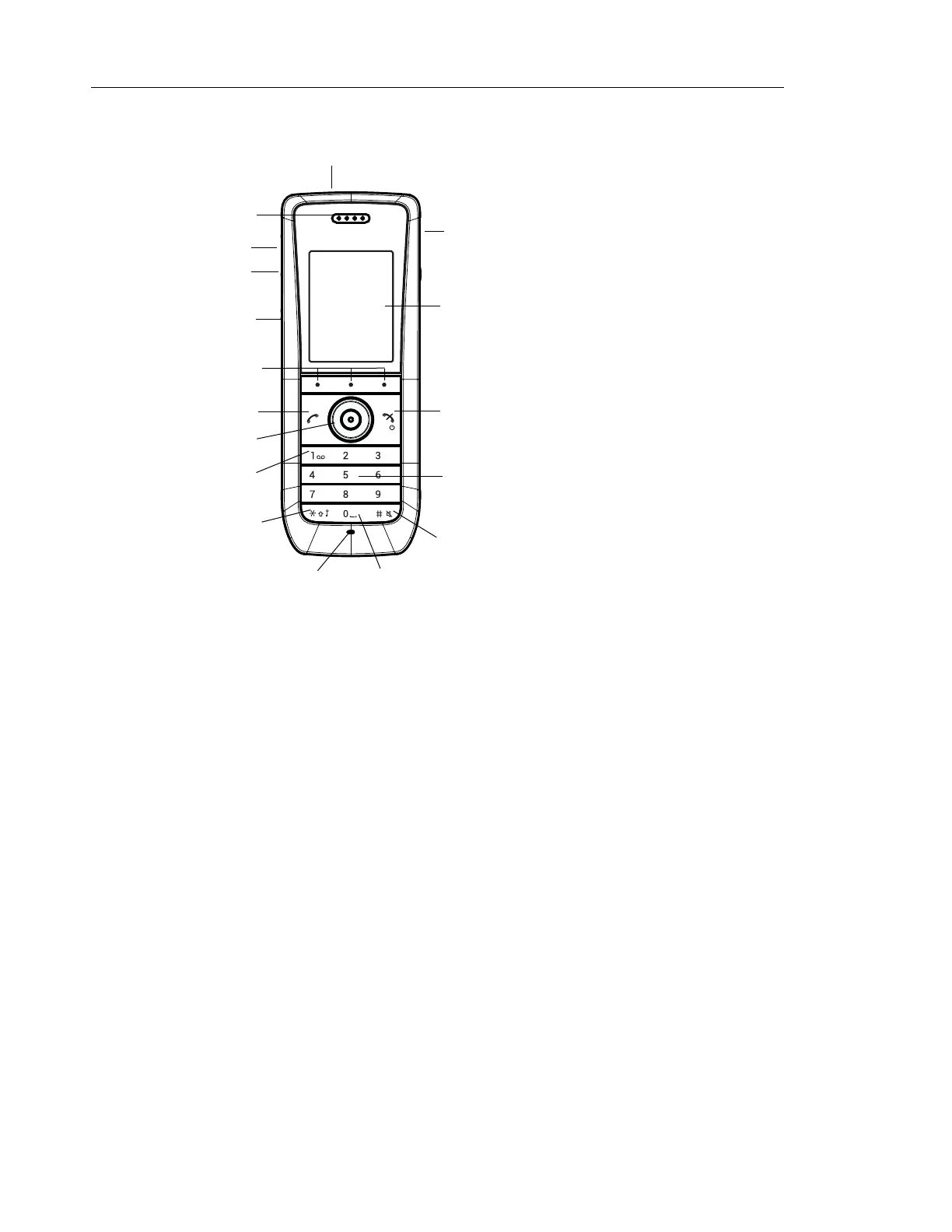
Mitel 5614 DECT Phone User Manual for MiVB
Figure 1: Description of the handset.
1 Multifunction/Alarm button
This button can be used as a shortcut to functions; long or double press modes.
Depending on what model of handset that is used, the button can be used as a push
button alarm or the button may be configured as a PTT button. For information about
what functions that are supported by existing handset models, see Functions and
Accessories on page 3.
2 Earpiece speaker
3 Volume button (up)
To increase the speaker volume
4 Volume button (down)
To decrease the speaker volume
5 Mute and PTT button
To turn on/off audible signals in idle mode, silencing the ring signal at incoming call, and
to turn on/off the microphone during a call.
6 Soft keys
The 3 Soft keys can be pre-programmed or used with GUI
7 Off-hook key
To answer a call, to pre-dial a number, and as a shortcut to the Call list.
8 Five-way navigation key
Navigation key with Left, Right, Up, Down, and Confirmation (in the middle). These
keys, except the middle key, can also be programmed for shortcuts.
ABC DEF
GHI JKL
PQRS TUV WXYZ
MNO
1
2
3
4
5
6
7
8
9
10
11
12
13
14
15
16
17



 To Next Page