Mitel 5614 DECT Phone User Manual for MiVB
During a call you may need to use features, such as Hold, Transfer, Conference, Call Swap,
Callback, and Call Park.
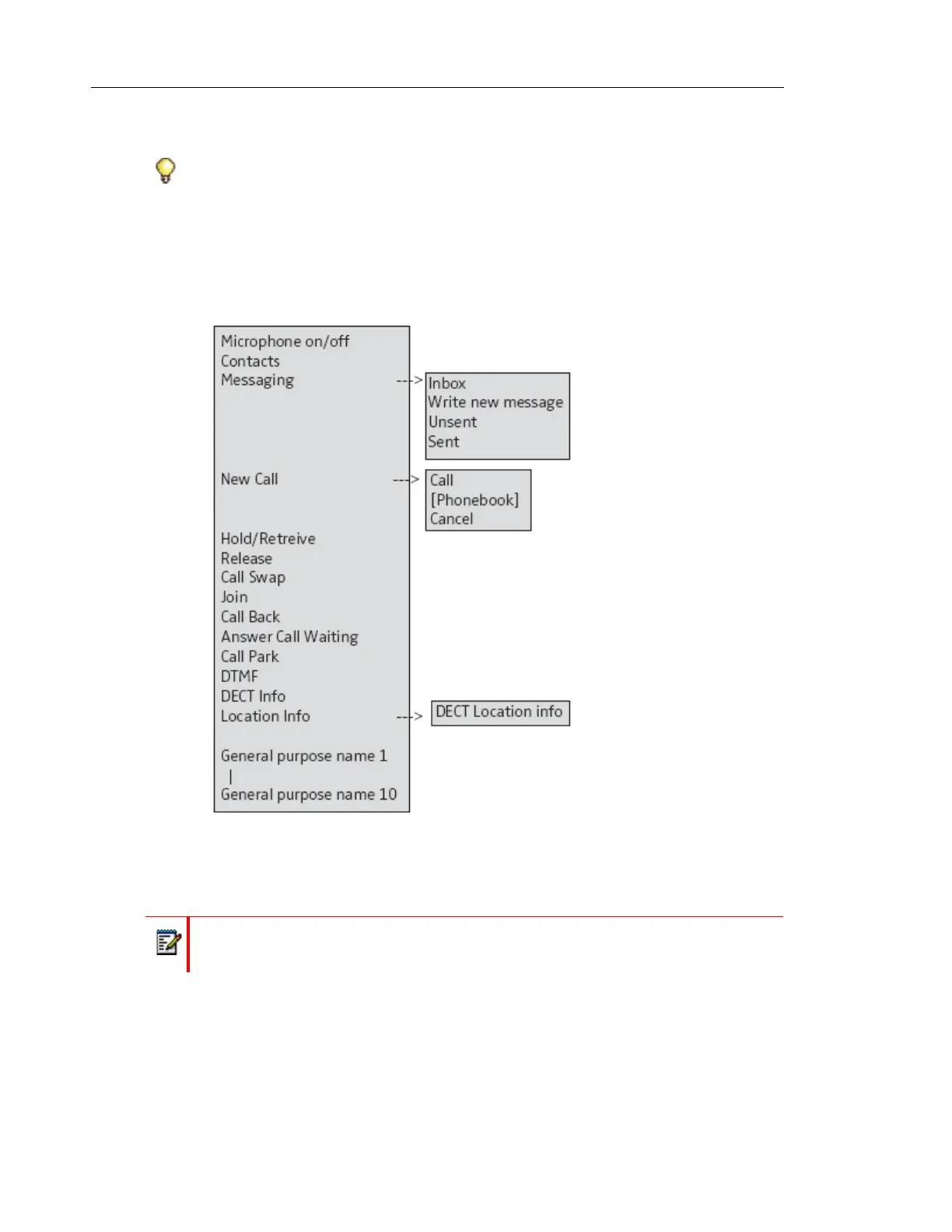
You access these features during a call by pressing the "More" soft key. It displays the "In Call"
menu depicted in the following image.
Figure 1: Accessing Features
Tip: These feature descriptions apply to the use of the 5614 Wireless Handset on MiVoice
Business.
Note: Some functions are system dependent and/or require configuration in the handset
via PDM/WSM3.



 To Next Page