Troubleshooting
8-8 October 2019 16K PLUS
16k PLUS Control System - Continued
Crash Avoidance
There are several positions where the 16k PLUS is able to crash into itself causing severe damage. To prevent this,
Crash Avoidance is built into the computer programming. Before the computer signals part of the stacker to move,
it checks the sensors to ensure it is safe to do so. If the sensors indicate there is the potential for a crash to occur,
the stacker will not move. In Auto mode, dangerous commands from the joystick are simply ignored. In the Manual
Stack or the Manual Load screens, the stacker will display a warning indicating why it will not move when the Crash
Avoidance is activated.
Note: Some functions will stop when a sensor indicates the mechanism is moved to its limit. This is not
part of the Crash Avoidance.
Important: If the operator feels something is malfunctioning on the stacker, use one of the manual screens
to determine the problem.
The following functions have crash avoidance built in:
Hitch Inline / Hitch Offset
If the loader is down, moving the hitch inline would cause it to crash into it. Also, if the loader has been lowered onto
the hitch, moving the hitch offset could cause damage. For this reason, either the loader must be fully raised, or the
bed must be raised above the mid-position for the hitch to move inline or offset.
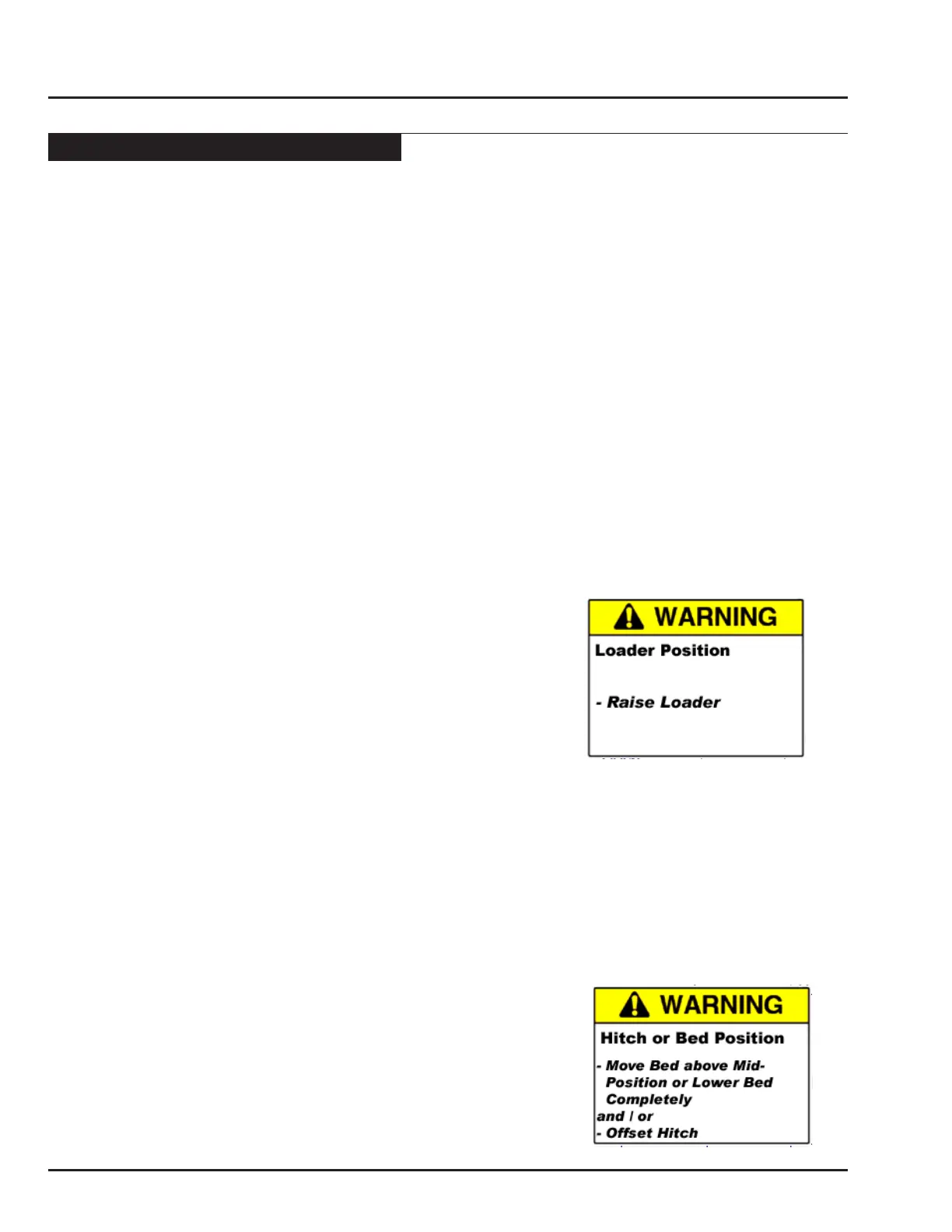
• The following Warning screen will display in the Manual Stack screen if the Crash Avoidance has been activated:
• The operator must fully raise the loader for the hitch to move.
• If the operator wishes to lower the loader while stacking bales, the bed must be raised above the mid-position
before lowering the loader
Raise Loader / Lower Loader
If the hitch is not fully offset, moving the loader is up or down could serious damage. Also, if the bed is not completely
down, (but not above the mid-position) lowering the loader could cause a collision. In all screens, the either the hitch
must be fully offset, of the bed must be above the mid-position for the loader to lower. In the Auto screen, the loader
cannot be raised when the hitch is not fully offset, but because the machine is often stored or transported with the
loader resting on the hitch, it is possible to raise the loader in either of the Manual screens. Use caution when raising
the loader if the hitch is not fully offset.
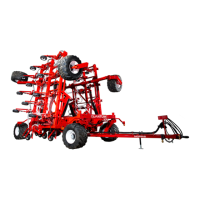
• The following screen Warning screen will be displayed in either of the Manual screens if the Crash Avoidance has
been activated:
To raise or lower the loader, the operator must either:
• Raise the bed above the mid-position, or
• Lower the bed so it is completely down,
And / Or
• Move the hitch so it is completely offset



 To Next Page