Operation
5-44 October 2019 16K PLUS
Menu Screens - Continued
Adjust Menu
The Adjust menu contains all the settings used to
customize the performance of the machine. These
settings allow the operator to ne tune the machine
according to the operating conditions.
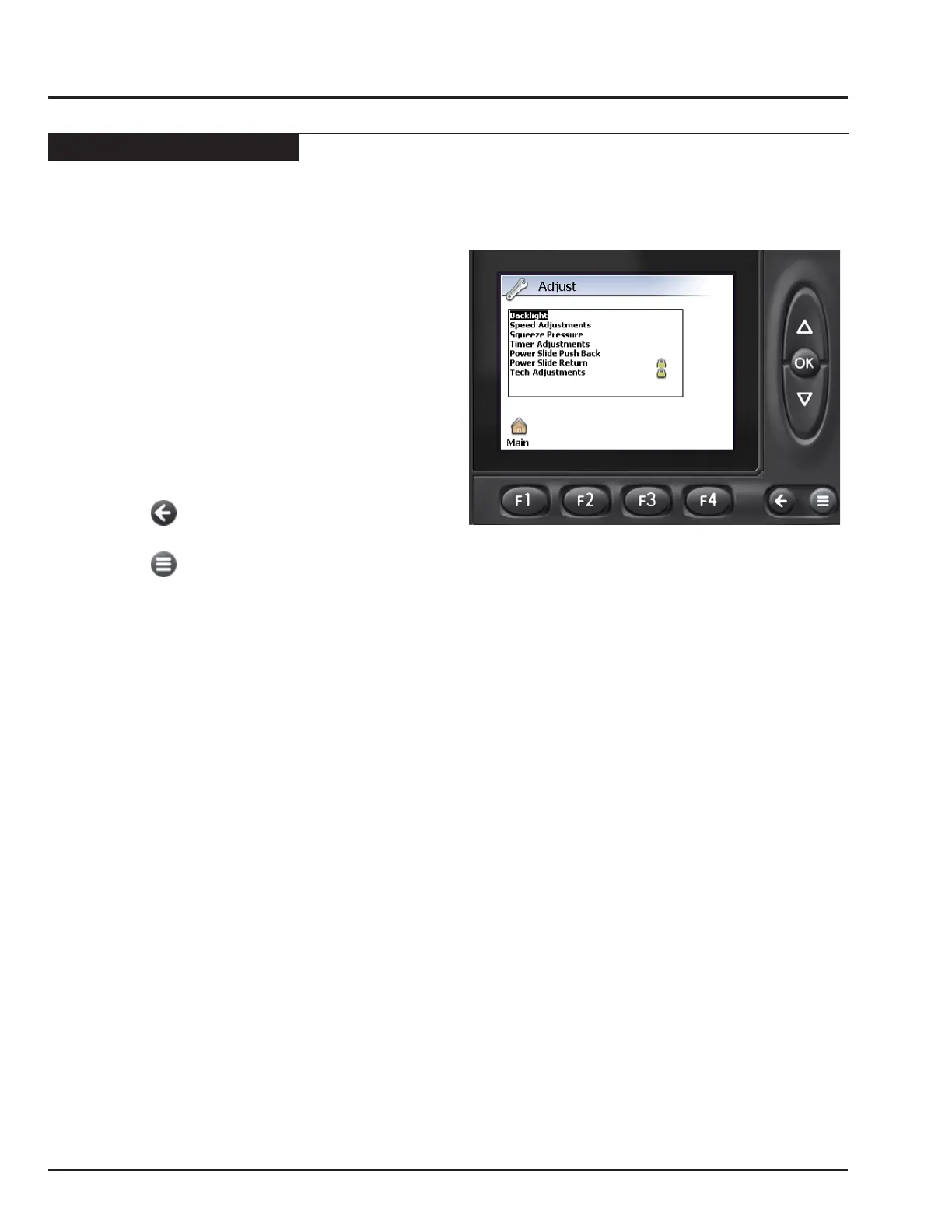
• From the Main menu, press F1 to enter the Adjust
Menu.
• Use the UP/DOWN keys to select the parameter
group. Refer to Table 1 for a list of parameter groups
and the parameters found within.
• Press OK to enter the selected group.
• Use the UP/ DOWN keys to select the parameter to
modify. Press OK to select.
• Use the UP and DOWN keys to change the parameter
value. Press OK to accept.
• Press the key to return to the Adjust menu.
-OR-
• Press the key to exit the menu pages.
Note: An example of changing the squeeze
pressures is given, but the procedure for
changing all the other parameters is the
same.
Important: The parameters groups “Power Slide
Return” and “Tech Adjustments” are
locked. The parameters within these
groups are set at the factory and
should not be changed. Adjusting
parameters within these groups could
have severely negative affect on the
performance of the machine.
• Pressing the Reset key will reset the value back to
the factory setting.
Restoring Factory Default Settings
When a parameter has been highlighted in the menu,
or when changing the value of a parameter, the “Reset”
icon will appear above the F2 key.
• Press the F2 key to restore the parameter to the
factory setting.
• The monitor will ask you to conrm the change.
• Press F2 again to accept the change.
• Press F4 to cancel.



 To Next Page