Operation
16K PLUS October 2019 5-15
Power Slide Push Back Adjustment
When the power slide is pushing bales back in the Auto screen, the monitor starts it out slowly and accelerates as the
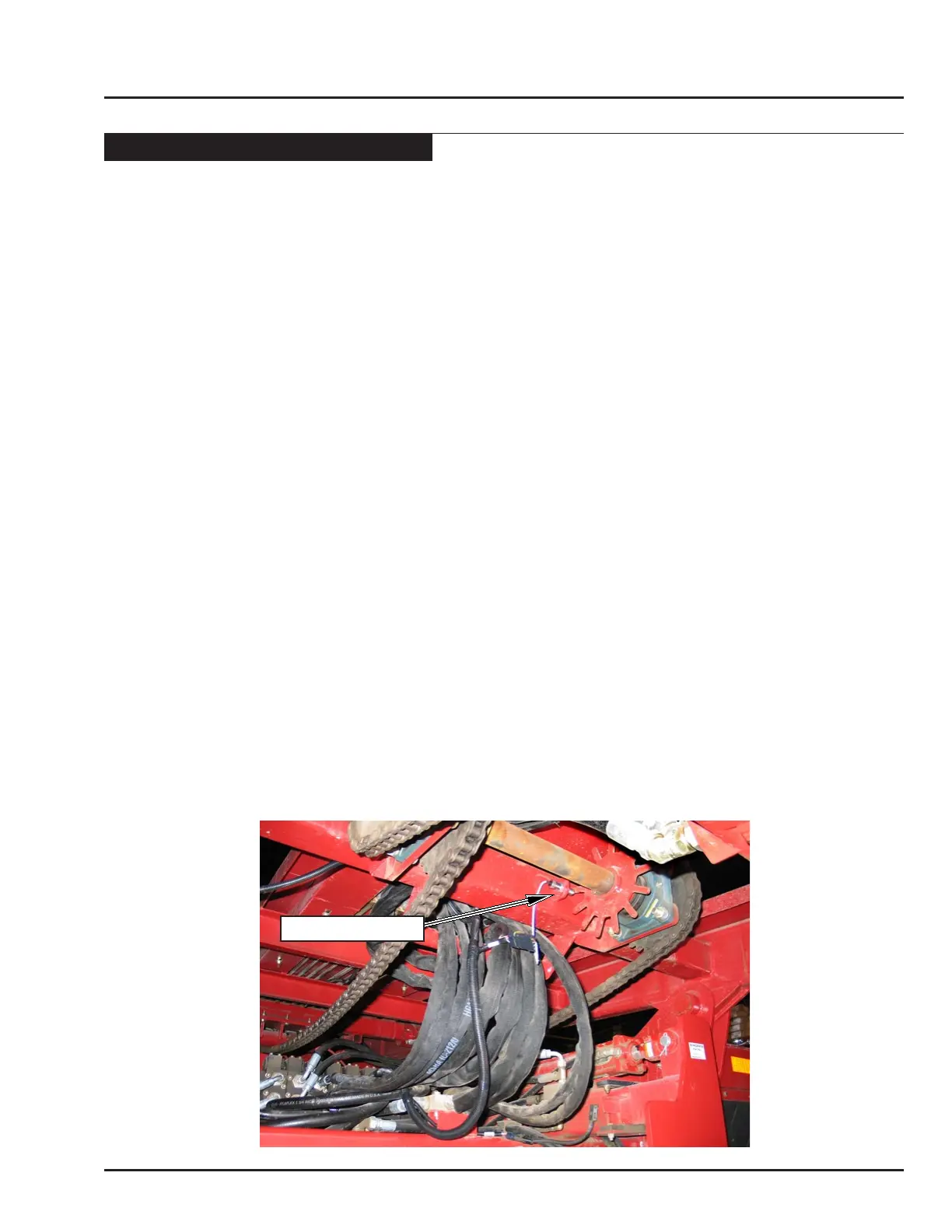
bales move back. The monitor controls this acceleration by observing the Shaft Sensor on the “star wheel”, located
on the power slide drive shaft. Each time a tooth passes by the sensor, a “Pulse” is sent to the monitor that signals
it to increase the speed. The speed of the motor is increased by the percentage value specied in the 1st and 2nd
Acceleration rates. A larger value causes the power slide to pick up speed more quickly, and a smaller value causes
it to speed up more slowly.
Note: The monitor does not accelerate power slide in the Manual Load screen the way it does in the Auto
screen. The speed of the slider is xed in the Speed Adjustments menu.
Note: If the power slide is unable to push the bales back at all, the power slide valve pressure may be set too
low. See “Power Slide Valve Adjustment” for more information. Or, if the pressure is set to maximum,
see “Automatic Mode - Operating the Machine in Automatic Mode - Auto Load Sequence for Sticky
Bales, or Traveling Down-Hill” for more information on Sticky Bales.
There are four parameters associated with controlling the power slide as it pushes bales.
• 1st Acceleration Rate: When the power slide rst begins to push the bales back, it will accelerate by the percentage
specied in this variable.
Note: If the top bale tends to tip forward when the bale rst starts to move down the loader, the 1st Acceleration
Rate is too high.
• 2nd Acceleration Rate: When the power slide reaches a specied point on the bed, a new variable is used to
control how fast the power slide accelerates.
Note: If the top bale tends to tip rearward when the bales are part-way down loader, the 2nd Acceleration
Rate is too low.
• Start 2nd Acceleration: This variable controls where the second acceleration begins. The units in the menu
“Pulse” refers to the “number of teeth” counted at the star wheel. Each “tooth” equals approximately 2” of travel
down the bed.
Note: The factory setting has been found to be satisfactory for most conditions. Adjusting the 1st and 2nd
Acceleration rates will solve most problems with pushing bales back.
• Initial Power Slide Force: Sets the initial valve opening when pushing back bales in the Auto-Load sequence. If
it is set too high, the power slide will start too suddenly.
SHAFT SENSOR



 To Next Page