Operation
16K PLUS October 2019 5-39
Operation of Controls - Continued
Operation Screens - Continued
Adjusting Bale Count Screen
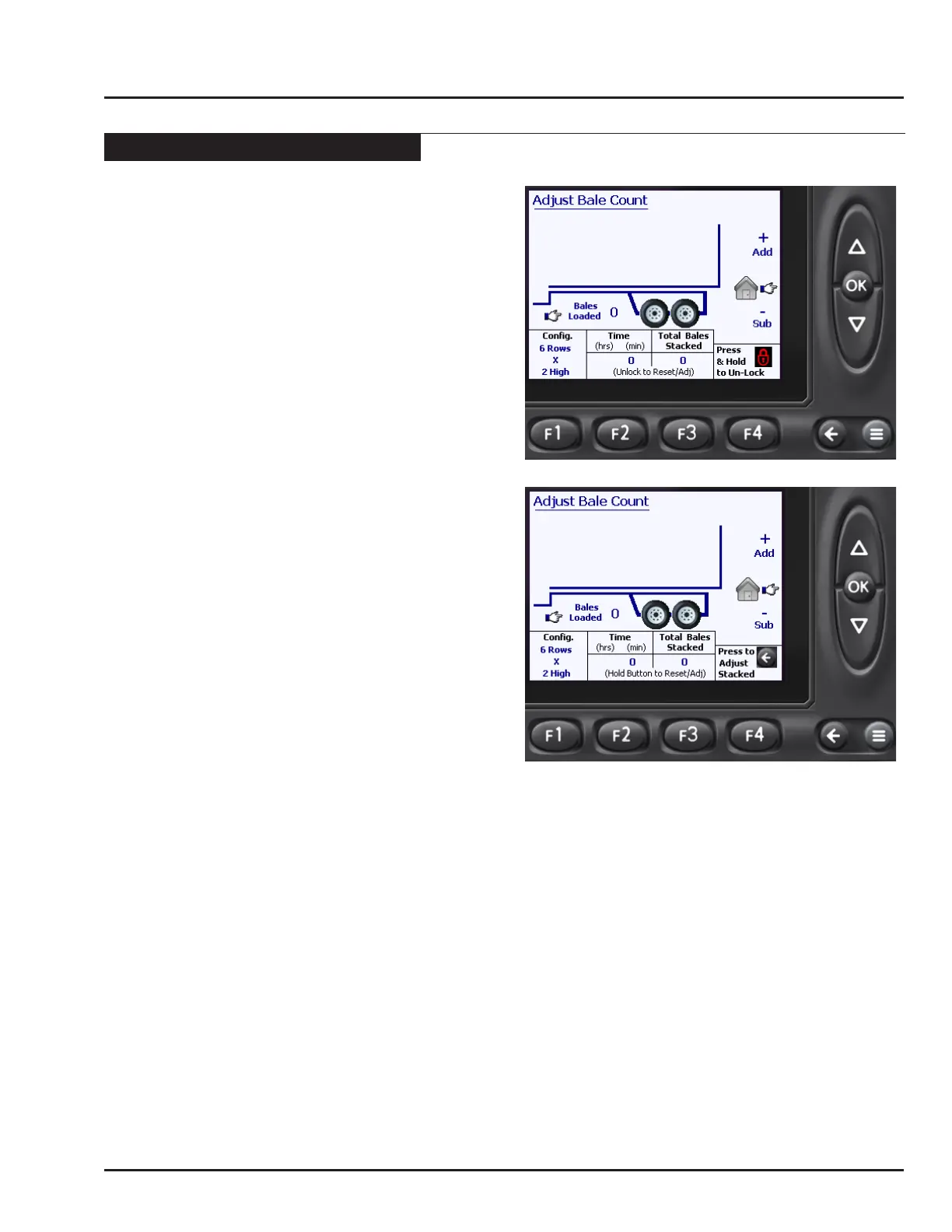
This screen allows the operator to easily set the Bale
Conguration, as well as adjusting the Bales Loaded,
Bales Stacked and Timer displayed on the Auto Load
screen.
• To access this screen press F1 (Adjust Bales) from
the Auto Load screen.
• Upon entering the Adjust Bale Count screen, the
page will be locked. This is to prevent the accidental
changes of settings. The only function available
to change while the screen is locked is the Bales
Loaded.
Unlocking the Screen
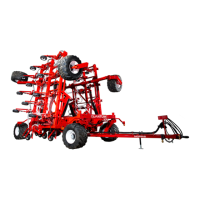
• To unlock the page, press and hold the F4 button for
3 seconds.
• Notice the red locked symbol disappears from above
the F4 button.
Adjusting the Bale Conguration
The Bale configuration is located in the lower left
corner of the screen. It is important to adjust the Bale
Conguration to match the type of bales being picked.
This is required to aid the monitor in counting the correct
number of bales loaded on the machine.
• See “Configuring Alignment Arms and Bed
Extensions” for more information on conguring the
bed extensions and the alignment arms.
Use the following procedure to adjust the Bale
Conguration.
• Press and hold the F4 button for 2 seconds to unlock
the page.
• Press F1 to toggle through the different bale
conguration options depending on the type of bales
being stacked:
5 Rows x 2 High
6 Rows x 2 High
4 Rows x 2 High
6 Rows x 3 High
• All changes will be saved when the monitor is
returned to the Auto Load screen by pressing the
OK button.
Resetting the Timer
A convenient timer is provided to assist the operator in
monitoring loading performance. When the monitor is
restarted, it always resets to zero. The operator may also
reset the Timer to zero using the following procedure:
• Press and hold the F4 button for 2 seconds to unlock
the page.
• Press and hold the F2 button for 2 seconds to reset
the Time to 0.



 To Next Page