Operation
16K PLUS October 2019 5-41
Operation of Controls - Continued
Operation Screens - Continued
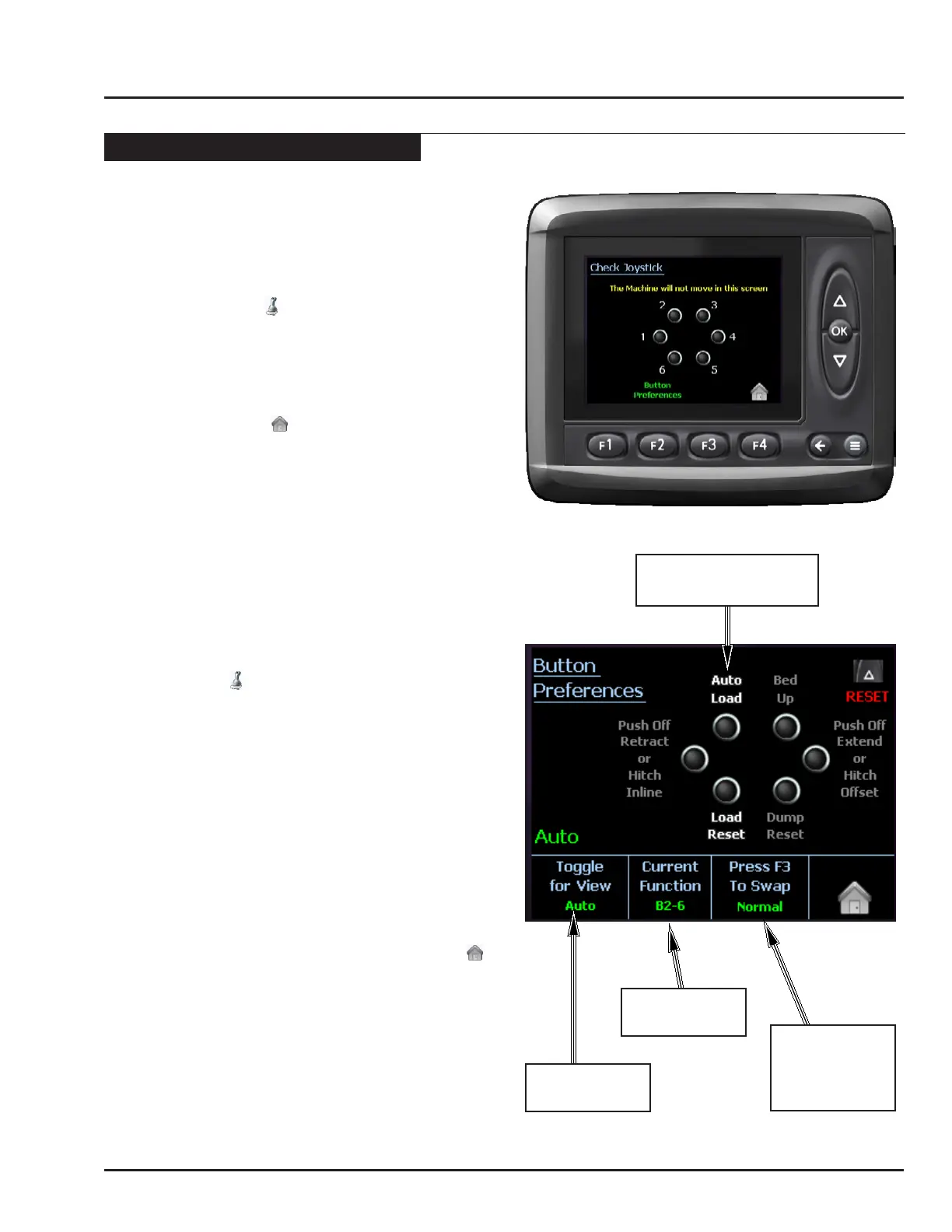
Check Joystick
This screen provides a safe way to test the function of
the joystick.
• To access this screen, press F2 in the Auto Load
screen. (Under the symbol)
• Pressing any button on the joystick will light up the
corresponding symbol on the screen.
Note: Pressing buttons in this screen will NOT
signal the machine to move.
• Press F4 (under the symbol) to return to the Auto
screen.
Joystick Preferences
It is possible to customize the joystick functions.
Note: The Auto, Manual Load, and Manual Stack
screens can be changed independently.
i.e. It is possible to reverse the joystick
functions in the Auto screen, and not in
either of the manual screens.
• To access this screen, from the Auto screen press
F2 (under the symbol to enter the Check Joystick
screen. Press F2 (labeled “Button Preferences”)
again to enter the Joystick Preferences screen.
• Press F1 to toggle through to the screen you wish
to modify.
• Press F2 to toggle though each of the button pairs on
the joystick. The selected buttons will be highlighted
in Yellow.
• Press F3 to toggle between “normal” and “reversed”
operation of the buttons.
• Use the UP button to reset all the buttons in all three
screens to “normal” operation.
• When you are satised with all the changes made
in all the screens, press F4 button (under the
symbol) to return to the Auto screen.
SCREEN
SELECTED
BUTTON
SELECTED
NORMAL
OR
REVERSED
DIRECTION
SELECTED BUTTONS
HIGH LIGHTED



 To Next Page