Operation
16K PLUS October 2019 5-45
Menu Screens - Continued
Adjust Menu - Continued
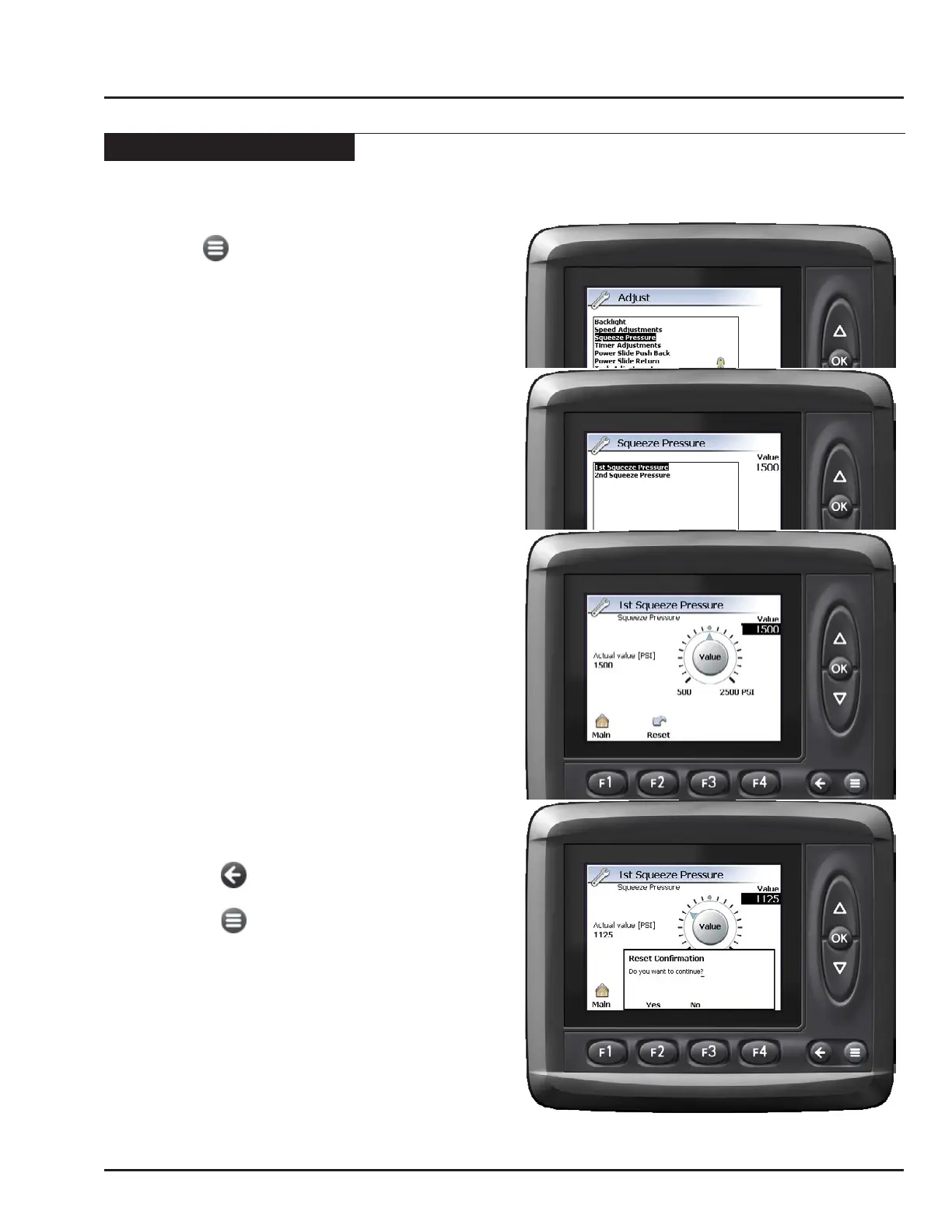
Example: Changing the Squeeze Pressures.
1. Press the key to enter the Main menu.
2. Press F1 key to enter the Adjust menu.
3. Use the UP/DOWN keys to highlight “Squeeze
Pressure”. Press the OK key .
4. Use the UP/DOWN keys to highlight “1st Squeeze
Pressure”.
• The current value of the parameter highlighted will
be displayed.
• To adjust the value of the parameter, press the
OK key.
Note: To reset the value to the factory default, press
F2 key.
5 Use the UP/DOWN keys to change the squeeze
pressure value as required. The units for this
parameter are psi.
• Press the OK key to accept the value and exit back
to the Squeeze Pressure menu.
Note: To reset the value to the factory default, press
F2 key.
6 Use the UP/DOWN keys to highlight the “2nd
Squeeze Pressure”.
• Use the UP/DOWN keys to change the squeeze
pressure value as required. Press the OK key to
accept.
Note: If the 2nd squeeze pressure is set lower than
the 1st, then the “1st Squeeze Pressure” will
be used for BOTH.
7 Press the F1 key to exit to the Main menu page.
-OR-
• Press the key to return to the Adjust menu.
-OR-
• Press the key to exit the menu pages.
Saved settings are retained even after power has been
removed from the monitor.



 To Next Page