8-2 Manual # 42-02-2223
Using iView
How iView Works
iView communicates with a controller through an Ethernet connection and loads operating
parameters stored on the controller into iView screens. The user can view any controller param-
eter and can edit/adjust any user-configurable parameter, then send changed parameters to the
controller.
A single PC can be used to administer multiple elevators or even multiple groups of elevators.
Elevator adjusters who service multiple sites will find it convenient to connect directly to a con-
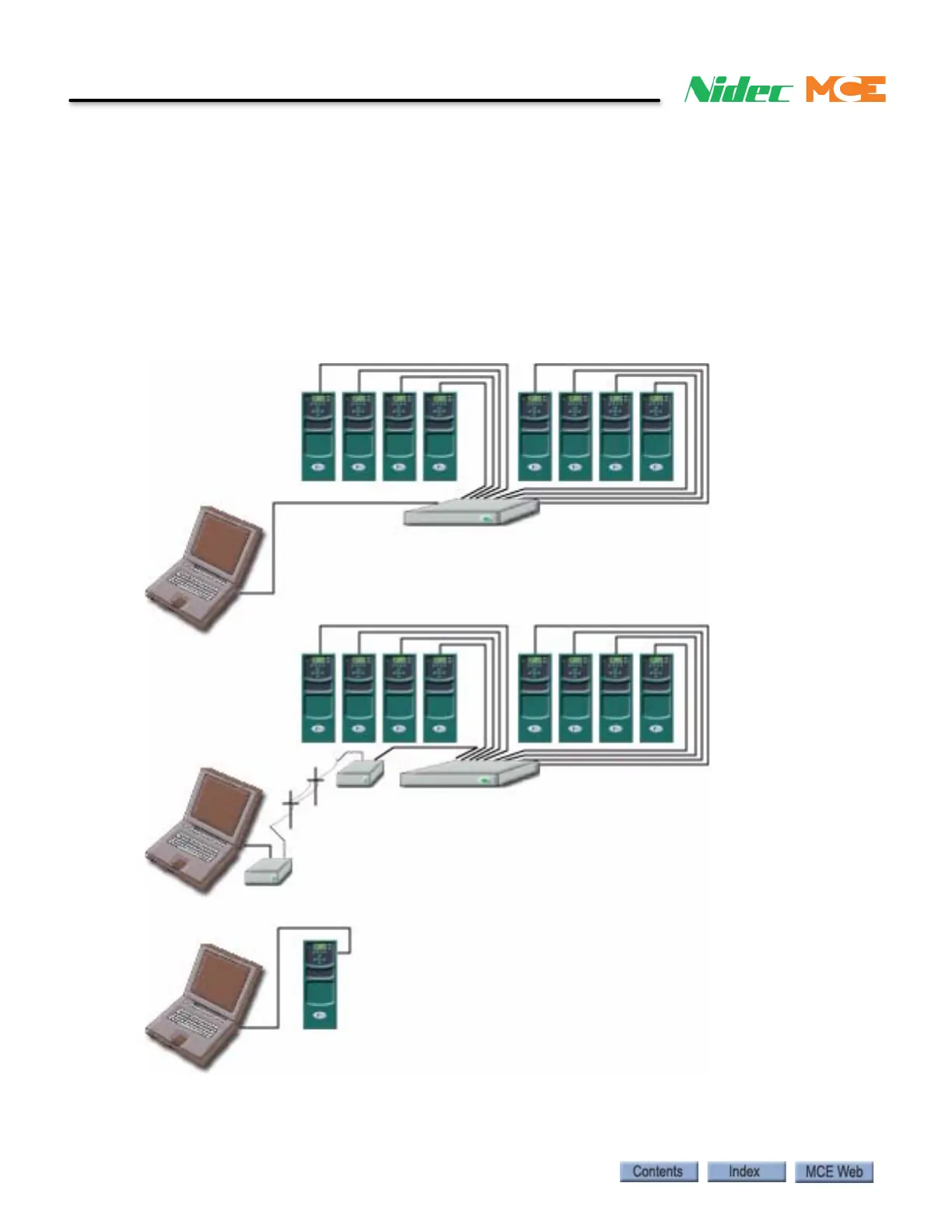
troller, then easily upload proven settings. The diagram below illustrates just a few of the ways
Ethernet connectivity allows iView to communicate with elevator controllers.
Ethernet through Local Area Network (LAN)
PC to local modem, through phone lines to site
modem, through Local Area Network (LAN).
Directly to the iBox PC Ethernet port (3).
iBox elevator controllers
Hub or Router
PC
PC
Hub or Router
PC
iBox elevator controllers



 To Next Page