Users Guide ValueJet 1614
67 AP-75790 Rev 1.4 -22/02/2011,
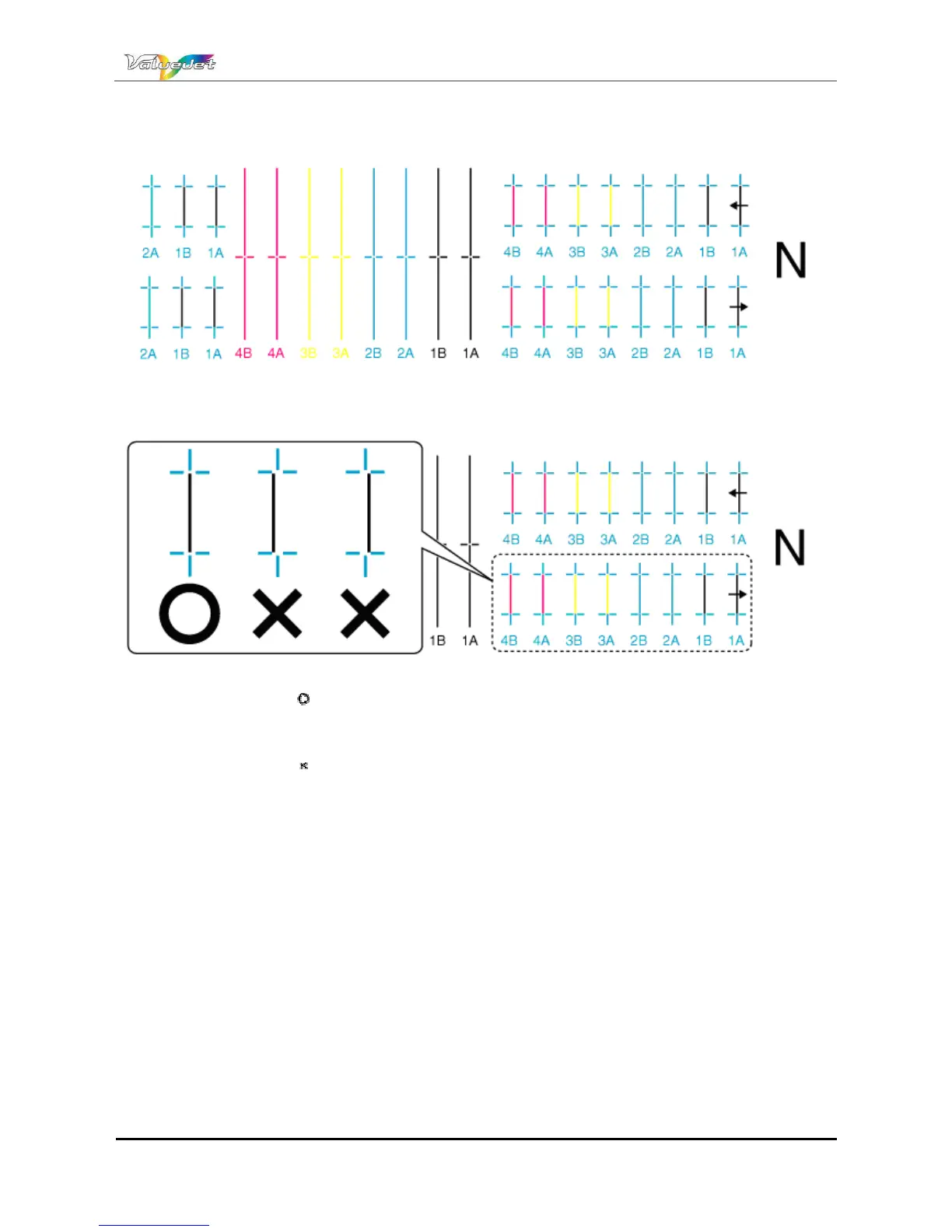
A confirmation pattern for quality adjustment is printed.
After the confirmation pattern is printed, the operation panel displays "Adj.1: Confirm".
Step 15 : Check that the confirmation pattern printing result is as follows
When the printing result is :
You do not need perform Alignment.
The procedure for the Alignment is now complete.
When the printing result is :
You need to perform Alignment.
Register a setting for Bi-D Normal (two-way printing/normal mode).
Display the Adjust Print menu on the operation panel in the same way as previous steps.
Step 16 : Press the [+] key or [] key on the operation panel to select "Adj.5: Bi-D Normal".















 To Next Page