MYDATA MY500 JetPrinter Routine Maintenance
P-030-0014-EN – Service Manual Rev. 0003 2008-06 5 - 17
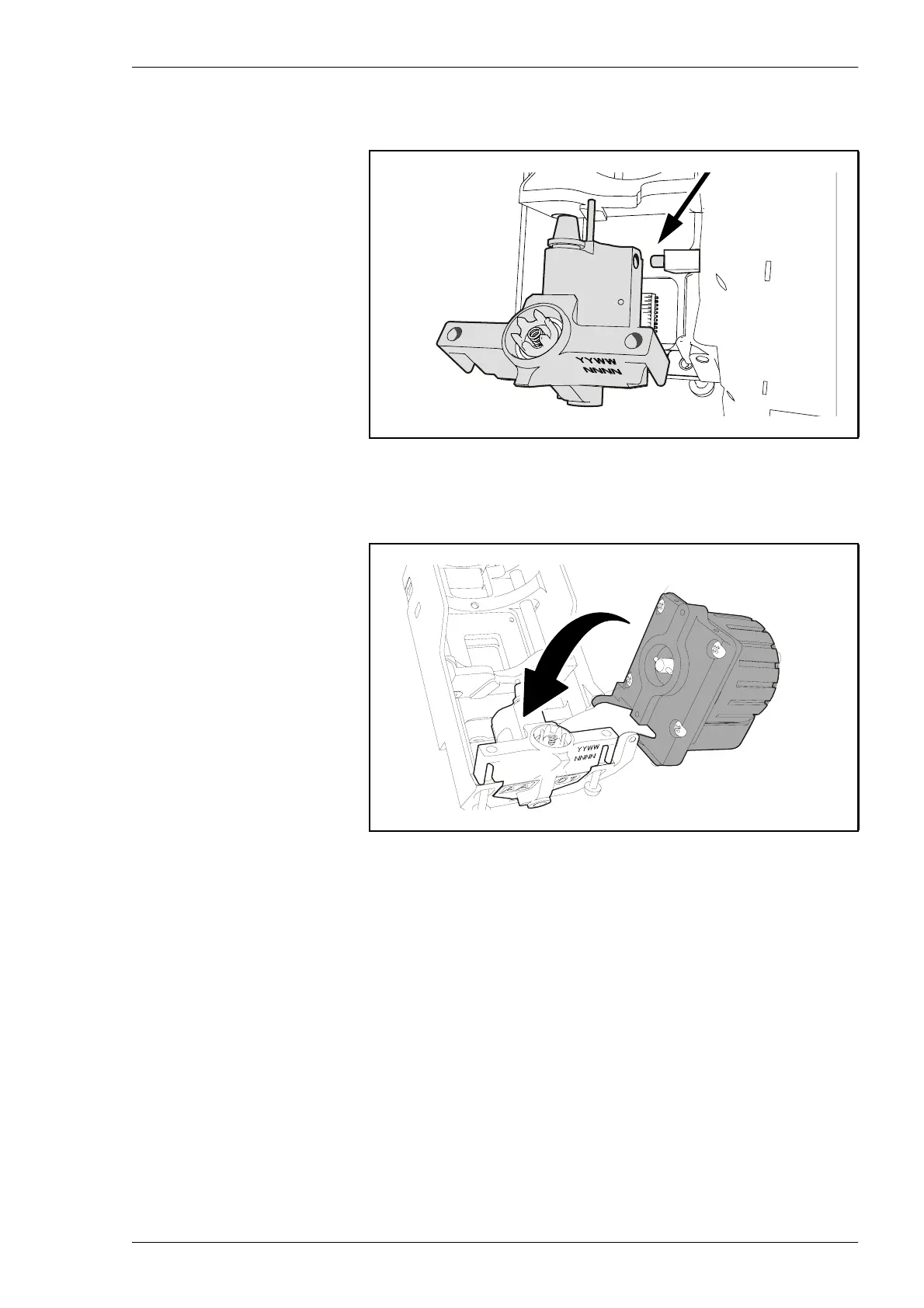
6. Remove the two yellow, protective plastic caps. Slip a the ejector into
the holder from the left. Push it onto the pin, see Figure 5-16.
7. Push down and swing the motor back in place. Re-tighten the two torx-
screws which you loosened in step 1, see Figure 5-11.
Figure 5-16. Slipping the ejector into the holder.
Figure 5-17. Pushing down the motor.



 To Next Page