101
Cirrus LT Plus User Manual v1.2 - Chapter 4
Auto Power Off
To change duration of the Auto Power Off Mode:
The duration of time chosen for Auto Power Off Mode will only begin AF-
TER the unit has entered Sleep Mode. The duration chosen will not begin
until after the unit has already entered Sleep Mode due to inactivity.
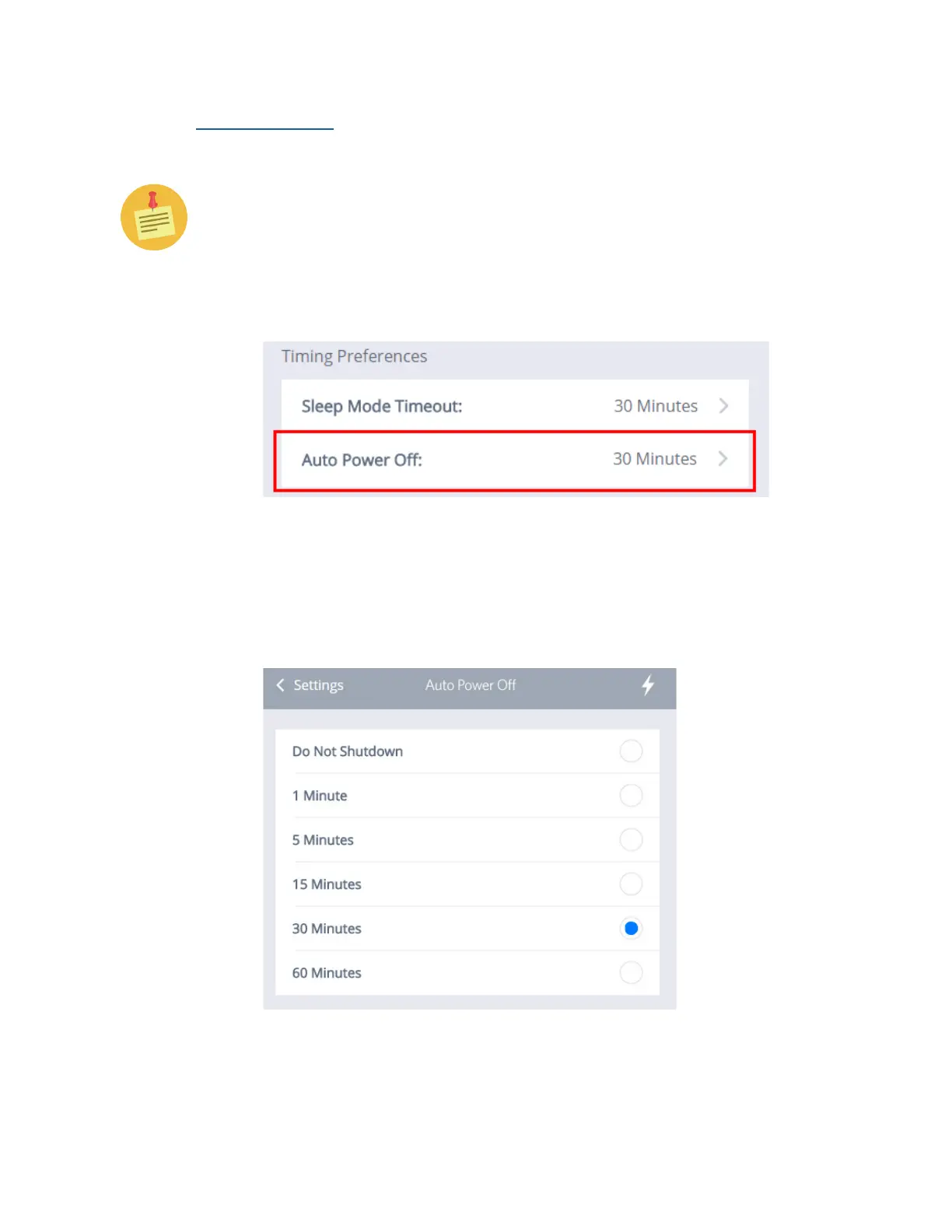
1. Click the Power Management submenu, then click the Auto Power Off
submenu, as shown below.
2. The ‘Auto Power Off’ Menu will appear, as shown below. You may choose
between Do Not Shutdown, 1 Minute, 5 Minutes, 15 Minutes, 30 Minutes,
or 60 Minutes (30 Minutes is the default setting).
3. Select the desired interval and click on ‘Settings’ to return to the Power
Savings Menu.



 To Next Page