148 Cirrus LT Plus User Manual v1.2 - Chapter 10
Selecting the WiFi channels to scan
1. Another parameter when roaming is the number of WiFi channels being
used in the WiFi environment. In a typical 2.4 GHz WiFi environment
administrators will use channels 1, 6, and 11 since these do not overlap. If
you specify the channels to scan and limit the number of channels used
in a WiFi environment you will see faster roaming from one AP to an-
other. Cirrus LT Plus will take less time to scan for other APs if it knows
which channels to scan. By default when you Enable Enhanced Roam-
ing, Channels 1, 6, and 11 are the only channels that are scanned.
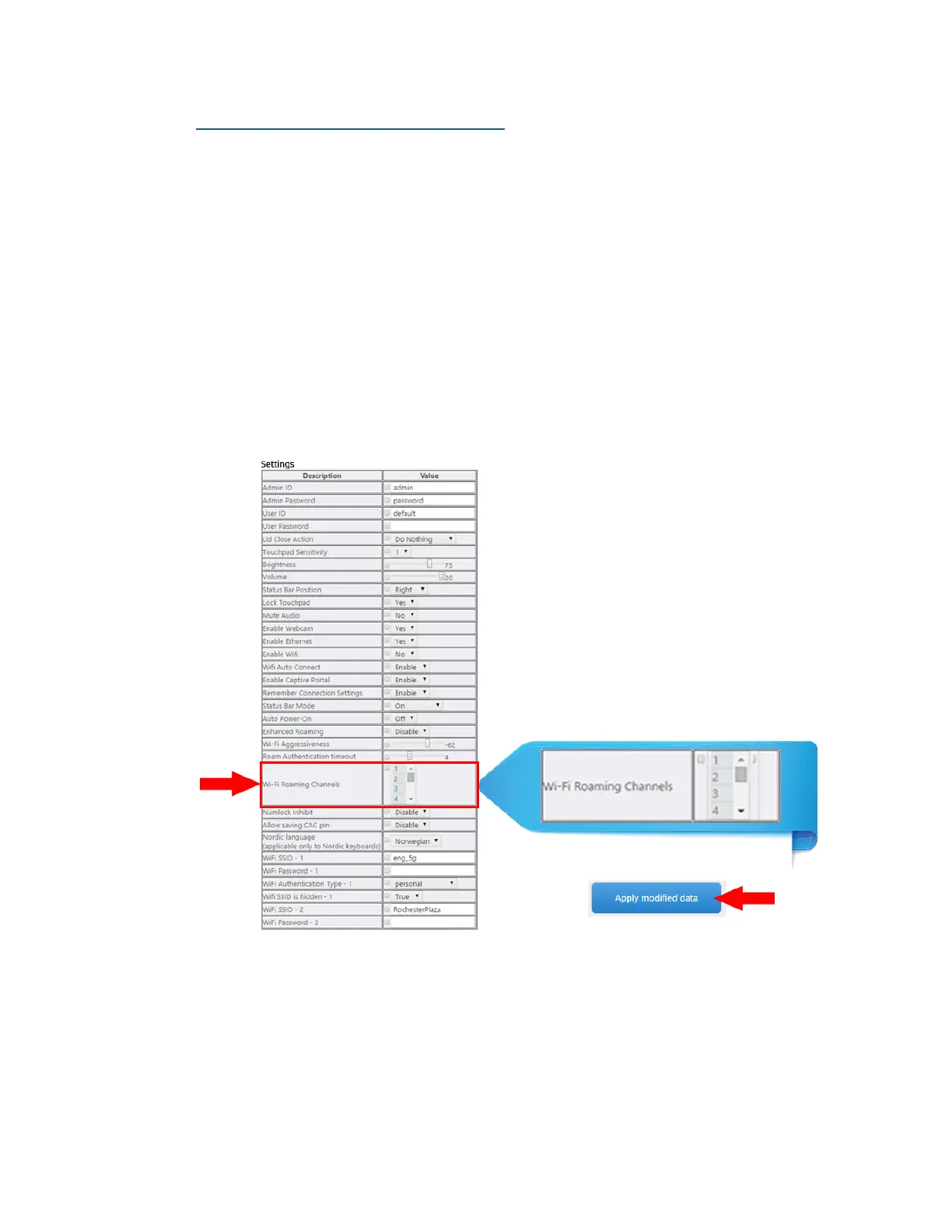
2. Scroll to the bottom of the Device Details table and you will see a list la-
beled WiFi Roaming Channels. Here you can select the channels to scan
for the 2.4 and 5 GHz frequency ranges. To select multiple frequencies
hold down the <Control> Key.



 To Next Page