85
Cirrus LT Plus User Manual v1.2 - Chapter 4
Option 5: Use LCD and Display2 of the Mini DP port or docking station
By default, this option will extend the primary display to Display2. To change
the resolution of Display2 in this configuration, you should alter the settings
present in the Operating System during your session. If you are not using a dock-
ing station, you may also use this mode to clone your display and to make mini
DP the primary display by following the steps below.
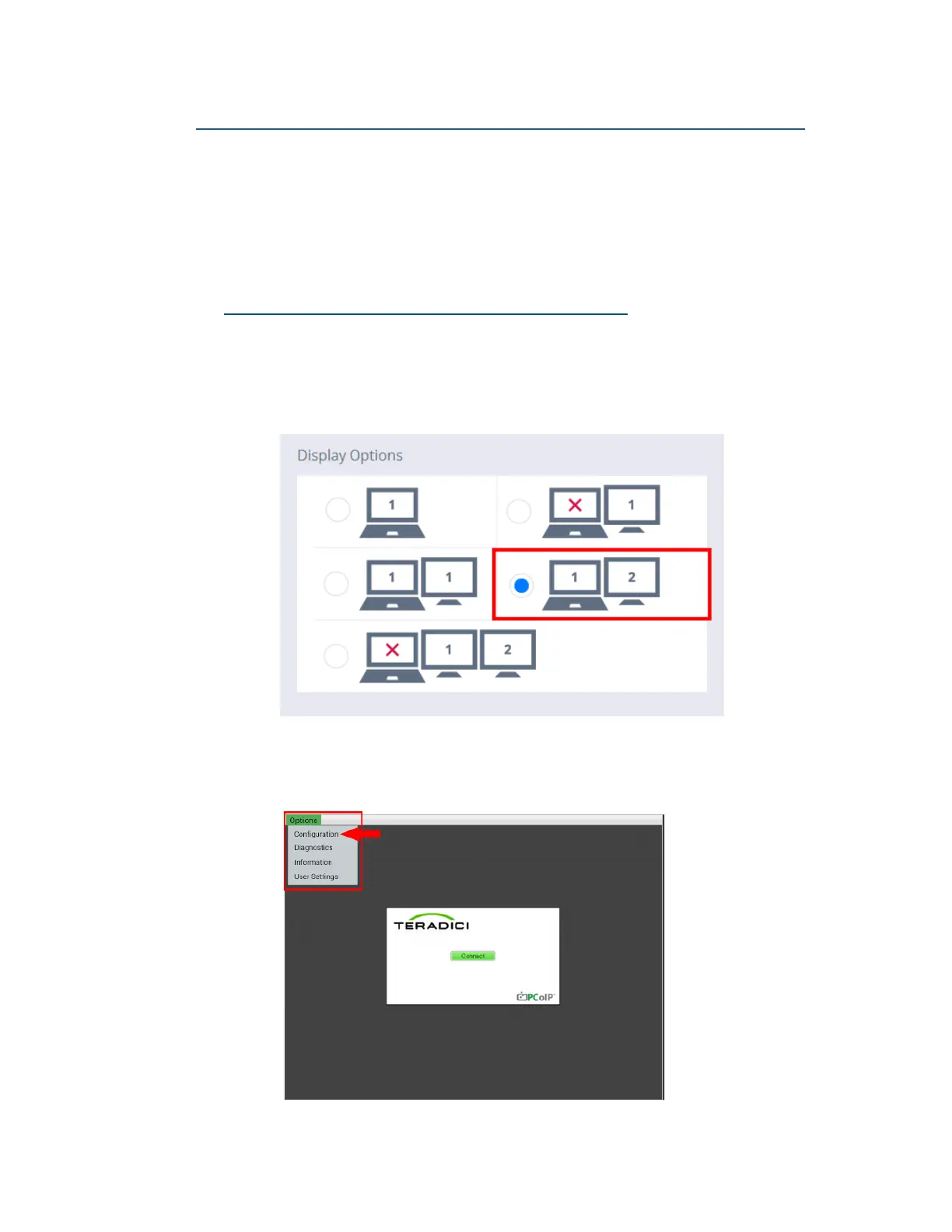
Cloning displays without a docking station
1. In order to clone two displays without the use of a docking station you
must first attach a display to the mini DP port on the notebook. In the
OSM Menu, navigate to Display Settings and select the following op-
tion, as shown below.
2. Access the Teradici Firmware Configuration Menu, and click Options >
Configuration.



 To Next Page