86 Cirrus LT Plus User Manual v1.2 - Chapter 4
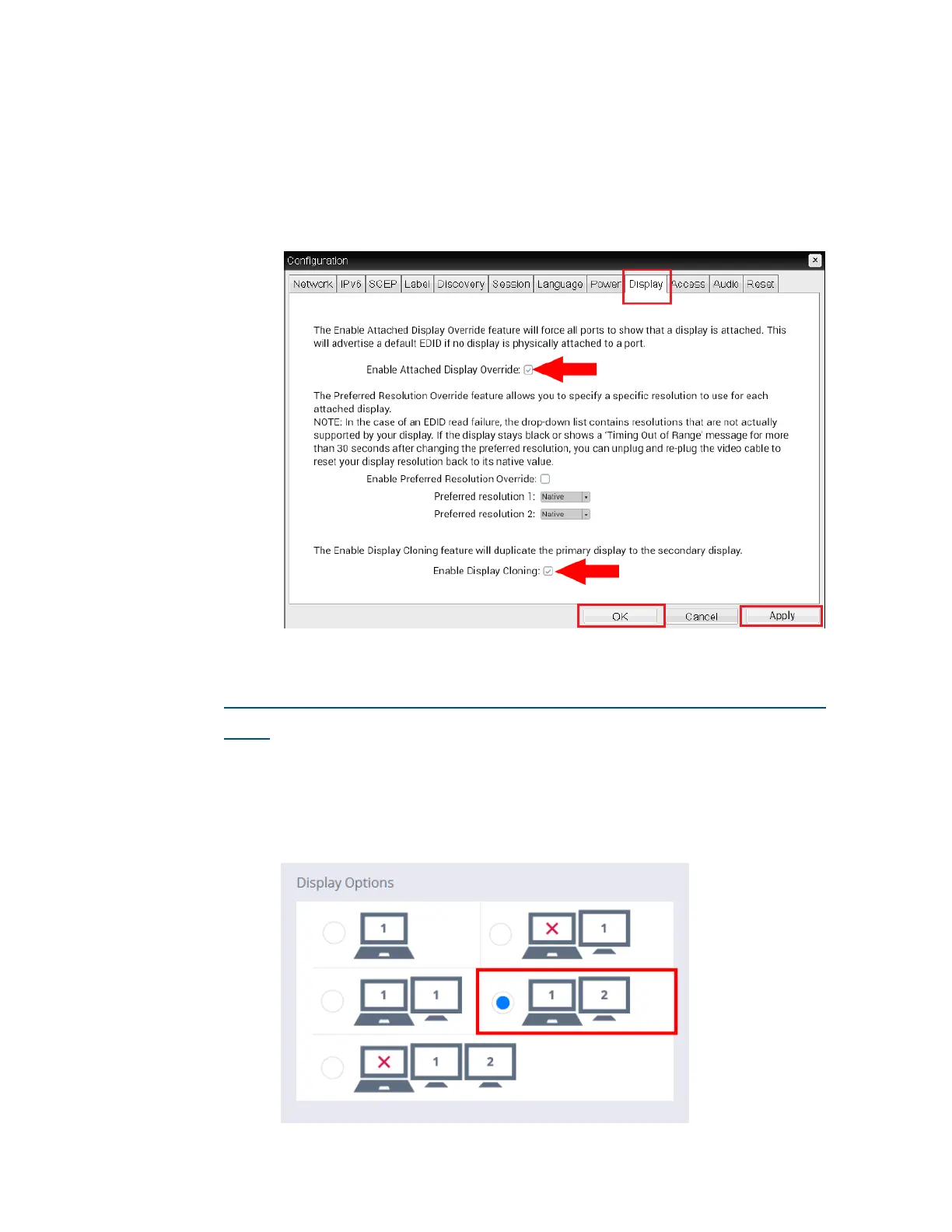
3. Navigate to the Display Tab (shown below) and check the following
boxes:
• Enable Attached Display Override
• Enable Display Cloning
4. Next, Click Apply and then OK.
How to make mini DP the Primary Display (without docking sta-
tion)
1. In order to make the mini DP the primary display without the use of a
docking station you must first attach a display to the mini DP port on
the notebook. In the OSM Menu, navigate to Display Settings and select
the following option, as shown below.



 To Next Page