92 Cirrus LT Plus User Manual v1.2 - Chapter 4
How the Cirrus LT Plus detects inactivity
Cirrus LT Plus only detects inactivity by the LCD turning off (not by user inac-
tivity).
There are two ways that the LCD will turn off due to inactivity.
1. If the OSM ‘Menu Display Timeout’ Menu is set to a value of X minutes,
and the OSM is left open and there is no mouse or keyboard activity for a
duration greater than X, the LCD will turn off.
2. If the Teradici ‘OSM Screen Saver Timeout’ Menu is set to X seconds, and
there is no mouse or keyboard activity for a duration greater than X sec-
onds the LCD will turn off.
More about the OnScreen Menu’s ‘Do Not Sleep’ option
If ‘Do Not Sleep’ is enabled AND the Teradici OSD Timeout Menu
is enabled
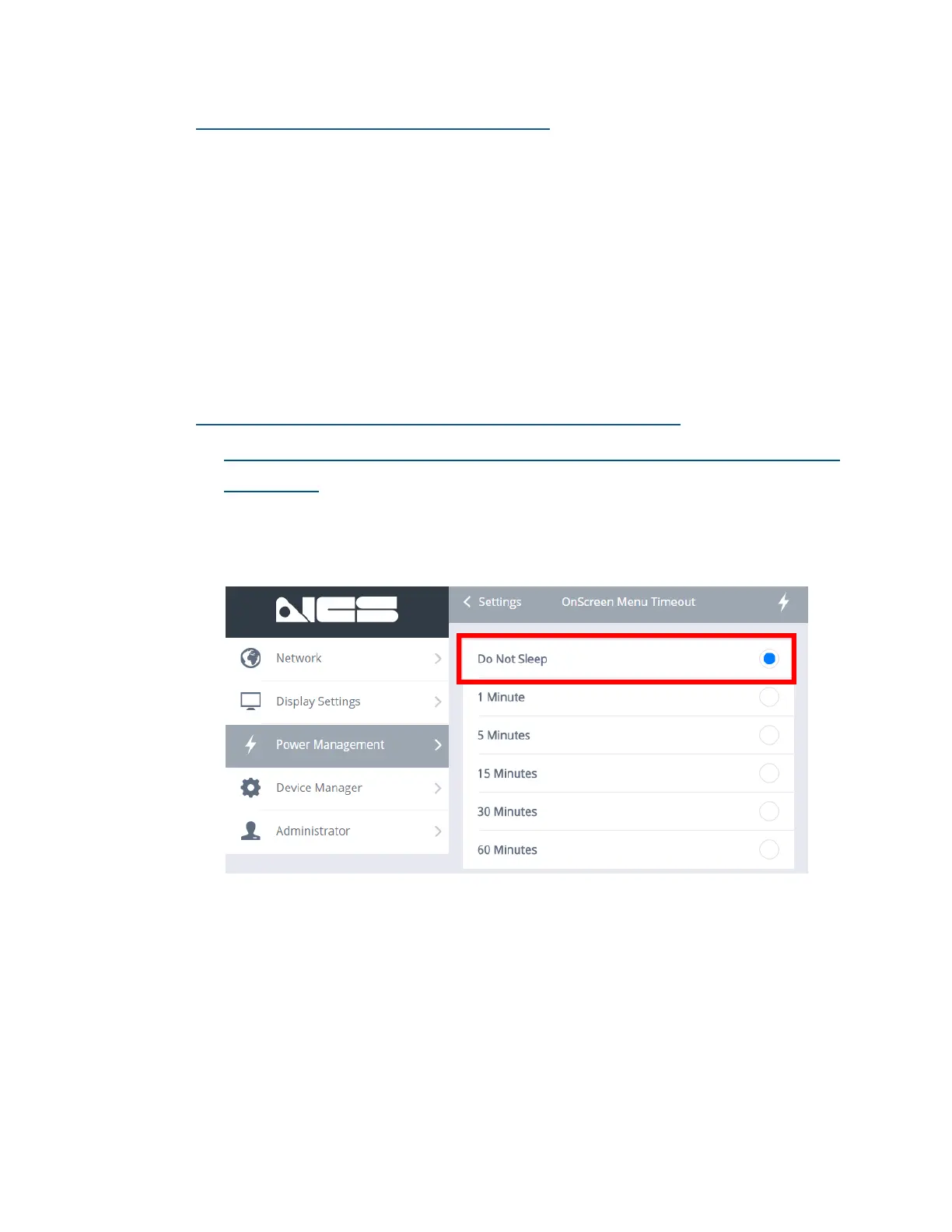
Setting the OnScreen Menu (OSM) Timeout’ to Do Not Sleep (as shown be-
low) may disable the other power management features (Sleep Mode Timeout
and Auto Power Off).



 To Next Page