93
Cirrus LT Plus User Manual v1.2 - Chapter 4
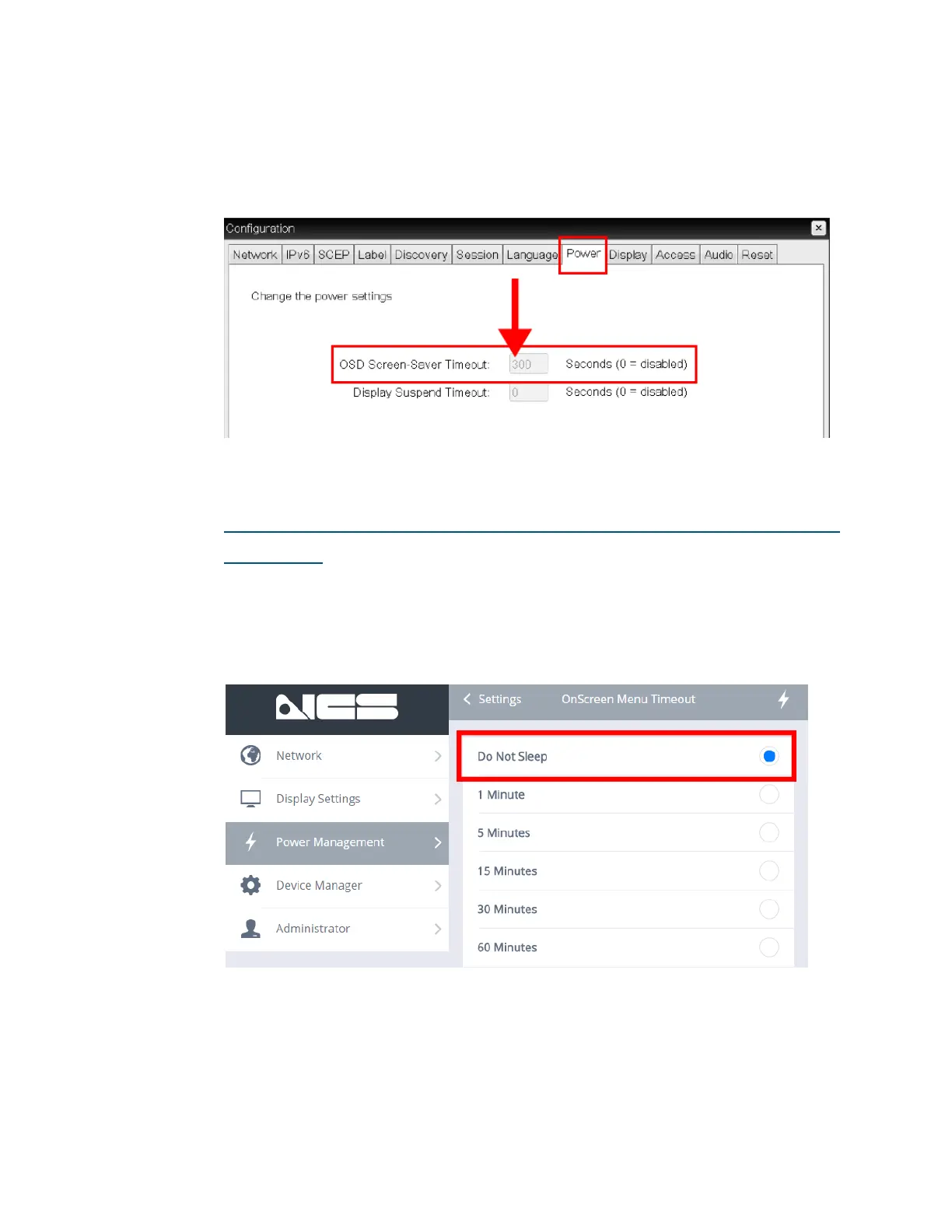
However, if the OSM Timeout is set to Do Not Sleep, but the Teradici OSD
Timeout Menu is enabled (as shown below, the ‘OSD Screen Saver Timeout’
is set to any value that is not 0), the other Power Management features (Sleep
Mode Timeout and Auto Power Off) will not change.
If ‘Do Not Sleep’ is enabled AND the Teradici OSD Timeout Menu
is disabled
If for some reason both the OnScreen Menu Timeout AND the Teradici OSD
Timeout values are disabled (as shown below), this will disable all Cirrus LT
Plus Power Management features (including Sleep Mode Timeout and Auto
Power Off) even if they are set to ‘enabled’.



 To Next Page