4.2 Using Sequence Function
DP Series/DP Series Type R
93
指定のステップ時間の間,ステップ動作種別設定に従い出力
します。途中でホールド操作が行われたら,リジューム操作
が行われるまで出力状態を保持します。
開始
ステップ終了位相設定がオンなら,設定された終了位相に達
するまで出力状態を保持します。
ジャンプ先設定がオンなら,指定のステップへ指定回数だけ
移行します。
ステップ終端設定に従い,次番号ステップ又はステップNo. 0
へ移行します。
ジャンプ先の
ステップへ移行
ジャンプ先へ移行しないとき
(Continue,Hold)
次番号ステップへ移行
(End)
ステップNo. 0へ移行
=シーケンス終了
ステップ終端設定がホールドなら,リジューム操作が行われ
るまで出力状態を保持します。
Star
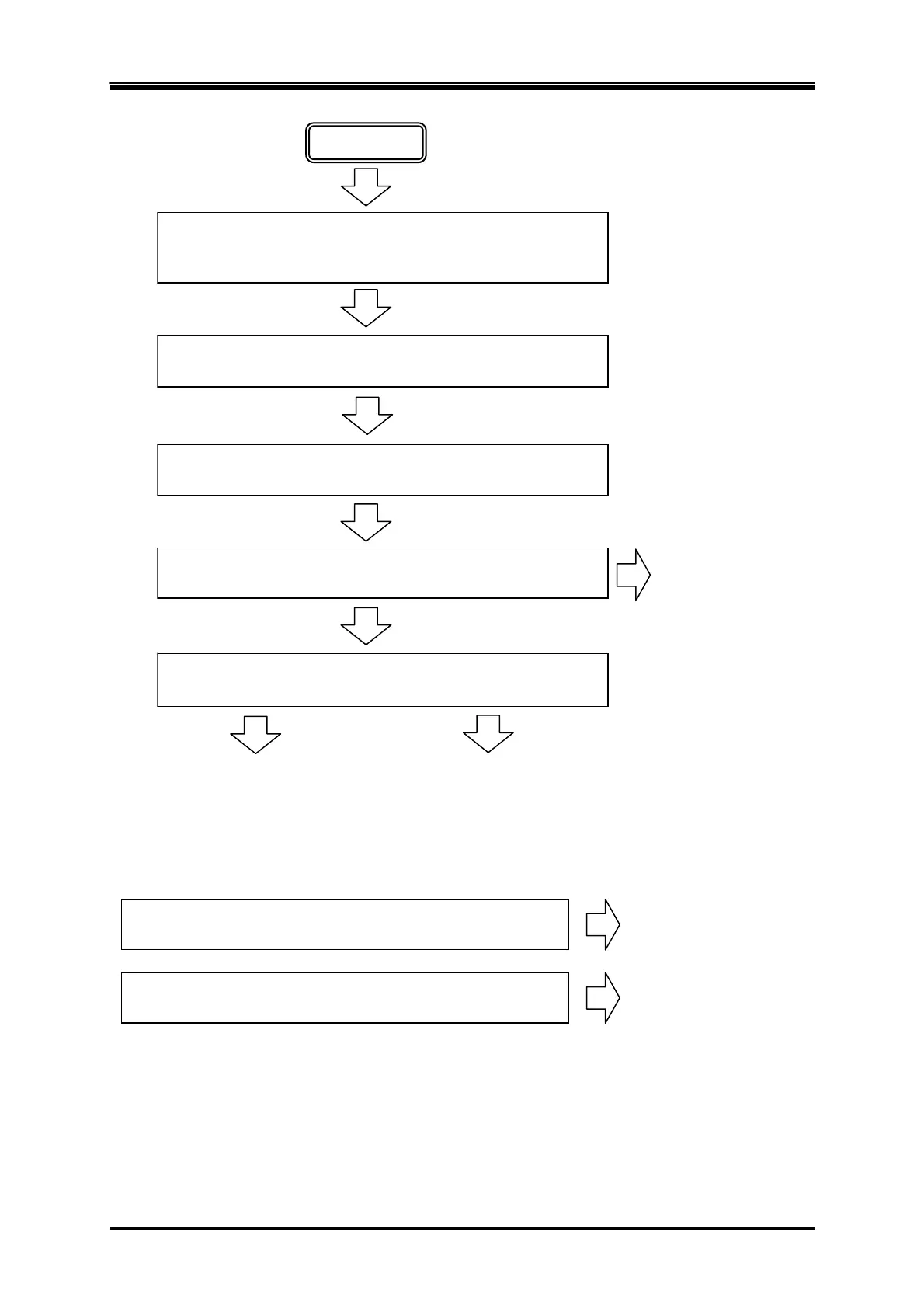
During the specified Step Time, output is performed according to
the Step Behavior setting. When If Hold operation is executed on
the way, output state is kept until Resume operation is executed.
Transitions to the
Jump-to step
Transitions to the step of
the next number
When step termination setting is Hold, output state is kept until
Resume operation is executed.
If stop phase setting is on, the output state is kept until the step
reaches the specified Stop Phase.
If Jump-to setting is on, transitions to the specified step for the
specified times.
Transitions to the step of the next number or step No. 0, based on
the step termination setting.
Transitions to step No. 0
=End of sequence
When not transition to the Jump-to step
Figure 4-5 Process Flow in Sequence Step
When branch setting is on, the execution transitions to the
specified step according to the branch operation or the signal.
When sequence stop operation is executed, the execution
transitions to step No. 0.
Transitions to the
ranch ste
Transitions to step No. 0
=End of sequence
Figure 4-6 Branch Operation/Stop Operation



 To Next Page