2.6 How to Tilt Control Panel
DP Series/DP Series Type R
33
2.6 How to Tilt Control Panel
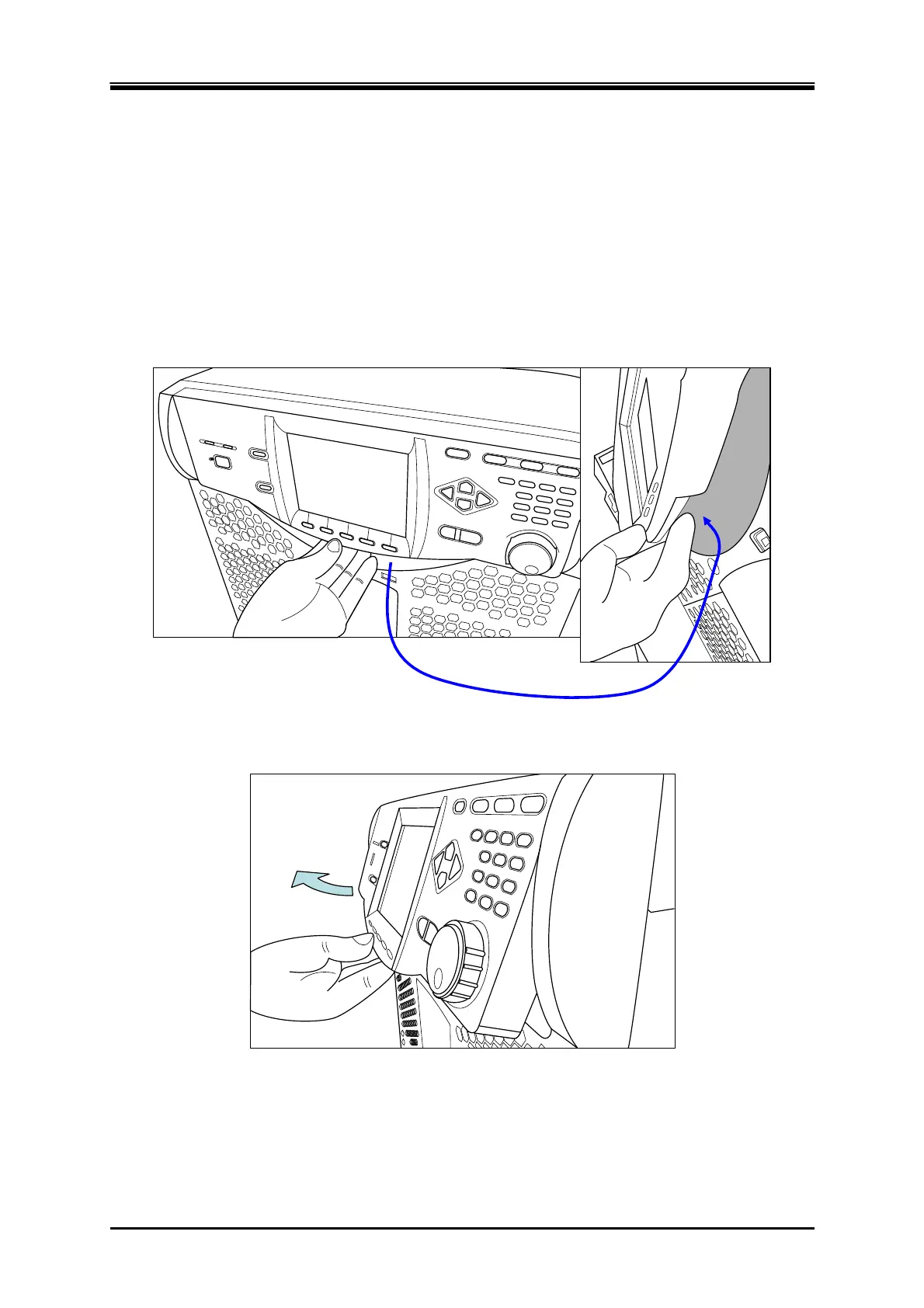
You can tilt up the control panel to operate it. There is a lever in the back under the control panel,
which is locked with the hook of the chassis, being pulled by a spring. The hook consists of two
steps, which can be used to tilt the control panel and fix it in two ways.
Operation procedure
1.
Pull the lever in the back under the control panel. The handle moves toward you and the lock of
the control panel is released.
Pull the lever in the back
2.
While holding the lever in pulled position, tilt the control panel by desired degree.
3.
Release the lever slowly. The control panel will be locked.



 To Next Page