4.7 Outputting Arbitrary Waveform
DP Series/DP Series Type R
151
4.7.2 Arbitrary Waveform Creation Procedure
See the instruction manual of the control software.
When outputting an arbitrary waveform in the polyphase model, pay attention not to allow
currents over the maximum current per phase to flow through the N terminal which is an output
terminal (see 10.5 and 10.6).
4.7.3 Arbitrary Waveform Creation Example
See the instruction manual of the control software.
4.7.4 Transferring Arbitrary Waveform
Transfer procedure using Wave Designer
See the instruction manual of the control software.
Transfer procedure using USB memory
1.
Save the waveform data file (extension ARB) created with Wave Designer, the control software
in the attached CD-ROM, to the NF_TOOL\NF_DP\ARB_DATA folder of the USB memory.
-------- Notes ------------------------------------------------------------------------------------------------------------
This product does not support the double-byte characters (e.g. kanji, hiragana). The file name
should consist of one byte alphanumeric characters.
When the NF_TOOL\NF_DP\ARB_DATA folder does not exist in your USB memory, first
connect the memory to this product. The NF_TOOL folder is automatically created containing
sub folders within it.
-----------------------------------------------------------------------------------------------------------------------------
2.
Connect the USB memory that has the waveform data to this product.
3.
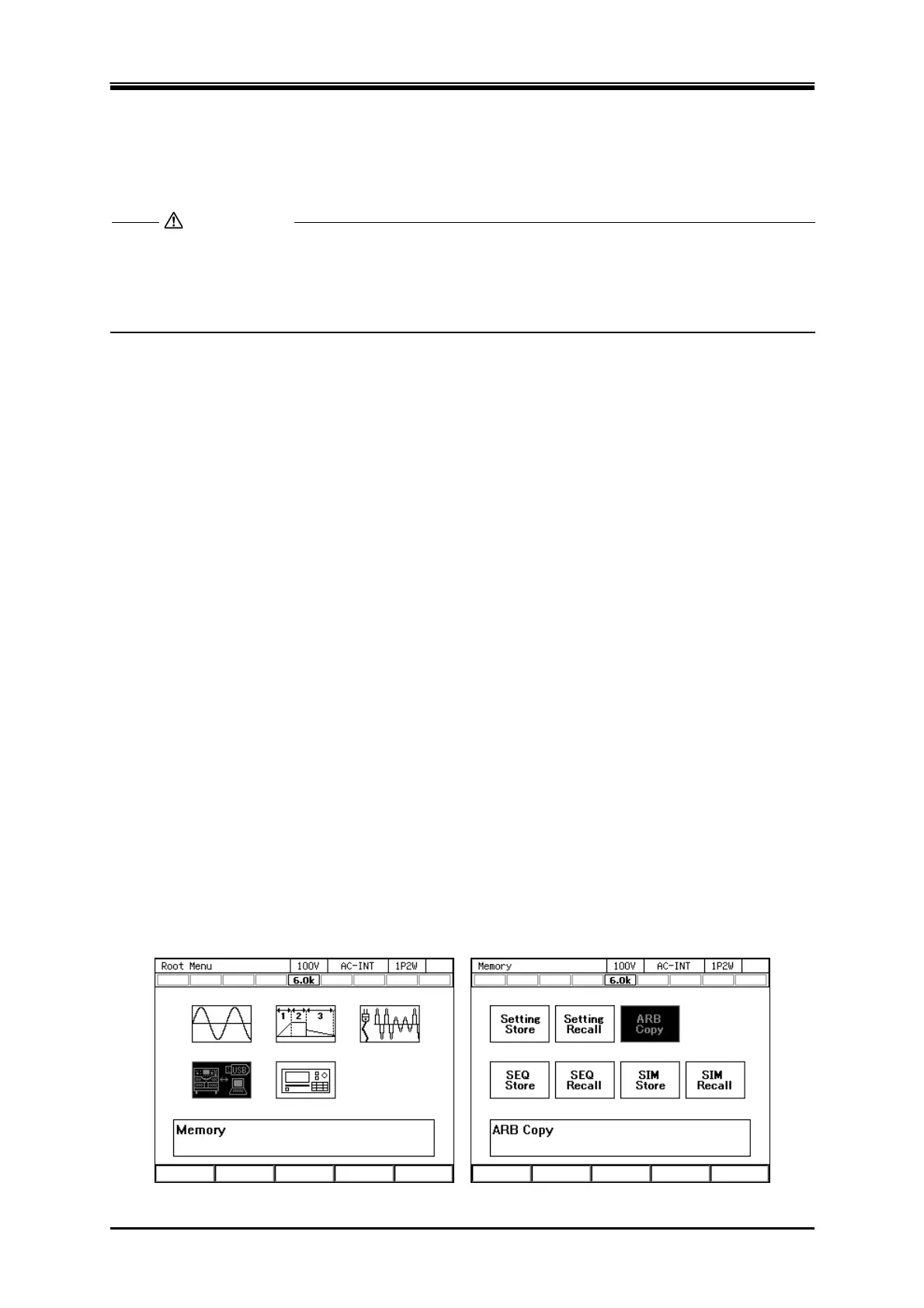
Press the MEMORY key, or press the MENU key to move to the root menu and then select
[Memory], to move to the Memory View. Select ARB Copy.
CAUTION



 To Next Page