3. Basic Operation
PROGRAMMABLE AC POWER SOURCE
54
3.3.7 Using Shortcut Operations (SHIFT Key)
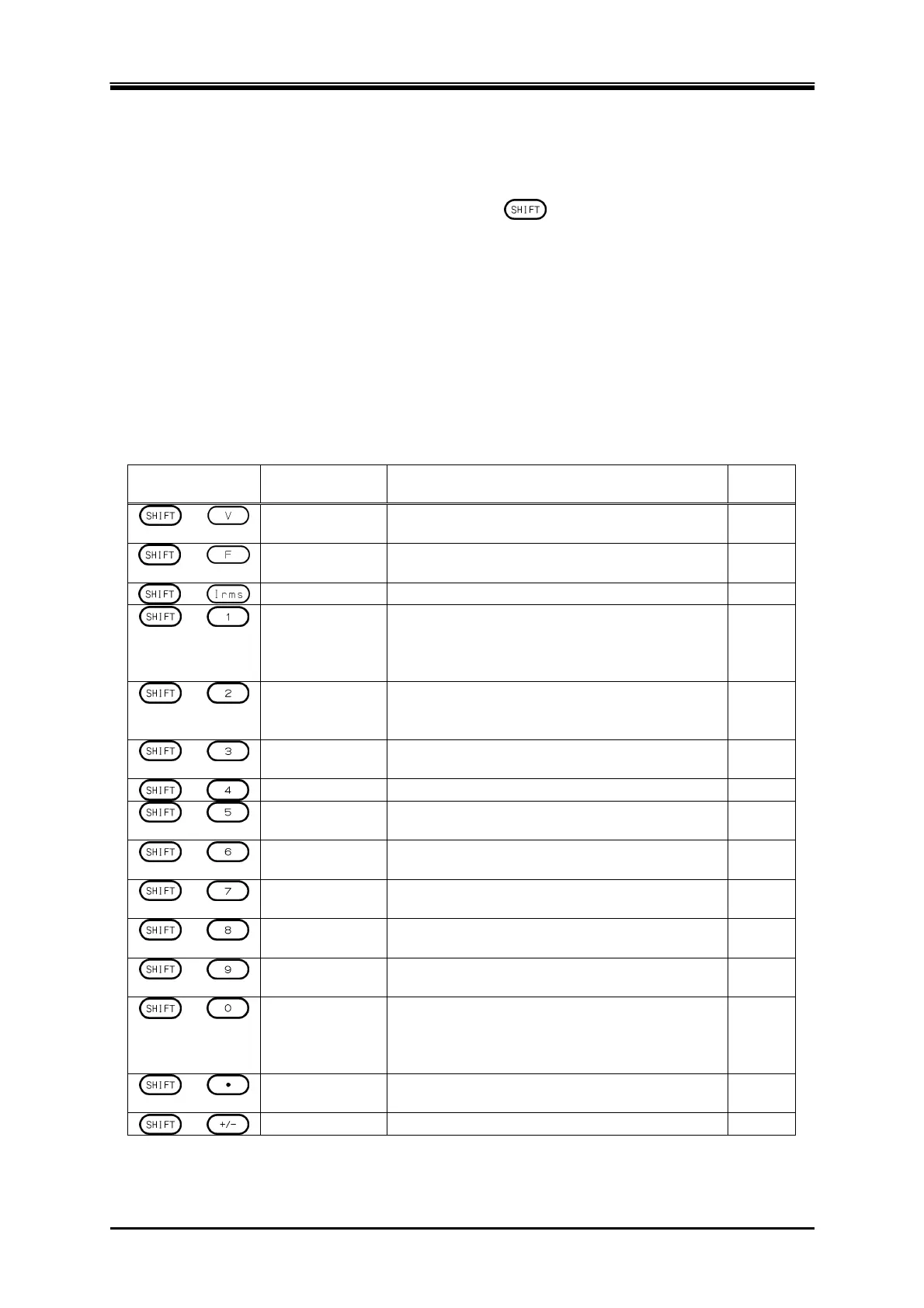
When you press the SHIFT key, the SHIFT LED illuminates. In this state (shift state), pressing one
of the V, F, I, and any keys in the numeric keypad enables shown in Table 3-6. In this instruction
manual, pressing a key in the shift state is denoted by "
+ X."
If you press the SHIFT key once more in the shift state, the SHIFT LED is lighted off and the shift
state exits.
-------- Notes ------------------------------------------------------------------------------------------------------------
The shift state is kept until you press the SHIFT key next time. Therefore, continuous Shortcut
operations can be performed.
You do not have to hold down the SHIFT key while you press another key.
-----------------------------------------------------------------------------------------------------------------------------
Table 3-6 Shortcut Operations
Shortcut Item Description Refer
to
+
V-LIMIT Opens the setting window for the voltage setting
range limit.
4.1.3
+
F-LIMIT Opens the setting window for the frequency
setting range limit.
4.1.4
+
Ipk-LIMIT Opens the peak current limiter set window.
4.1.1
+
S-L1/L2/L3
Switches the target phase to be configured in
the following order: L1, L2, L3 (unbalanced
mode), All Phase, and All Line (balanced
mode).
3.4.5,
4.15
+
M-L1/L2/L3
Switches the target phase of which the
measured value is displayed in the following
order: L1, L2, L3, L1-L2, L2-L3, L3-L1.
3.4.13
+
RMS/AVG/PK
Switches the display format of the measured
value in the following order: RMS, AVG, PK.
3.4.10
+
KEY LOCK Enables/Disables the key lock.
4.25
+
AGC/Acal Opens the AGC/Autocal set window. 4.12,
4.13
+
USB-EJECT Performs the eject operation for removing a
USB memory.
4.9
+
AC/DC Switches the AC/DC mode in the following
order: AC, ACDC, DC.
3.4.1
+
SOURCE Switches the signal source in the following
order: INT, VCA, SYNC, EXT, ADD.
3.4.1
+
CONTRAST Changes to the state in which the contrast is
selected in the LCD set window.
4.27
+
LOCAL Exits the Remote state between the device
connected to the communication interface and
enters the Local state in which the panel
operations are accepted.
6.2
+
DISP Switches the measured value display mode
between normal and simple.
3.4.11
+
Ipk CLR Clears the current peak-hold value.
3.4.12
Note: If you change the item presented with † symbol using a Shortcut operations, the setting is not saved in the
System Setting Memory (see 10.24).



 To Next Page