3.4 Using the Continuous Function
DP Series/DP Series Type R
61
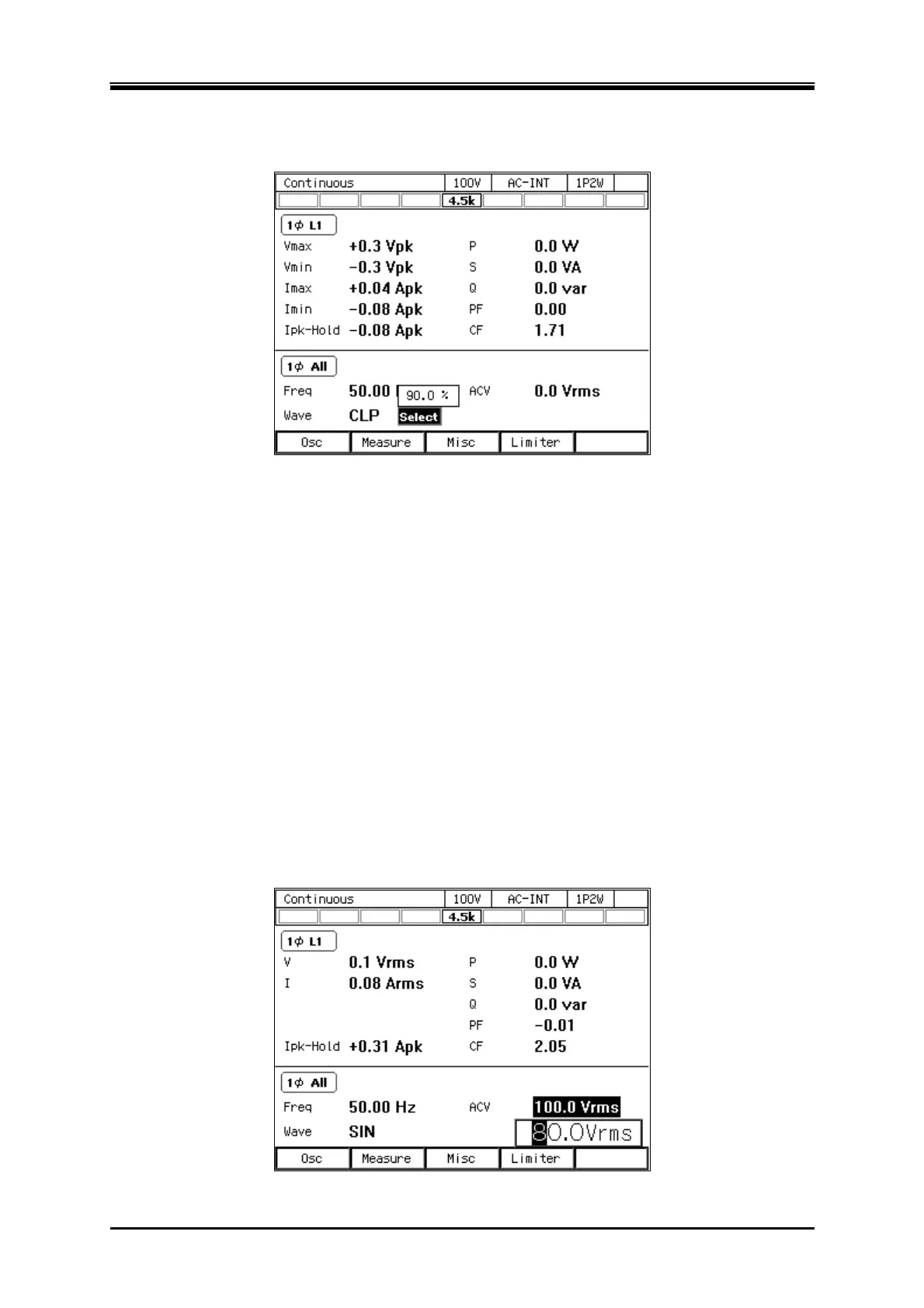
key, the setting window opens for the clipped sine wave or the selection window opens for the
arbitrary waveform. In this window, set or select items as needed.
3.4.4 Setting the Output Voltage (Single-phase Output)
Set the AC component and DC component separately for the output voltage of the internal signal
source. For the AC component, set the output voltage in the ACV item.For the DC component, set it
inthe DCV item.
-------- Notes ------------------------------------------------------------------------------------------------------------
The output voltage setting is common between SIN and CLP, but ARB is independent of these.
When you switch the waveform setting among SIN, CLP, and ARB, the output voltage setting
is also switched.
In the ACDC mode, the voltage setting range limit is applied to the additional values of the AC
voltage setting (recalculated to a peak value) and the DC voltage setting. For details, see 4.1.3.
-----------------------------------------------------------------------------------------------------------------------------
Operation procedures for setting the AC voltage
1.
Select the [ACV] item and then enter a numeric value. For how to enter values, see
3.3.5
.



 To Next Page