3. Basic Operation
PROGRAMMABLE AC POWER SOURCE
58
2.
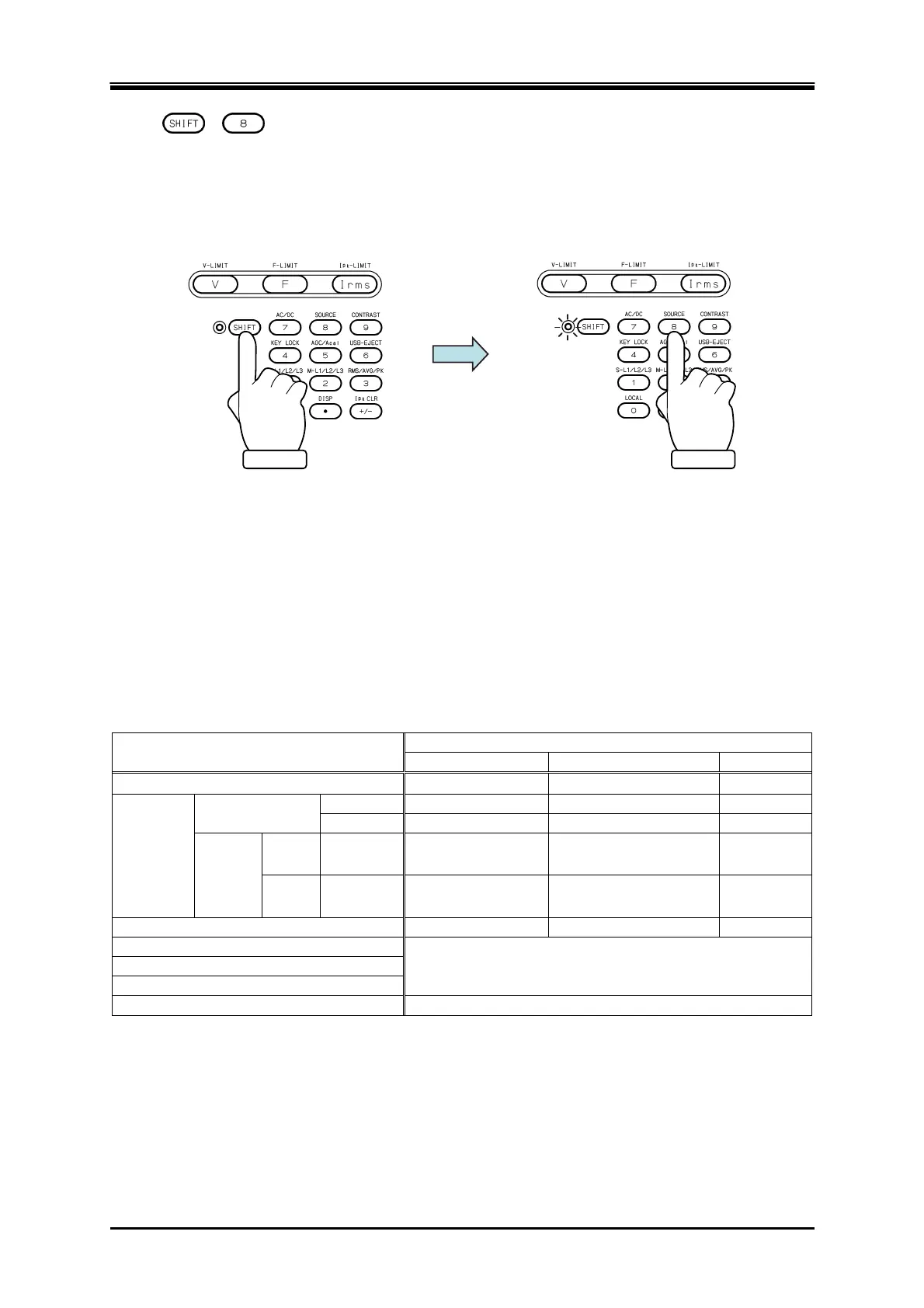
+ Switching the signal source
Press the SHIFT key to enter the shift state (the SHIFT LED illuminates). When you press the 8
key of the numeric keypad during the shift state, the signal source is switched in the following
order: INT, VCA, SYNC, EXT, ADD, INT. Some signal sources may be skipped and cannot be
selected depending on the AC/DC mode.
3.4.2 Setting the Output Range
You can select the 100 V range or 200 V range. Table 3-10 shows the setting range for each range.
-------- Notes ------------------------------------------------------------------------------------------------------------
You cannot switch the output range in the output on state.
-----------------------------------------------------------------------------------------------------------------------------
Table 3-10 The Setting Range per Output Range
Setting Item
Setting Range
100 V range 200 V range Unit
DC voltage
227.0 to +227.0
454.0 to +454.0
V
AC
voltage
Phase Voltage
SIN, CLP 0.0 to 160.0 0.0 to 320.0 Vrms
ARB 0.0 to 454.0 0.0 to 908.0 Vp-p
Line
voltage
1P3W SIN 0.0 to 320.0 0.0 to 640.0 Vrms
3P4W SIN 0.0 to 277.2 0.0 to 554.2 Vrms
External Input Gain 0.0 to 227.0 0.0 to 454.0 Times
Peak current limiter (positive)
Refer to 10.13
Peak current limiter (negative)
RMS current limiter
Voltage Setting Limit
Refer to 10.14



 To Next Page