2. Preparation before Use
PROGRAMMABLE AC POWER SOURCE
26
2.5.2 Polyphase Model
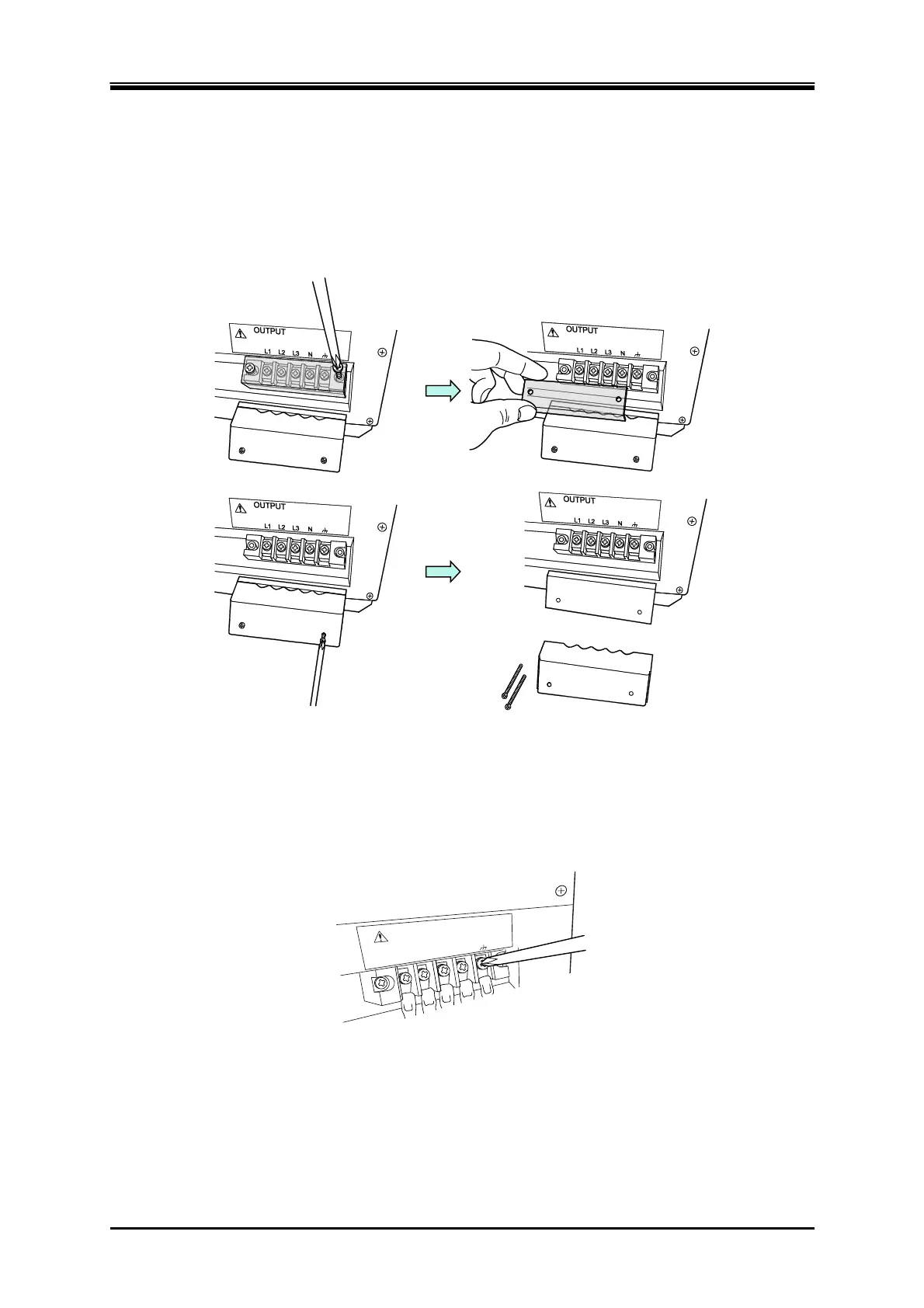
Connection procedure
The figure in the following procedure is the figure when using the cable holder (option). For cable
holder installation, see 7.6.
1.
Remove the resin-molded terminal cover and the cable holder (option) of the output terminal.
2.
Connect the output terminal to the load with a cable. Connect voltage lines to the L1, L2, and
L3 output terminals of this product. Connect a neutral line to the N terminal of output terminal
of this product, if necessary. Be sure to tighten the screws firmly. In both single-phase
three-wire model and three-phase model, the N terminal can be grounded. If the load has a
ground terminal, connect it to the chassis terminal of the output terminal of this product.
L3
N
L2
L1
OUTPUT



 To Next Page