4. Advanced Operation
PROGRAMMABLE AC POWER SOURCE
132
3.
When [Stop] soft-key is pushed while simulation is executed, the execution transitions to the
output that is set in the Initial Step, and then simulation is terminated.
-------- Notes ------------------------------------------------------------------------------------------------------------
In the output off state, the simulation cannot be started.
The output on/off phase setting is invalid for the Simulation.
-----------------------------------------------------------------------------------------------------------------------------
Returning to Simulation Edit View
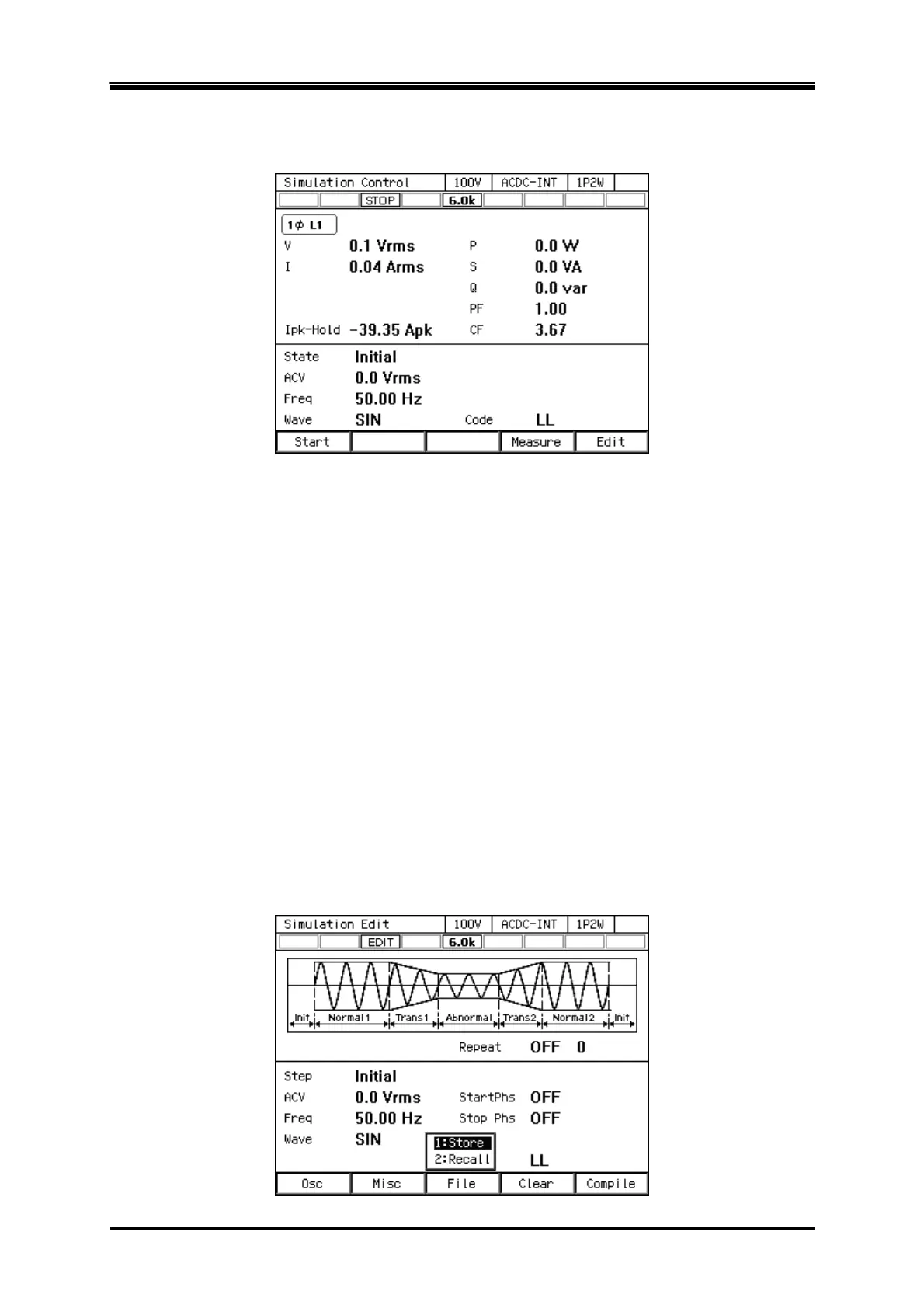
If you push the [Edit] soft-key, the execution transitions back to the Simulation Edit View.
4.3.8 Saving Simulation
-------- Notes ------------------------------------------------------------------------------------------------------------
Simulation cannot be saved in the Simulation Control View.
-----------------------------------------------------------------------------------------------------------------------------
Saving the simulation in the internal memory
1.
In the Simulation Edit View, press the select the [File] soft-key - [1: Store]. The Simulation
Store View opens.



 To Next Page