4.3 Using Power Fluctuation Testing (Simulation) Function
DP Series/DP Series Type R
131
-------- Notes ------------------------------------------------------------------------------------------------------------
If an improper setting is detected during compilation, an error message is displayed and the
screen does not transition to the Simulation Control View.
-----------------------------------------------------------------------------------------------------------------------------
Starting/ending a simulation
1.
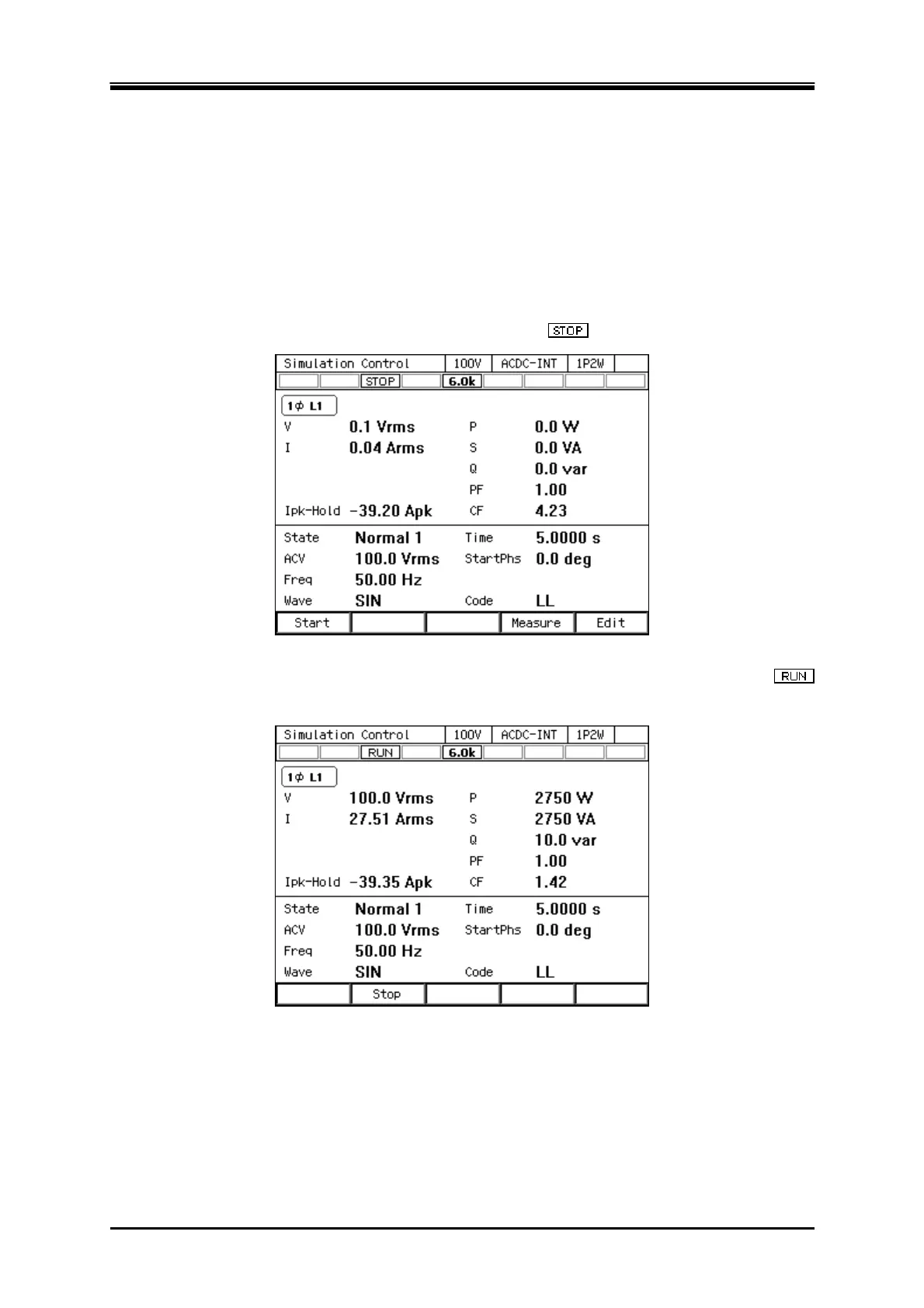
If output is turned off in the Simulation Edit View, the Power Fluctuation Test can be executed
when output is turned on in the Simulation Control View. At this point, the output is in the state
set in the Initial Step. When a simulation is stopped, the
icon is displayed.
2.
Press the [Start] soft-key to start the simulation. While the simulation is executed, icon
is displayed.


 To Next Page
 Loading...