4.2 Using Sequence Function
DP Series/DP Series Type R
97
4.2.6 Load a Sequence
-------- Notes ------------------------------------------------------------------------------------------------------------
When the sequence is loaded, the sequence being edited at that time is discarded.
In Sequence Control View, a sequence cannot be loaded.
-----------------------------------------------------------------------------------------------------------------------------
Load the sequence stored in the internal memory
1.
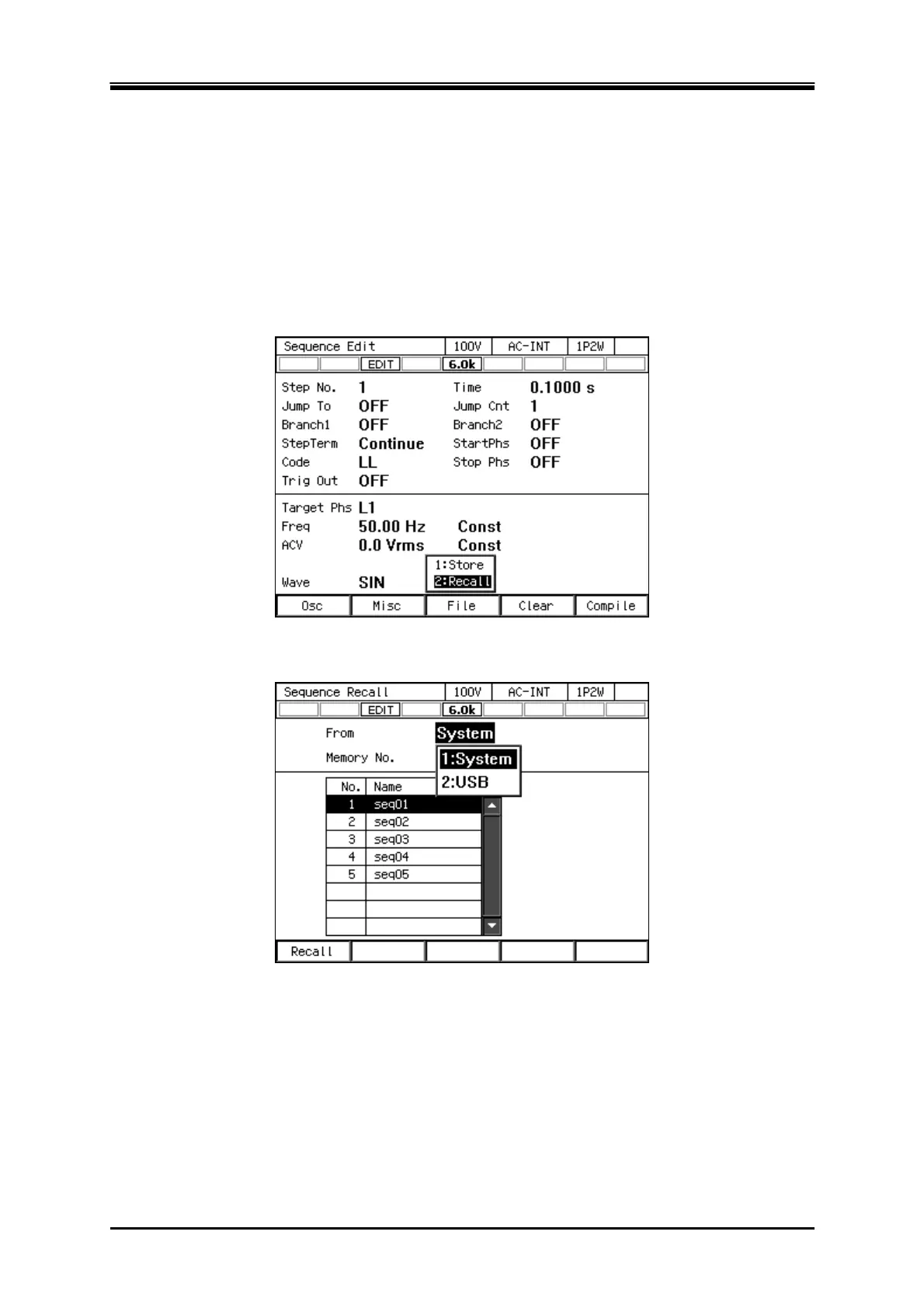
In Sequence Edit View, select [File] soft-key
[2: Recall]. Sequence Recall View is opened.
2.
In the [From] item, select [1: System].



 To Next Page