4. Advanced Operation
PROGRAMMABLE AC POWER SOURCE
192
2.
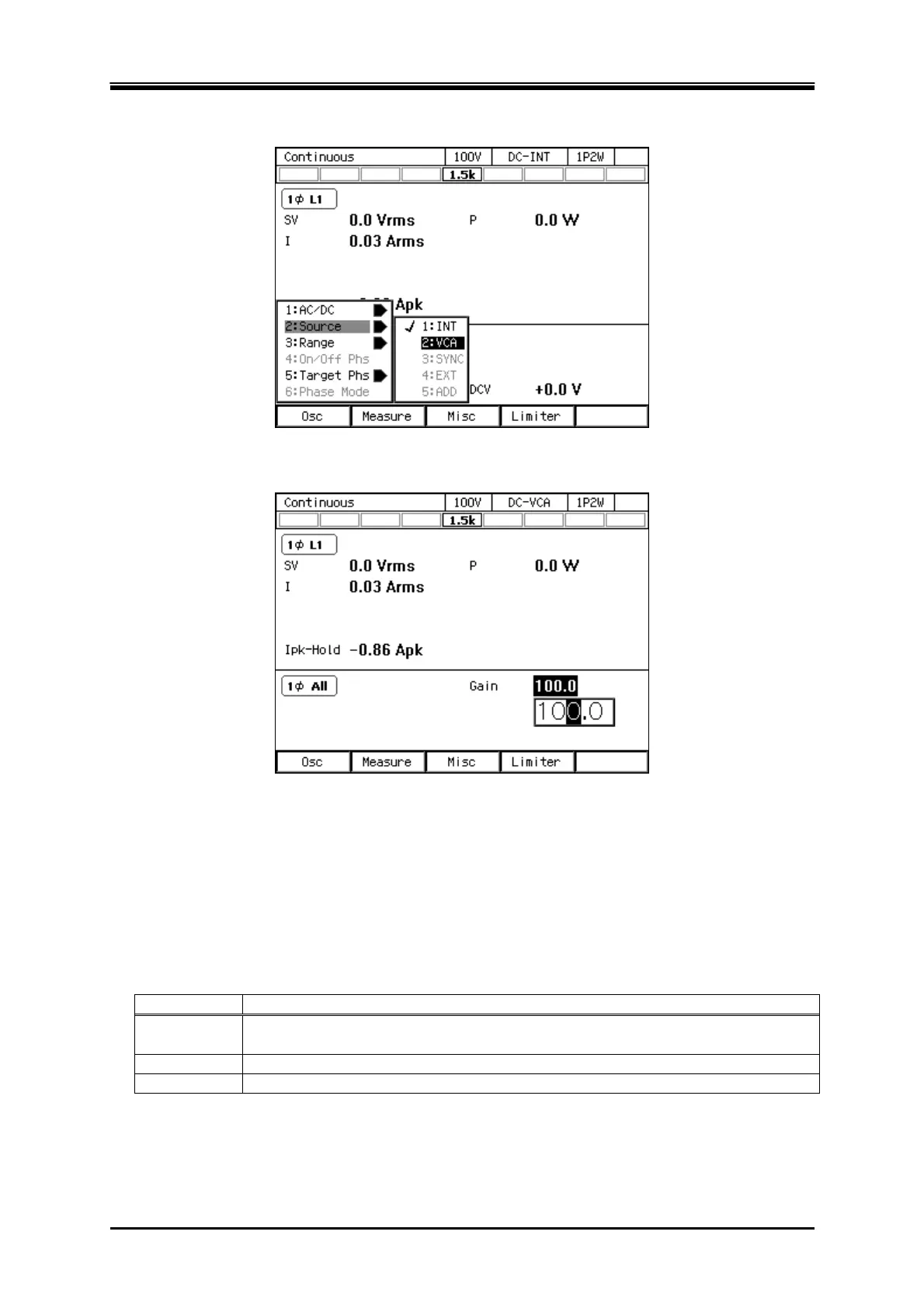
Press the [Osc] soft-key and select [2:Source]. From the opened menu, select [2: VCA].
3.
Set the [Gain] item.
4.
Supply a DC voltage to the external signal input connector.
5.
Turn on the output.
4.18 Control Using External Control Function
The following functions can be selected.
Item Description
Disable Disable the control input of the CONTROL I/O. The status output signal is output
(See 4.18.1).
Enable Enable the CONTROL I/O (See 4.18.1).
DevCtrl You can control DIP (See 4.18.2).



 To Next Page