4. Advanced Operation
PROGRAMMABLE AC POWER SOURCE
122
Repeat (Repeat)
You can set to repeat the simulation in a series from the Normal 1 step to the Normal 2 step. Specify
the ON or OFF of repeat and the repeat count. When Repeat is set to ON, the simulation repeats for
the specified count. The simulation in a series is repeated for the repeat count + 1. Setting the repeat
count to zero (0) means an infinite count. When Repeat is set to OFF, the DP series executes the
simulation only once and finishes it without performing the repeat operation.
4.3.3 Output Examples Using Simulation Function
Voltage dip simulation
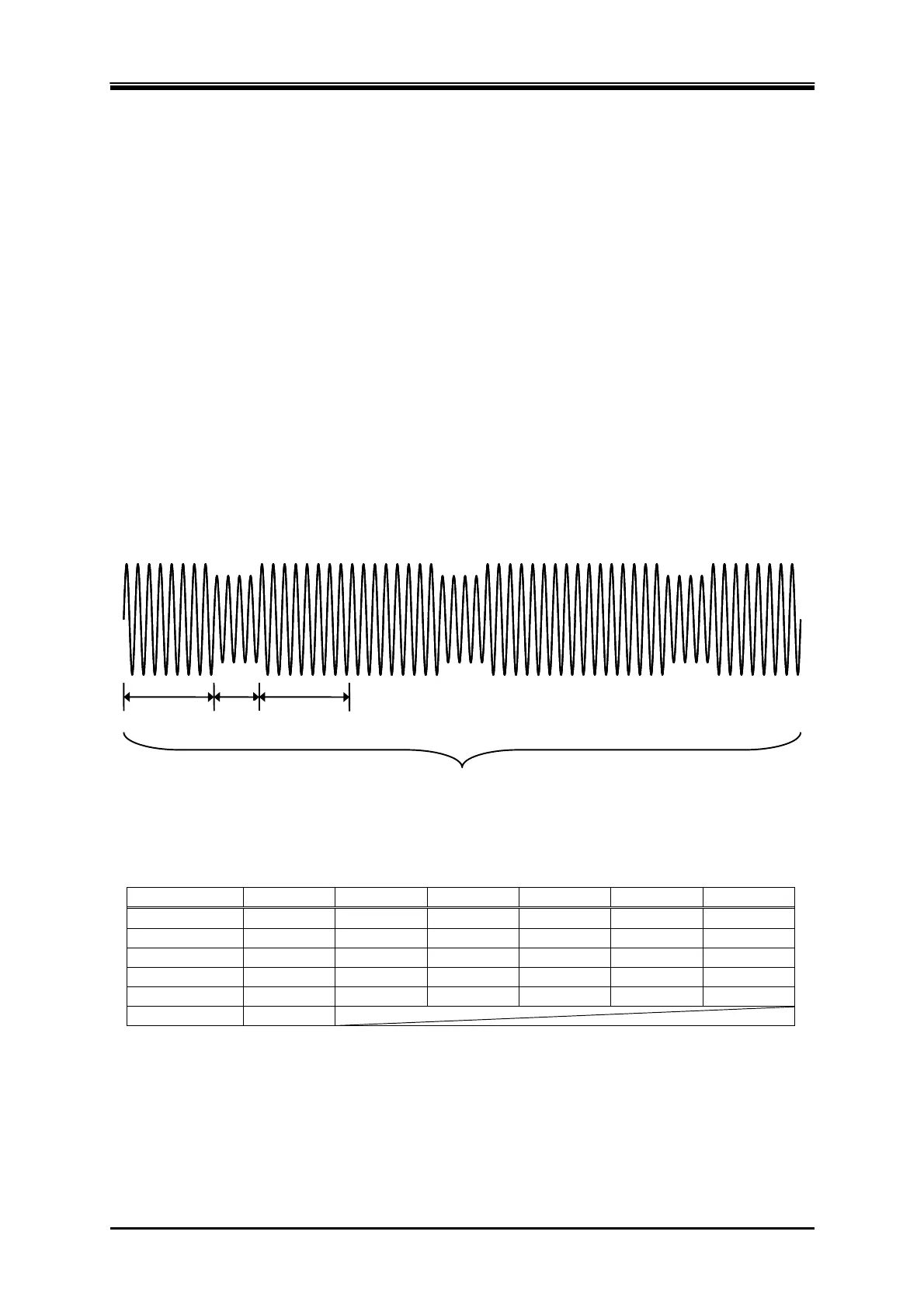
In this simulation, the 50 Hz 100 V power source repeats a 70% voltage dip for 0.5 seconds three
times at 10-second intervals as shown in Figure 4–12. For this case, set so that the total of Normal 1
and Normal 2 Step Times becomes 10 seconds and set the repeat count to 3. Set the Trans 1 and
Trans 2 Step Times to zero (Table 4-6).
正常時
100 V
ディップ時
70 V
周波数: 50 Hz
5秒 0.5秒 5秒
3回繰り返し
At dipping At normal
Frequency: 50Hz
Repeat 3 times
5 second 5 second
0.5
second
Figure 4-12 Voltage Dip Simulation Example
Table 4-6 Voltage Dip Simulation Edit Example
Step Initial Normal 1 Trans 1 Abnormal Trans 2 Normal 2
Step Time — 5 s 0 s 0.5 s 0 s 5 s
AC voltage 100 V 100 V — 70 V — —
Frequency 50 Hz 50 Hz
—
50 Hz
— —
Start phase OFF OFF — OFF — OFF
Stop Phase OFF OFF — OFF — OFF
Repeat count 2 times



 To Next Page