3.4 Using the Continuous Function
DP Series/DP Series Type R
63
2.
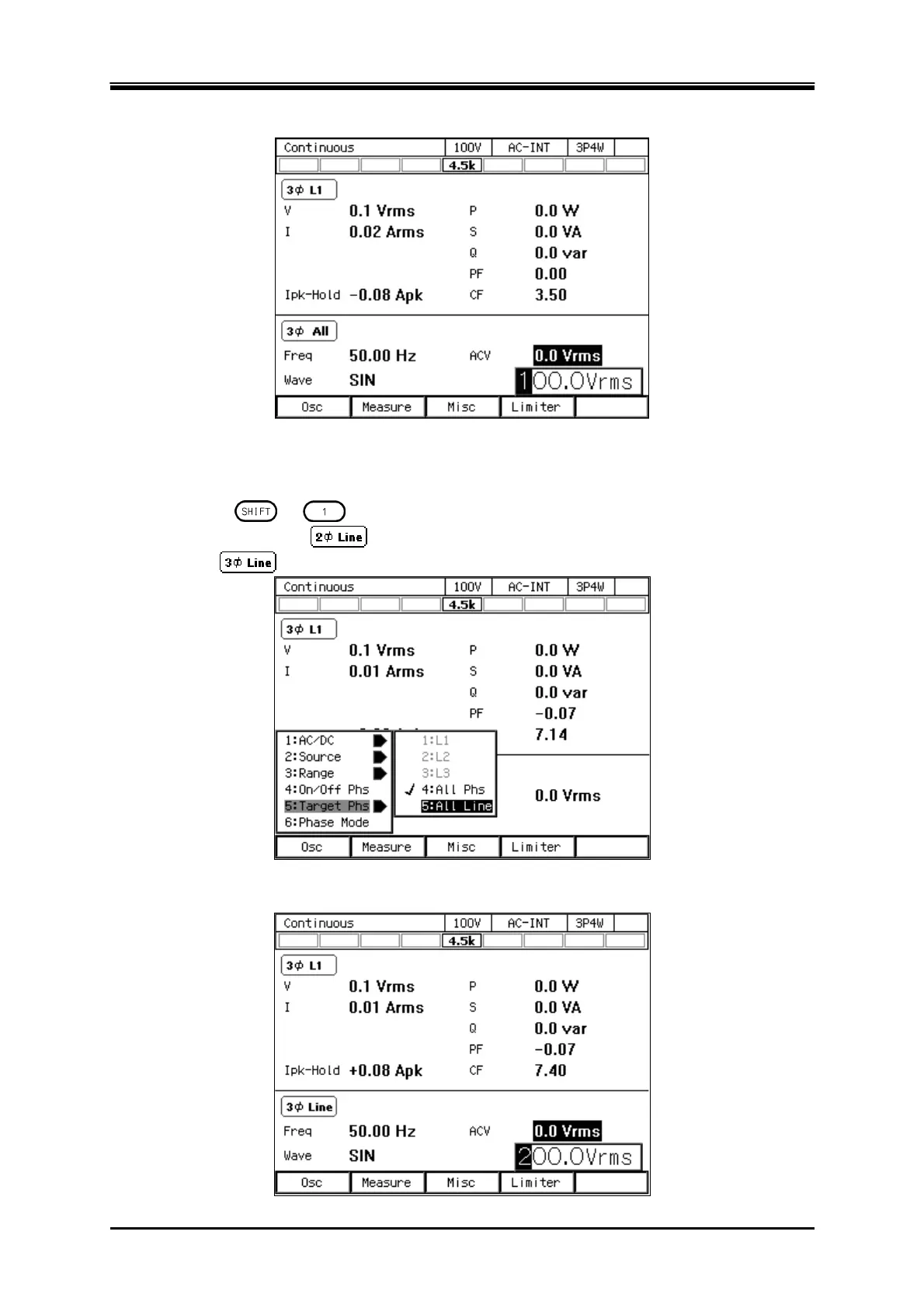
Select the [ACV] item and then enter a numeric value. For how to enter values, see
3.3.5
.
Operation procedures for setting the line voltage
1.
Press the [Osc] soft-key and select [5:Target Phs]
[5:All Line]. Or perform the Shortcut
operation
+ to switch to [All Line]. Check that the icon in the output display
area (see
5.1
) is
(single-phase three-wire model or single-phase three-wire
system)/
(three-phase model or three-phase system).
2.
Select the [ACV] item and then enter a numeric value. For how to enter values, see
3.3.5
.



 To Next Page