3.4 Using the Continuous Function
DP Series/DP Series Type R
75
2.
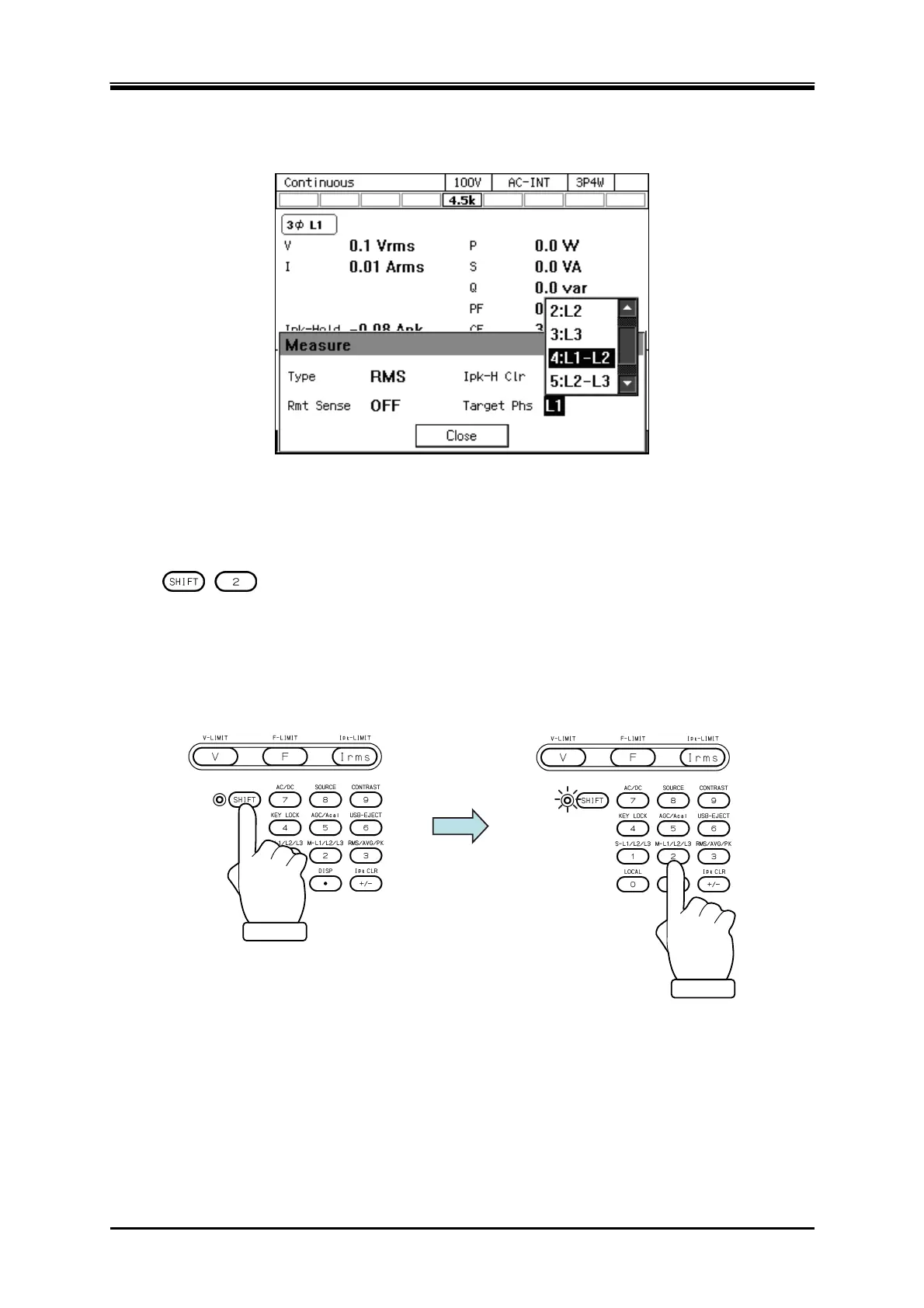
In the [Target Phs] item, select the phase of which the measured value is to be displayed. For
the line voltage, select L1-L2, L2-L3, or L3-L1.
3.
Close the window. For how to close the window, see
3.3.4
.
Operation procedures by using shortcuts
1.
+ Switches the target phase of which the measured value is displayed
Press the SHIFT key to enter the shift state (the SHIFT LED illuminates). When you press the 2
key in the numeric keypad in the shift state, the phase is switched in the order of
L1
L2
L1-L2
L1 ... in the single-phase three-wire. In the three-phase, it is switched in the
order of L1
L2
L3
L1-L2
L2-L3
L3-L1
L1 ...



 To Next Page