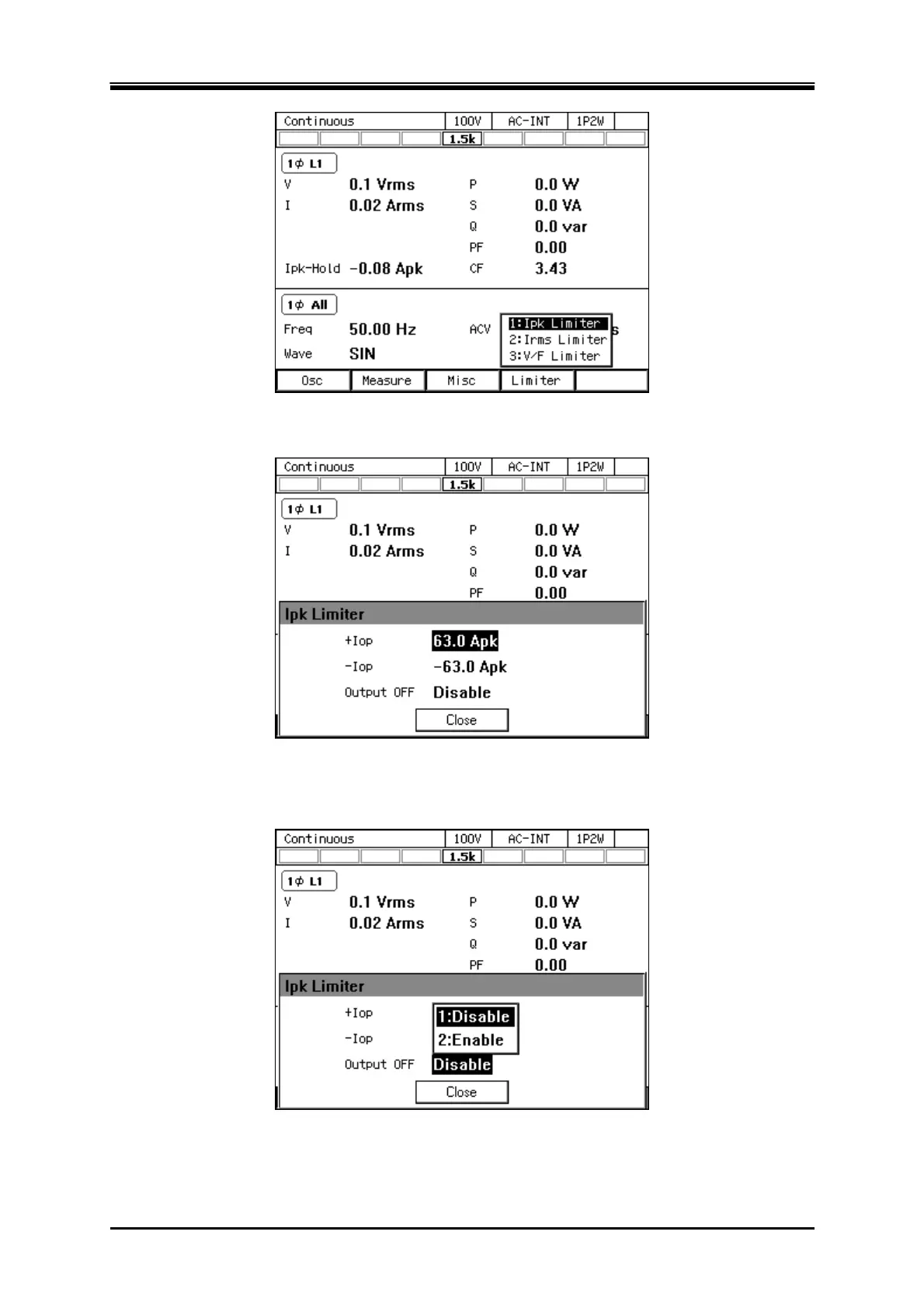
4.1 Using Limiter, Setting Limiter
DP Series/DP Series Type R
79
2.
In the [+Iop]/[
Iop] item, set the peak current limiter value of positive/negative.
3.
Set the [Output OFF] item as [Enable] or [Disable]. When setting to [Enable], also set the time
from the start of limiter operation to the output off.
4.
Close the window.



 To Next Page