3-63
3
S-O
After you define the arc, the calculated
curve data will be shown for your
confirmation.
When the input value in “Rad” doesn’t
match the one in “Len”, the system uses
the input “Rad” value and the “Len” will
be replaced by the calculated value.
Next is the observation screens.
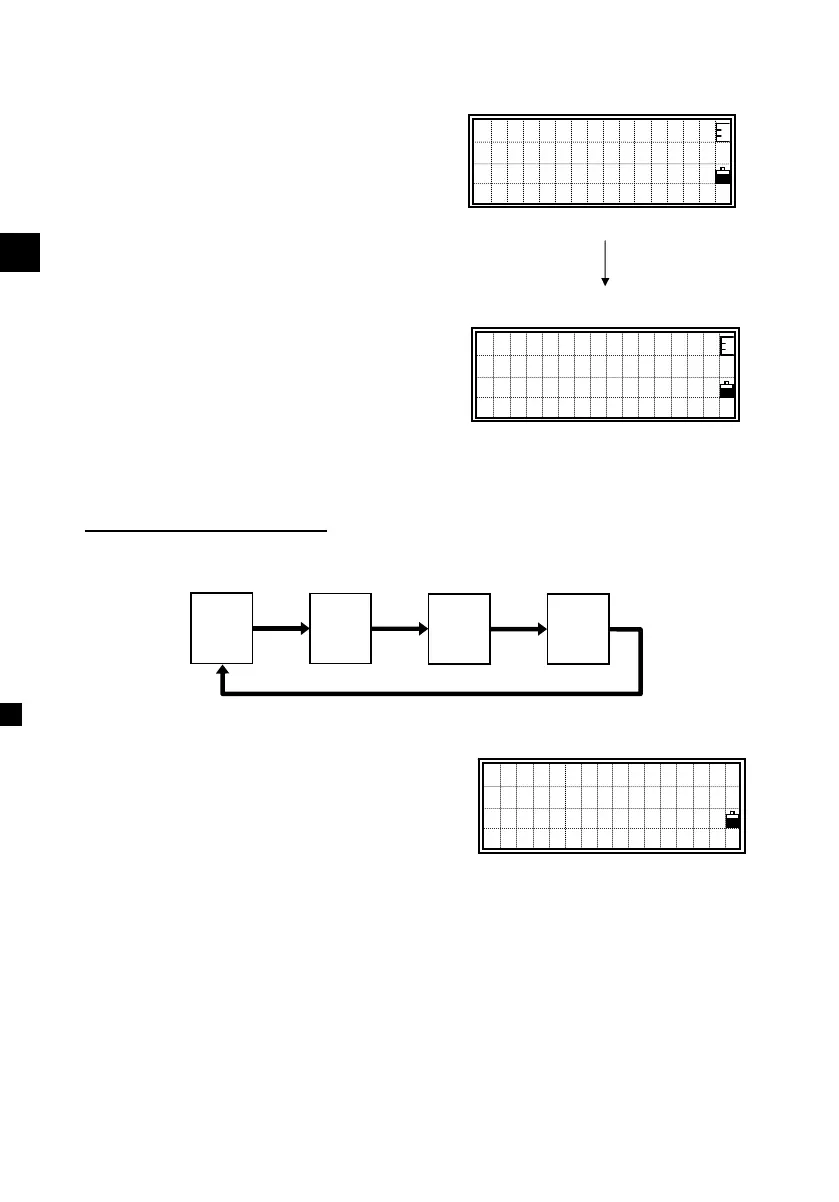
You can use [MSR], [TRK], [DSP],
[HOT] and [REC]/[ENT] key from here.
Switching screen by [DSP]
When the Secondary unit is set, one more screen (ARC5/5) is added.
From any of the ARC display, you can hit
the [REC] or [ENT] to record the point
with comment records.
= Sample recording data in S-O/6: Arc-RefLine =
CO,Arc P1:583 AZ1=0.0000 P2:102
CO, AZ2=311.2932 Radius=50.0000 Length=125.6637
CO, Sta= -12.6876 Offset= 1.3721 dZ= 0.0971
SS,17,1.0000,6.9202,18.4700,80.3120,15:48:48,2REF-LINE
Rad: 50.0000m
Len: 125.6637m
AZ2:120°00′30″
Abrt OK
Sta: 76.9024m
O/S: 141.1250m
dZ: -0.3429m
ARC1/5
Sta
O/S
dZ
HA:
VA:
SD:
HA:
VD:
HD:
X:
Y:
Z:
ARC1/4
ARC2/4
ARC3/4
ARC4/4
[4]/[ENT]
Input Point
PT:301230482
CD:TREE4
Lst Stk












 To Next Page