Need help?
Do you have a question about the NKT Photonics SuperK COMPACT and is the answer not in the manual?
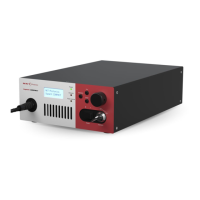
Provides a general overview of the laser's functionality, components, and safety.
Details the laser's spectral output, pulse characteristics, fiber, and collimator specifications.
Explains the function of front panel buttons, display, and LEDs for laser operation.
Describes the various ports, connectors, and status LEDs on the rear panel.
Explains laser operation, control software, and safety mechanisms like key switches.
Details the meaning of front and rear panel LEDs for system status and diagnostics.
Identifies and explains the various safety and informational labels on the laser chassis.
Guides users through operating the laser using the front panel controls and menus.
Details how to install CONTROL software, connect the PC, and turn the laser ON.
Explains safety precautions, preparation, and procedures for turning the laser ON and OFF.
Provides an overview of the CONTROL software interface and its various panels and functions.
Explains the different trigger modes available for controlling laser pulse emission.
Details how to adjust key laser parameters like repetition rate, power, trigger level, and burst count.
Explains how to use the Application Log and Device Monitor for debugging and status monitoring.
Guides on physical installation requirements, environment, and cooling for the laser.
Details procedures for connecting power, safety interlocks, optical outputs, and accessories.
Explains how to connect the laser to the AC mains power supply.
Provides instructions for connecting optical outputs, managing back reflection, and cleaning fiber facets.
Explains how to connect accessories using the external bus interface and the bus defeater.
Describes the coaxial and industrial trigger input ports for controlling laser emission.
Explains the analog and logic pulse output signals for synchronization purposes.
Illustrates how to use synchronization signals for single pulse and burst mode illumination.
Lists detailed technical specifications for optical, interface, and mechanical aspects.
Provides information on laser servicing, warranty, and contacting support.
Details the pin configuration for the external bus interface connector.
Guides on cleaning optical fiber tips, identifying signs of damage, and polishing.
Provides an overview of available accessories like VARIA, SELECT, LLTF, SPLIT, and CONNECT.
Step-by-step guide for installing the NKTP CONTROL software.
Defines and illustrates beam parameters like waist location and divergence.
 General
| Wavelength Range | 450 - 2400 nm |
|---|---|
| Beam Diameter | 1.5 mm |
| Beam Divergence | < 2 mrad |
| Polarization | Random |
| Operating Temperature | 15 - 30 °C |
| Storage Temperature | -20 - 60 °C |
| Repetition Rate | Varies with configuration |
| Pulse Duration | N/A (CW laser) |
| Power Supply | 100-240 V, 50-60 Hz |

 To Next Page