Control settings
56
See “Connecting the safety interlock” on page 75.
System info The System Info section shows the following:
• Laser Serial Number
• Laser Firmware Revision
Note: System info is only displayed when the option is checked in “View” on
page 57.
Emission button The emission button turns the laser emission ON or OFF – See “Controlling the
laser emissions” on page 53. The button indicator will turn ON RED when laser
emission is generated. Otherwise, it will be OFF Grey.
Control settings
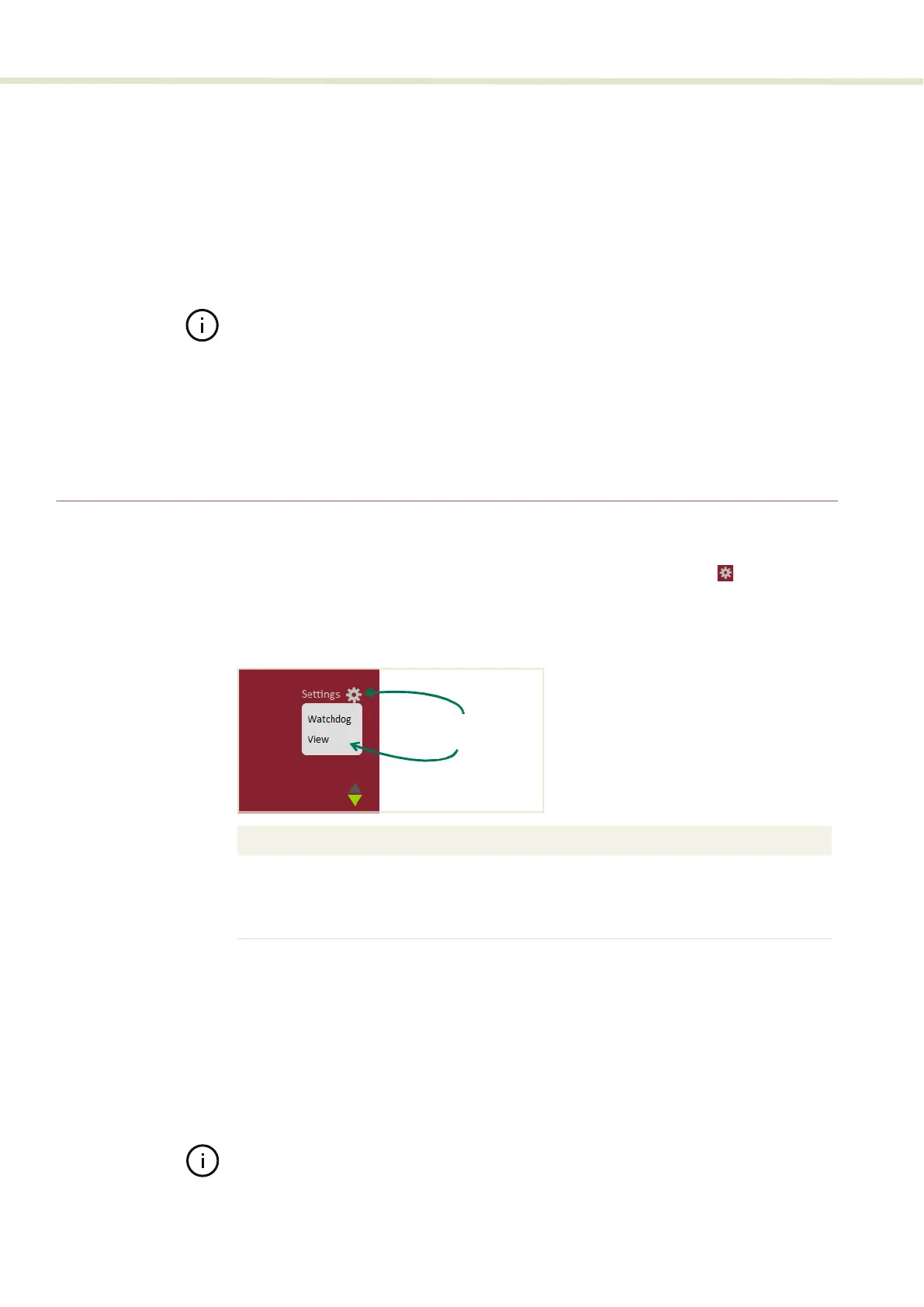
The CONTROL settings are accessible by clicking the gear icon in the upper
right corner of the Status panel. Clicking the gear icon displays a menu of setting
items as shown in Figure 29:
Figure 29 CONTROL settings
Watchdog
As an added safety feature, the watchdog will automatically turn OFF laser
emission if communications with CONTROL is lost. The feature can be enabled or
disabled and has an adjustable timeout. When communications are lost with the
laser, the watchdog timer counts down from the timeout setting value (1 to 255
seconds). Upon expiry, the watchdog shuts down laser emission by internally
opening the interlock circuit.
Note: Setting the timeout to 0 seconds will turn OFF the watchdog.
Setting Item Function See
Watchdog Enables or disables a watchdog between
CONTROL and the connected devices.
Watchdog on page 56
View Enables and disables items displayed in the
Status panel.
View on page 57
Click the gear icon
to access the menu


 To Next Page