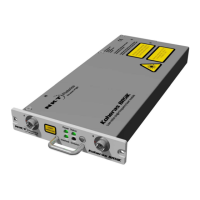
Status panel
54
Status panel
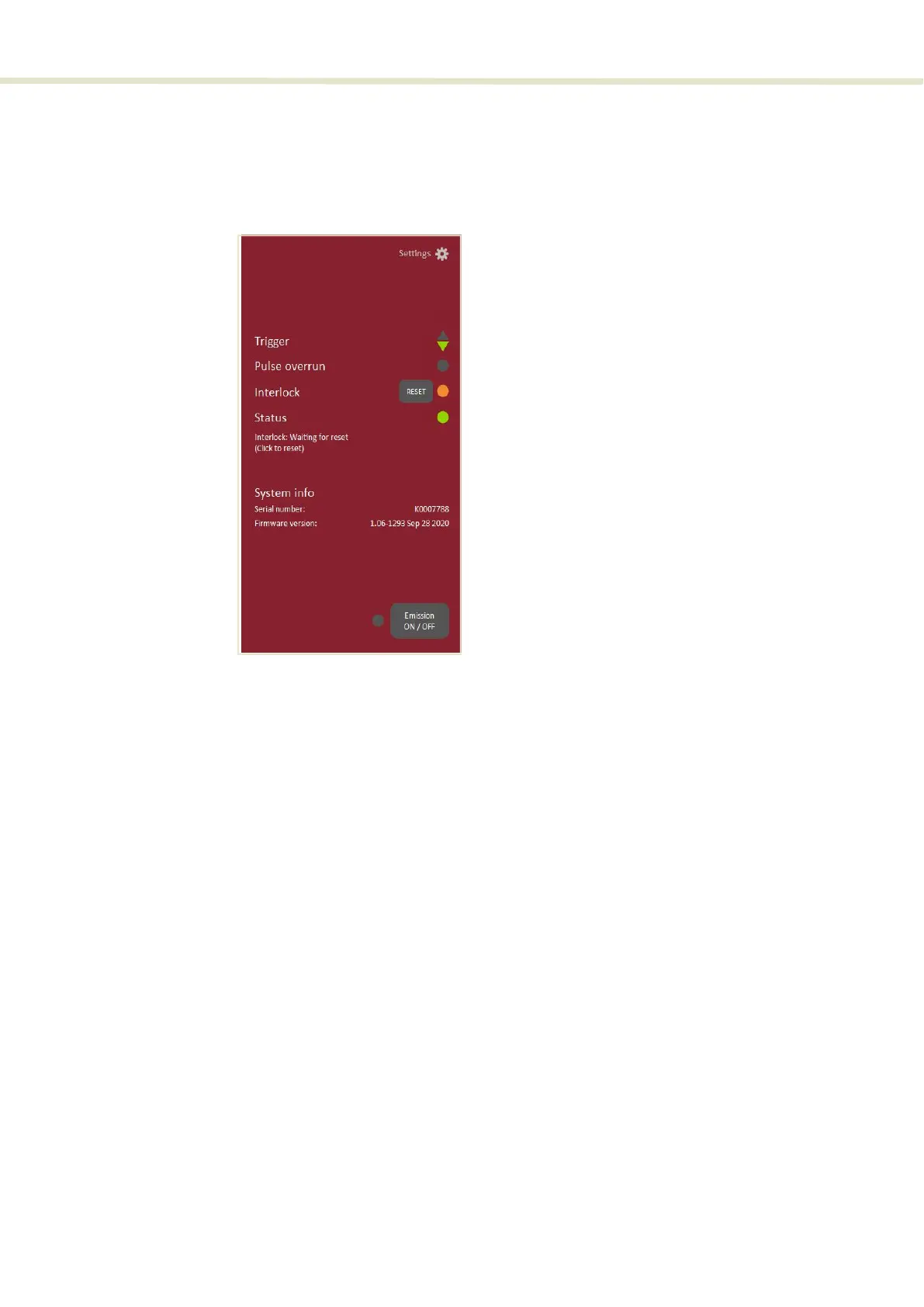
The Status Panel provides status indicators, error messages, emission control
function and a CONTROL settings menu.
Figure 28 Status Panel
Status indicators The panel displays the following indicators:
Trigger
The
▲ (up) and a ▼ (down) arrow indicators display the status of the trigger signal
measured at a trigger input. The indicators are used when setting the trigger
level control (see “Trigger level” on page 67) or the actual trigger input signal
level.
• ▲ ON – Trigger input signal level too high versus the set trigger threshold.
• ▼ ON – Trigger input signal level too low versus the set trigger threshold.
• ▲ / ▼ ON – Trigger input signal level and trigger threshold are correctly set
(matched) to trigger a pulse or burst. When a trigger event is detected, both
indicators stay ON for approximately 100 ms indicating a recent trigger event.
Using the arrows: The arrows indicate if the trigger signal voltage is either too
high, too low, or set correctly when compared to the set trigger hreshold. For
example, a trigger signal at 1 kHz is connected and the
▼ down arrow is ON and
the
▲ up arrow is steady OFF. In this case, the trigger signal voltage is too low for
the set threshold. Either set the trigger threshold lower or increase the signal
level until both arrows
(▲ / ▼) are lit. Likewise, if the ▲ up arrow is ON, and the ▼
down arrow is OFF, then the trigger signal level is too high; either the threshold
needs to be increased or the signal level decreased.


 To Next Page