CONTROL overview
52
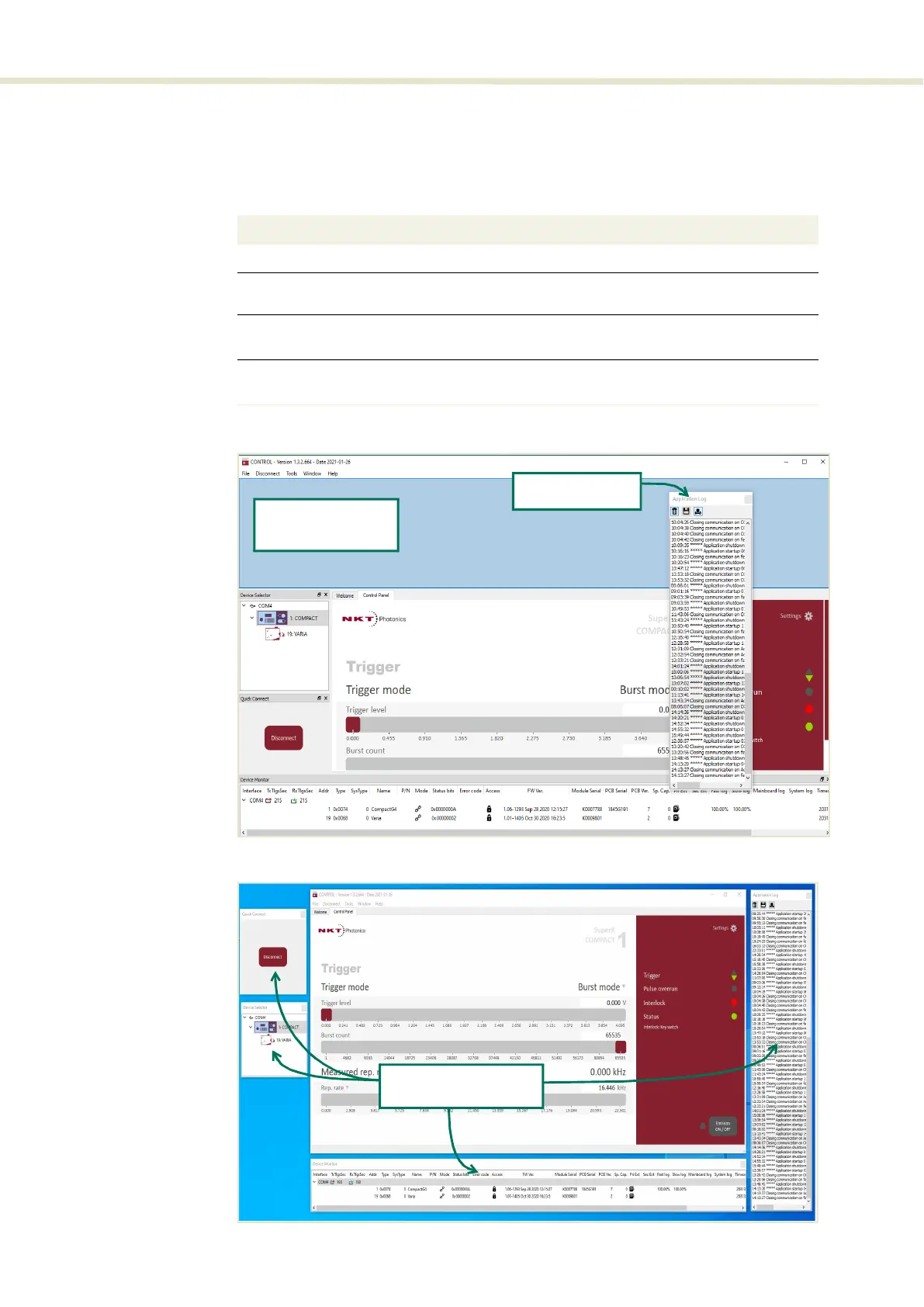
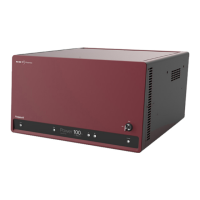
Relocating panels The panels displayed by CONTROL can be dragged to any location within the
main interface or into a separate floating panel. Procedure 4 describes how to
move a panel:
Procedure 4 Relocating panels
Figure 24 Dragging panels to a new location in the main window
Figure 25 Dragging panels outside the main window
Action
1 Left Click and hold the top title bar of the panel.
2 While holding the left mouse button down drag the panel to another location in the main
window.
3 When the area you drag the panel background turns blue, release the mouse button. (see
Figure 24
)
4 Alternatively drag the panel outside the main window and release the mouse button. A
separate window fo the panel will be created. (see Figure 25
)
Left hold click and
drag the panel
Release the mouse
when the background
turns blue.
Panels dragged outside
the main window
2


 To Next Page