Trigger mode
62
Trigger mode
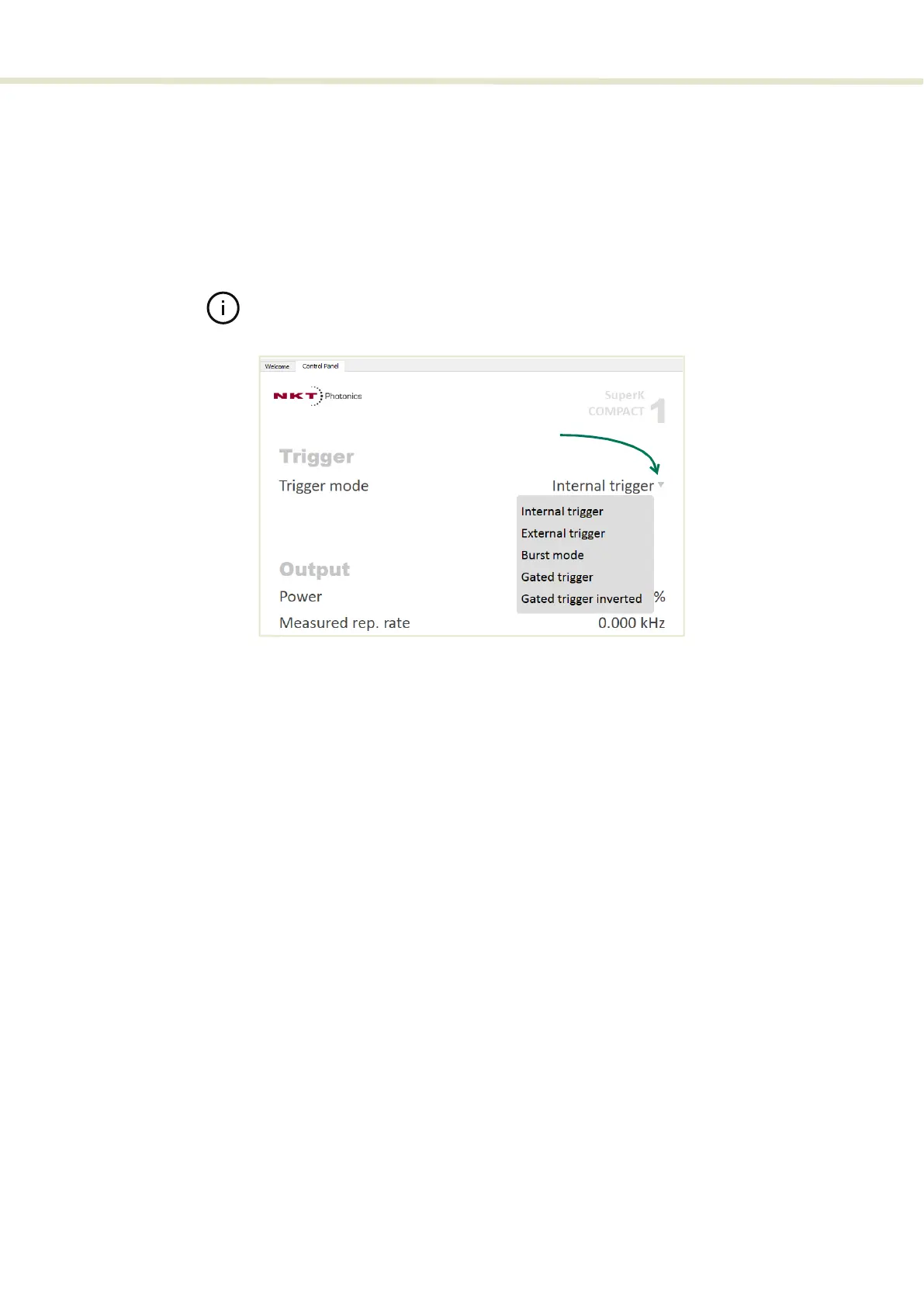
Using NKTP CONTROL, you can select to operate the laser using one of five
trigger modes. The modes determine when and how pulses are emitted. When a
trigger mode is selected, the Control Panel shows the settings relevant for the
mode. To select one of the modes, click on the Trigger mode drop down menu
located on the right side of the panel (See Figure 34).
Note: Trigger signals must be supplied from an external source. NKTP CONTROL
software does not include any functionality to generate trigger signals.
Figure 34 Trigger mode
Internal trigger The laser emits continuous pulses at the set repetition rate. The rear panel
trigger inputs are not used. The repetition rate is set using the Frequency sub-
menu.
Controls
“Repetition rate” on page 66
Trigger ports
None
Click on the down arrow
to select a Trigger mode


 To Next Page