EasyManua.ls Logo

NT-MDT Solver Next - Page 104

NT-MDT Solver Next
214 pages
Print Icon
To Next Page IconTo Next Page
To Previous Page IconTo Previous Page
Loading...
Solver NE
X
96
column d
i
direction
w
To modif
y
1. Open
of the
2. Select
signal
NOTE.
of the
d
3. Click t
X
T SPM. Inst
r
i
splays sig
n
w
hile the
B
a
y
the list of
d
t
he Scan
p
b
utto
n
s
elected m
o
the desire
d
s
.
A signal n
d
etection si
g
h
e
OK
b
utt
o
r
uction Man
u
n
als to det
a
ckward
co
l
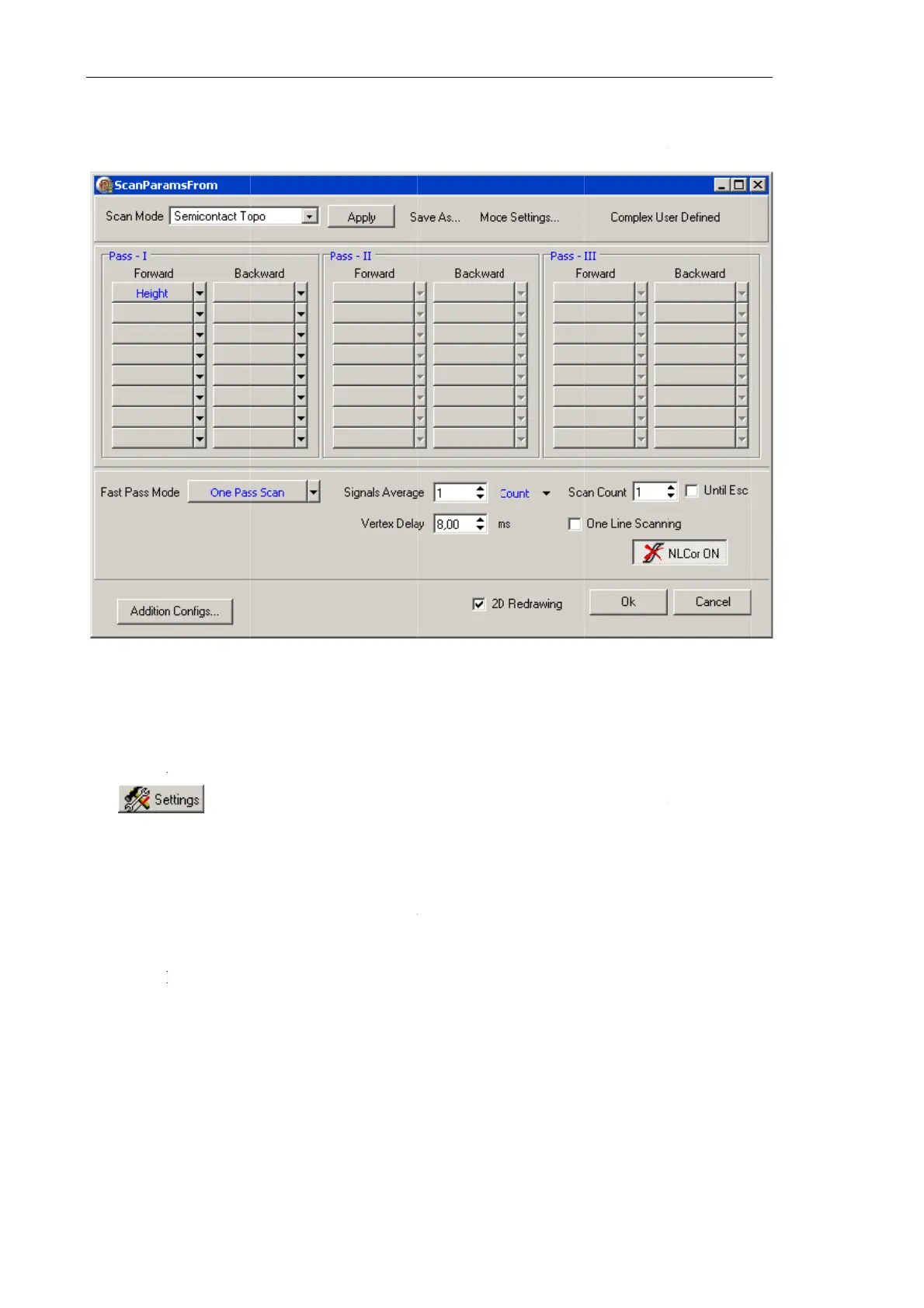
Fig. 7-58.
d
etection si
g
p
arameters
n
in the Co
n
o
de are disp
l
d
signals i
n
ecessary fo
g
nals.
o
n to save
m
u
al
ect during
l
umn enlist
s
Scan para
m
g
nals, perf
o
adjustmen
t
n
trol panel
l
ayed in co
r
n
the drop-
d
r the selec
t
m
odificatio
n
the sampl
s
signals fo
r
m
eters adjus
t
o
rm the foll
o
t
window
of the
Sca
n
r
respondin
g
d
own lists
t
ed scan m
o
n
s and to cl
o
e moves i
n
r
the backw
ment windo
w
o
wing step
s
ScanPara
m
n
nin
g
wind
o
g
cells of th
e
to change
o
de can not
o
se the dial
o
n
the for
w
ard move
m
w
s
:
m
sFrom
b
y
o
w. The de
t
e
tables.
the set of
be remove
d
o
g.
w
ard scanni
m
ent.
clicking
t
t
ection sign
a
the detect
i
d
from the
l
ng
t
he
a
ls
i
on
l
ist

Table of Contents