EasyManua.ls Logo

NT-MDT Solver Next - Page 106

NT-MDT Solver Next
214 pages
Print Icon
To Next Page IconTo Next Page
To Previous Page IconTo Previous Page
Loading...
Solver NE
X
98
If the
S
1D Vi
e
The
R
e
(see Fi
g
Should th
e
Tilt subtr
a
Data in th
e
degree in
X
Contributi
o
process w
i
window.
B
To activa
t
correspon
d
image, ill
u
NOTE.
I
n
direction t
o
X
T SPM. Inst
r
S
b
utton i
n
e
wer will d
i
e
start
b
utt
o
g
. 7-62).
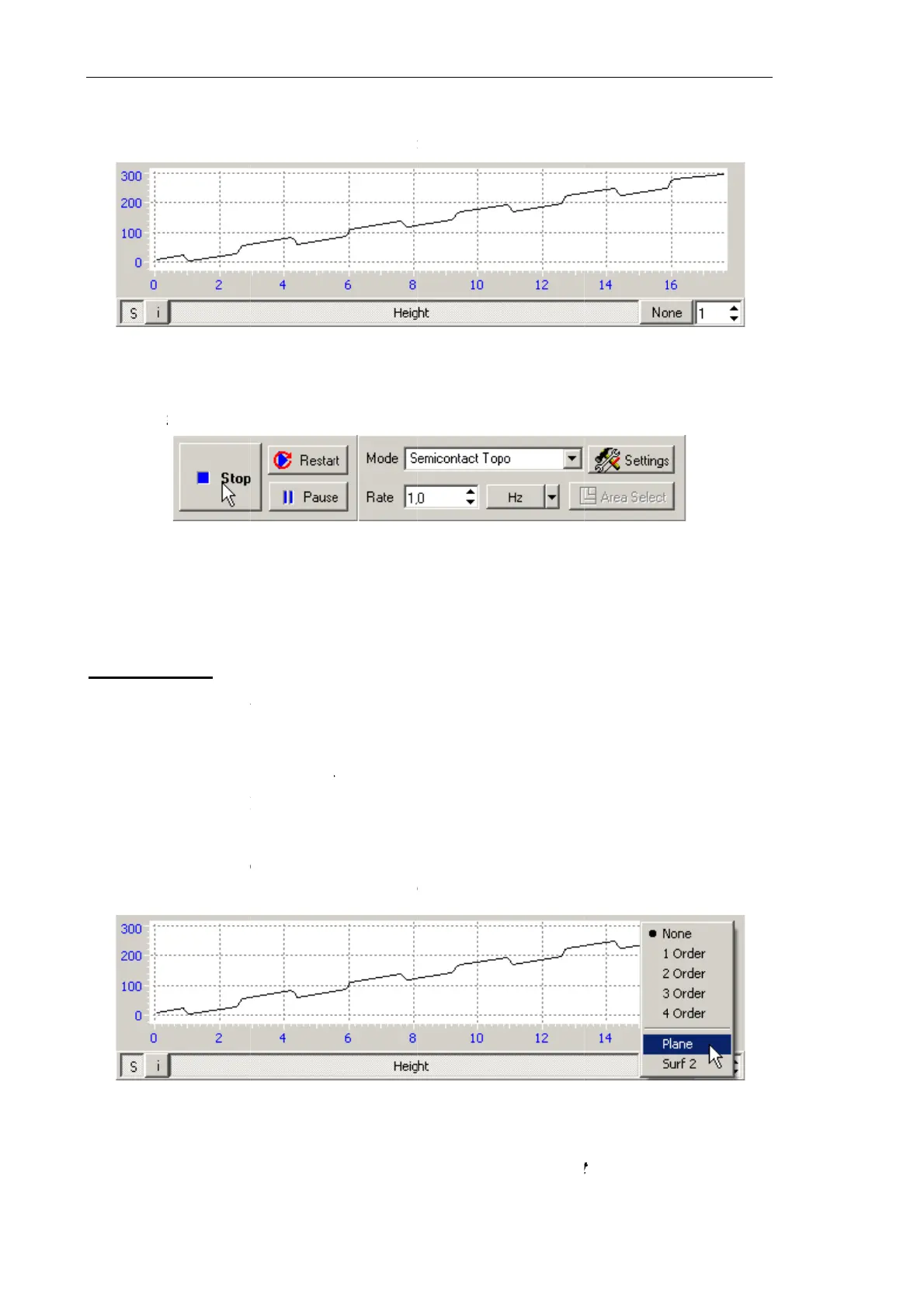
Fig. 7-62.
C
e
scanning
p
a
ction
e
example
a
X
direction.
o
n of the ti
l
i
th proper
s
B
y default, t
h
t
e run-time
d
ing list (se
e
u
strated in
F
the proce
s
o
apply the
r
uction Man
u
n
the left b
o
i
splay the d
e
o
n becomes
C
ontrol panel
p
rocedure b
e
a
bove (see
F
l
t to the det
e
s
election o
f
h
is button i
subtractio
n
e
Fig. 7-63
)
F
ig. 7-60, is
s
s of defin
i
correction
u
al
o
ttom of t
h
e
tection sig
n
Fig. 7-61.
enabled a
n
of the Sca
n
e
interrupte
F
ig. 7-60, F
i
e
cted lands
c
f
the
Subtr
a
s in the
No
n
n
, click th
i
)
. This enta
transforme
d
Fi
g
i
ng the co
r
appears to
h
e 2D Vie
w
n
al in real
t
Hei
g
ht sign
a
n
d caption
n
ning windo
w
d, click the
i
g. 7-61) re
v
c
ape can b
e
a
ct
control
a
n
e
state (se
e
i
s button
a
ils subtract
i
d
into the i
m
g
. 7-63
r
rection te
c
the left of t
h
w
er of the
s
t
ime (see Fi
a
l
of the
Run
w
in the cou
r
Stop
b
utto
n
v
eal that th
e
e
eliminate
d
a
t the right
e
Fig. 7-61
)
a
nd select
t
i
on of the
p
m
age show
n
c
hnique, a
h
e
Subtrac
t
s
can data i
s
g. 7-61);
b
utton ch
a
r
se of scann
i
n
or use th
e
e
sample is
d
immediat
e
bottom of
)
.
t
he
Plane
o
p
lane tilt, a
n
n
in Fig. 7-
6
button
f
or
t
button.
s
pressed,
t
a
nges to
St
i
ng
e
<Esc> ke
y
tilted to so
m
e
ly in the s
c
the
Scanni
o
ption in
t
n
d the origi
n
6
4.
selecting
t
t
he
op
y
.
m
e
c
an
n
g
t
he
n
al
t
he

Table of Contents