EasyManua.ls Logo

NT-MDT Solver Next - Page 141

NT-MDT Solver Next
214 pages
Print Icon
To Next Page IconTo Next Page
To Previous Page IconTo Previous Page
Loading...
S
e
T
o
r
e
T
o
1.
2.
e
lectin
g
th
e
o
choose
e
commenda
If height
maximu
m
If heigh
t
(about 1
controlli
n
area can
b
o
select or
t
Open th
e
button in
In the dr
o
Hold
and
vary und
e
a.
Hold
s
modi
f
seco
n
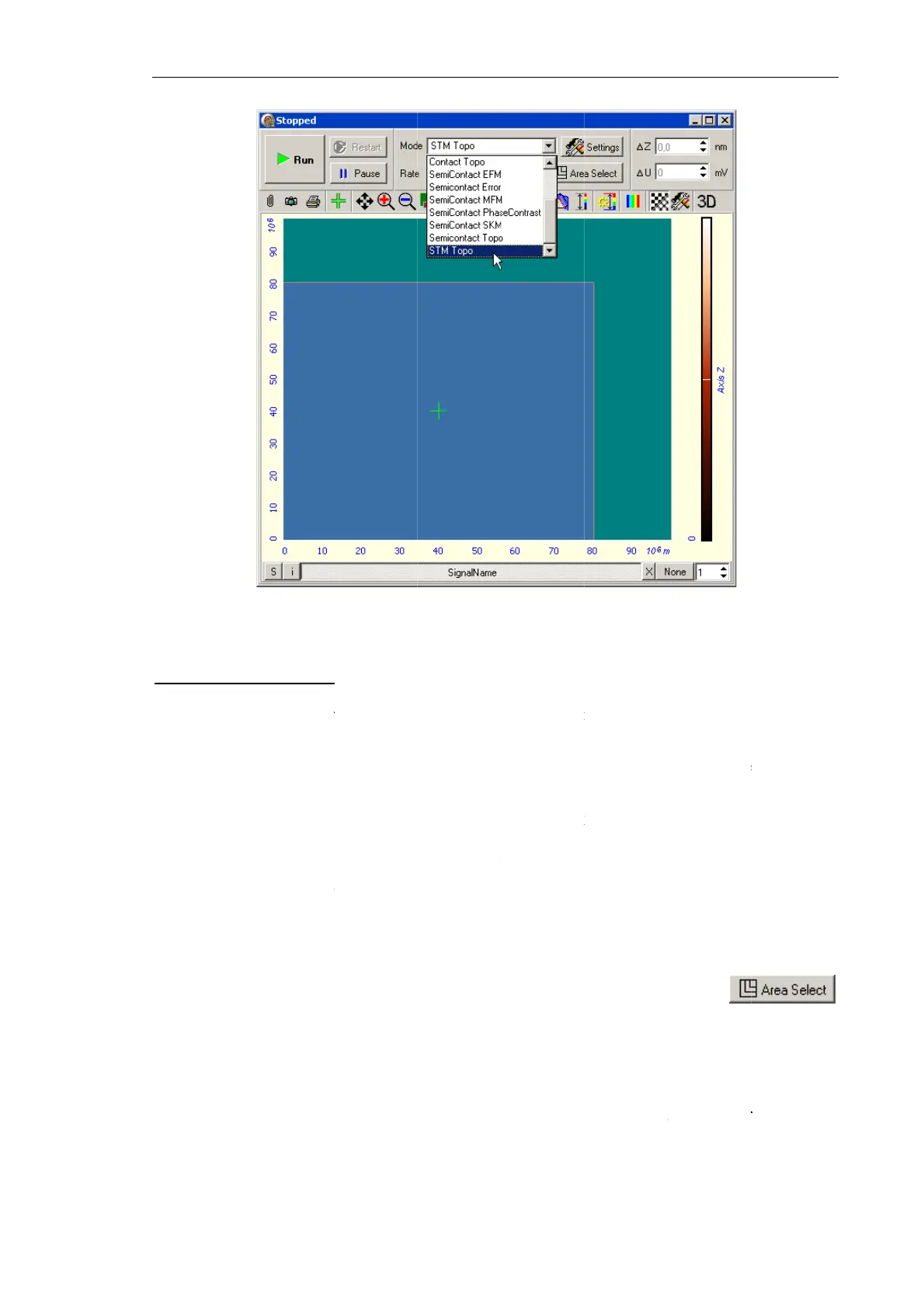
Fig. 7-1
1
e
scan are
a
prelimina
r
tions:
difference
i
m
scan fiel
d
t
differenc
e
0÷15 μm)
n
g paramet
e
b
e enlarge
d
t
o resize th
e
e
Scan area
the Contro
l
o
p-down lis
Change
.
T
e
r modifica
t
s
elected: th
f
ications.
A
n
d free pa
r
a
m
1
2. Selectin
g
a
r
y dimensi
i
n the surfa
c
d
is recomm
e
in the s
u
should be
e
rs, includi
n
d
.
e
scan area,
selection
w
l
panel of t
h
t (see pos.
3
T
his modes
d
t
ions as fol
l
e paramet
e
A
djustment
s
m
eter to pr
o
g
the Scanni
n
ons of t
h
c
e profile i
s
ended;
u
rface pro
f
prelimina
r
n
g speed o
f
perform th
e
w
indow (s
e
h
e
Scannin
g
3
in Fig. 7-
1
d
efine how
l
ows:
e
r marked
s
of any o
f
o
vide their
c
C
n
g Tunnelin
g
h
e scan a
r
s
known to
b
f
ile is un
k
r
ily explor
e
f
scanning,
S
e
following
e Fig. 7-11
3
g
window.
1
13) , selec
t
the param
e
with the
f
the two
o
c
orrespond
e
C
hapter 7. P
e
g
Microscop
y
r
ea, regar
d
b
e within t
h
k
nown, a s
e
d for fin
d
S
et Point
,
F
steps:
3
) by click
i
t
between t
h
e
ters
Area
,
S
selector (
p
o
ther para
m
e
nce with t
h
e
rforming M
e
y
Mode
d
for the
h
e Z-scann
e
mall sized
d
ing prope
r
F
B Gain
. T
h
i
ng the
h
e modific
a
S
tep,
and
N
p
os. 2) is
fi
m
eters will
h
e fixed on
e
e
asurement
s
13
3
followin
g
e
r range, th
e
scan are
a
r
levels o
f
h
en the sca
n
a
tion mode
s
N
Points
wil
l
fi
xed unde
r
change th
e
e
.
s
3
g
e
a
f
n
s
l
r
e

Table of Contents