EasyManua.ls Logo

NT-MDT Solver Next - Page 142

NT-MDT Solver Next
214 pages
Print Icon
To Next Page IconTo Next Page
To Previous Page IconTo Previous Page
Loading...
Solver NE
X
134
b.
Ch
a
un
d
3. Select
modifi
4. Adjust
etwe
rectan
5. Move
6. Select
7. Close
windo
X
T SPM. Inst
r
a
n
g
e
select
d
er modific
a
the param
e
c
ation mod
e
the para
m
e
n scan poi
n
g
le (pos. 1).
t
he scan ar
e
t
he scan di
r
t
he Scan ar
e
w
.
r
uction Man
u
ed: the
a
tion of the
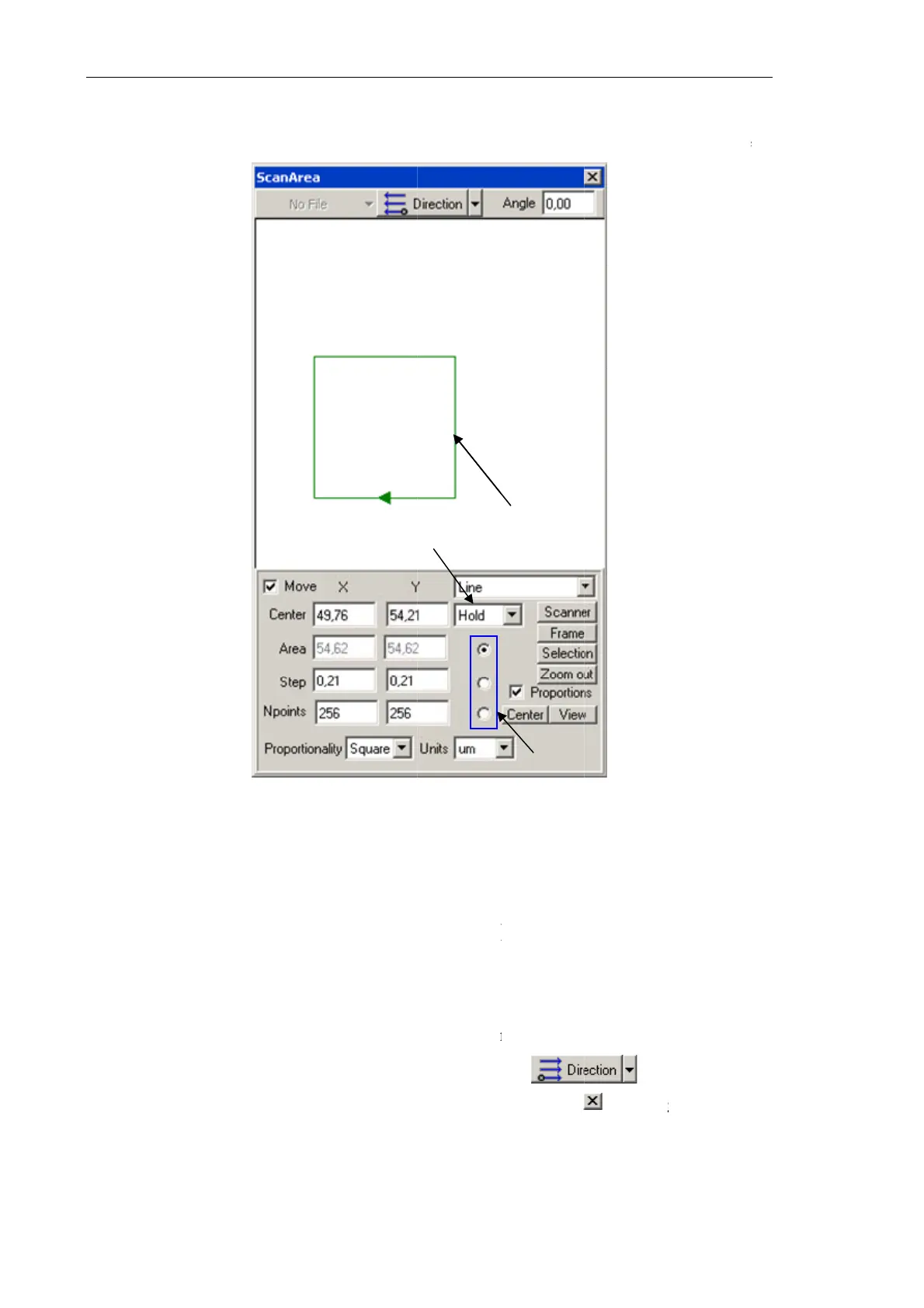
Fig. 7
-
1 – s
c
3
e
ter that w
i
e
, pos. 3)
w
m
eters
A
re
a
n
ts, and tot
a
e
a to the de
s
r
ection in t
h
e
a selectio
n
u
al
parameter
two others
-
113. Scan
a
c
an area; 2
locking/unl
o
i
ll
b
e fixed
w
ith the sele
c
a
,
Step
an
d
a
l of scan p
o
s
ired locati
o
h
e drop-do
w
n
window
b
marked w
i
proportion
a
a
rea selectio
n
parameter
o
cking para
m
or linked
u
c
tor (pos. 2
)
d
NPoints
o
ints. The
s
o
n with the
m
w
n menu of
b
y clicking
t
3
i
th the sel
e
a
lly to valu
e
n
window
selector;
m
eters
u
nder adju
s
)
.
t
o define
t
s
can area is
m
ouse.
the
t
he button
1
2
e
ctor (pos.
2
e
of the thi
r
s
tment (ac
c
t
he scan a
r
displayed
w
b
ut
t
at the ri
g
2
) will adj
u
r
d paramet
e
c
ording to
t
r
ea size, s
t
w
ith the gr
e
t
on.
g
ht top of
t
u
st
e
r.
t
he
t
ep
e
en
t
he

Table of Contents